.svg)
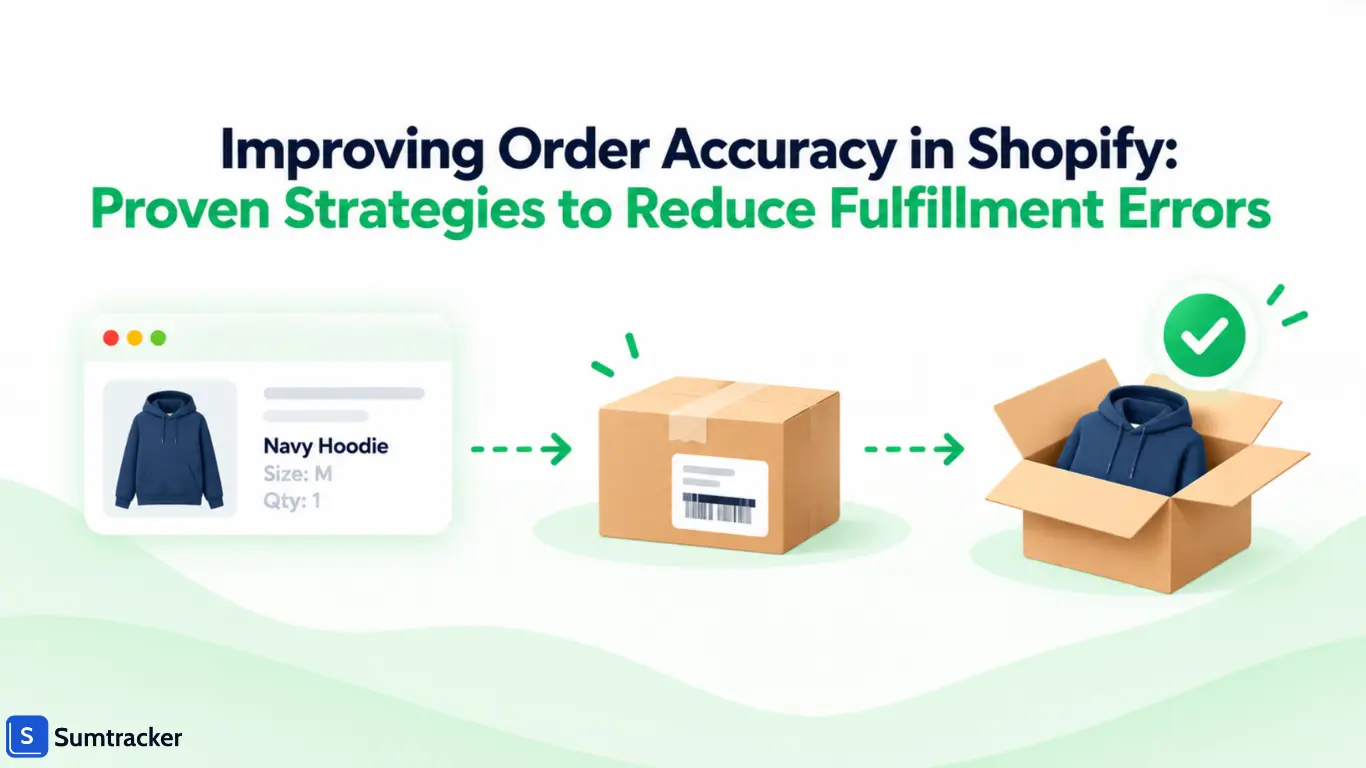
Improving Order Accuracy in Shopify: Proven Strategies to Reduce Fulfillment Errors


A customer orders a navy hoodie in medium. A black one in large shows up instead.
Now you are paying for a return label, a second shipment, and a support ticket. You may also lose that customer.
Order accuracy is the share of orders that reach the customer with the right items, in the right quantities, at the right address, and in good condition.
Most errors do not start at the packing table. They start earlier, with a variant that has no barcode, a stock count that is off, an address with a missing unit number, or a bundle that never deducted its components.
This guide follows an order from store setup to returns. For each stage, you will see where errors creep in, which Shopify settings help, and what to measure.
Why Order Accuracy Matters for Shopify Stores
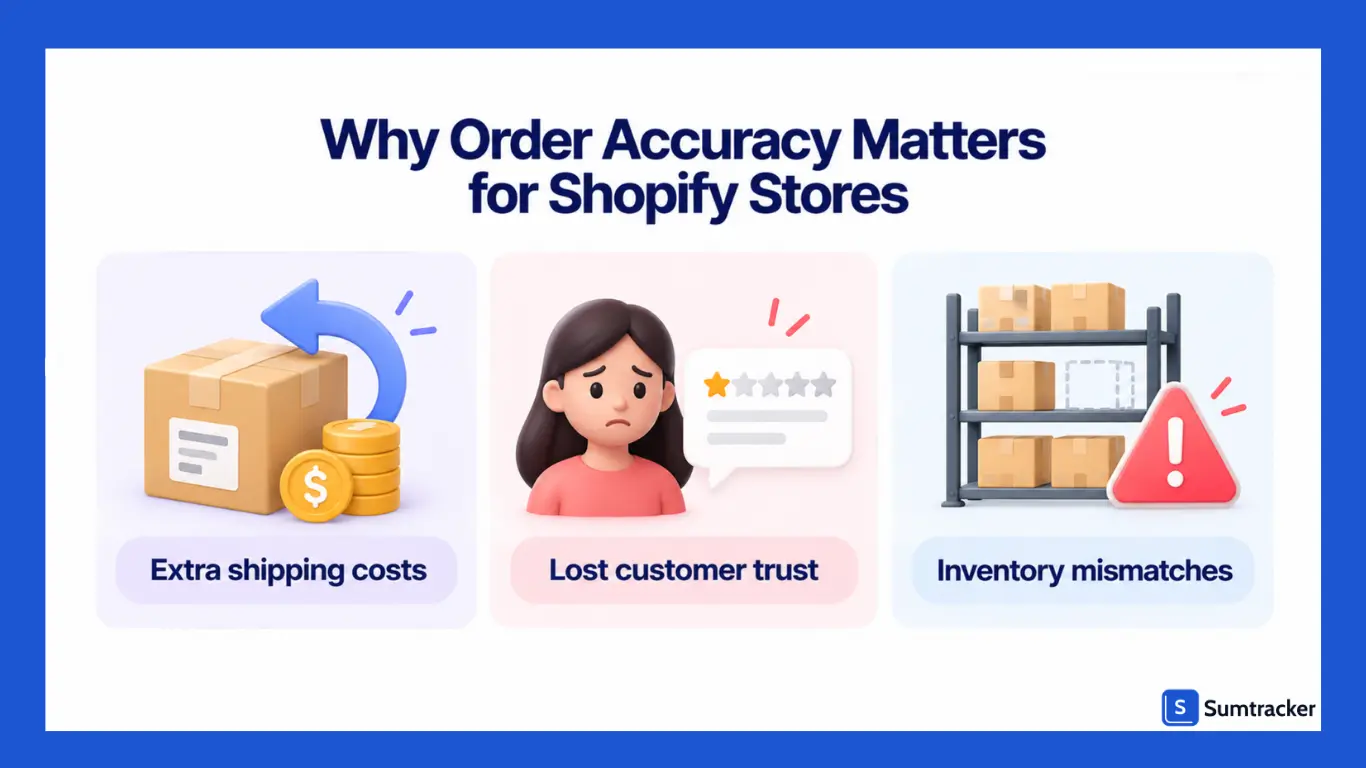
Every incorrect order costs you in three ways: money, customer trust, and inventory accuracy.
- Higher costs: Wrong orders mean extra shipping, staff time, and sometimes unsellable returns. For example, if each error costs $23 to fix, 40 errors a month add up to $920 in extra costs.
- Lost customers: Narvar’s 2025 report found that 86% of surveyed US shoppers had experienced at least one delivery issue. Sending the wrong item adds frustration and can reduce the chances of repeat purchases.
- Inventory mismatches: When you ship the wrong item, your stock records may no longer match what’s on the shelf. This can lead to more picking errors, inaccurate replenishment, and stock availability problems.
What Your Order Error Rate Looks Like in Real Orders
Percentages can hide the scale of the problem. The table below shows how different error rates translate into incorrect orders for a store shipping 2,000 orders per month.
Order accuracy rate = (orders delivered without an error ÷ total orders shipped) × 100
Count an order as incorrect if it contains the wrong item or quantity, a missing item, damage caused by inadequate packing, or an address error that leads to a fulfillment failure. Define your categories consistently so you can compare performance over time.
Rule of thumb: Every percentage-point increase in the error rate means 10 additional incorrect orders per 1,000 orders shipped. Even a small improvement can prevent dozens of errors as order volume grows.
For a broader look at keeping stock records accurate across products and sales channels, see our guide to Shopify inventory management.
Common Causes of Inaccurate Orders in Shopify Fulfillment
Most fulfillment errors begin in one of five areas: product data, inventory records, order changes, picking and packing, or shipping details.
The mistake a customer notices may have started much earlier. For example, a wrong-size shipment could trace back to a barcode attached to the wrong product variant during setup or receiving.
Three Patterns Behind Many Fulfillment Errors
Look-alike products. Products that differ only by size, shade, scent, or a small label are easy to mix up. Under time pressure, pickers may rely on appearance or shelf position instead of checking the SKU or barcode.
Manual handoffs. Every time someone re-enters a quantity, copies an address, or moves stock without recording the change, the risk of error increases. Spreadsheets, handwritten notes, and disconnected systems can all create gaps between what happened and what the records show.
In DS Smith’s research, 30% of retailers said damaged deliveries led to customers not coming back.
Volume spikes. Seasonal demand, new staff, longer shifts, and rushed packing can expose weaknesses in an otherwise workable process. A workflow that handles 50 orders a day may not hold up at 300 without clearer checks and better controls.
Measure Your Own Errors First
Before changing your tools or workflows, track fulfillment errors for 30 days. Recording the type of error and where it occurred will help you identify which problem to address first.
Practical tip: Use consistent tags for corrected orders, such as error-wrong-variant, error-short-qty, error-missing-item, error-damaged, and error-address. Review the tags at the end of the month to find your most common error types.
Where possible, record the root cause as well as the outcome. For example, a wrong-variant shipment might result from an incorrect barcode, a mislabeled shelf, or a picking mistake. Knowing the cause helps you fix the process instead of repeatedly correcting individual orders.
If your inventory records already disagree with your physical stock, our guide to fixing inventory mismatches explains how to investigate where the discrepancy began.
Set Up Your Shopify Store for Accuracy from the Start
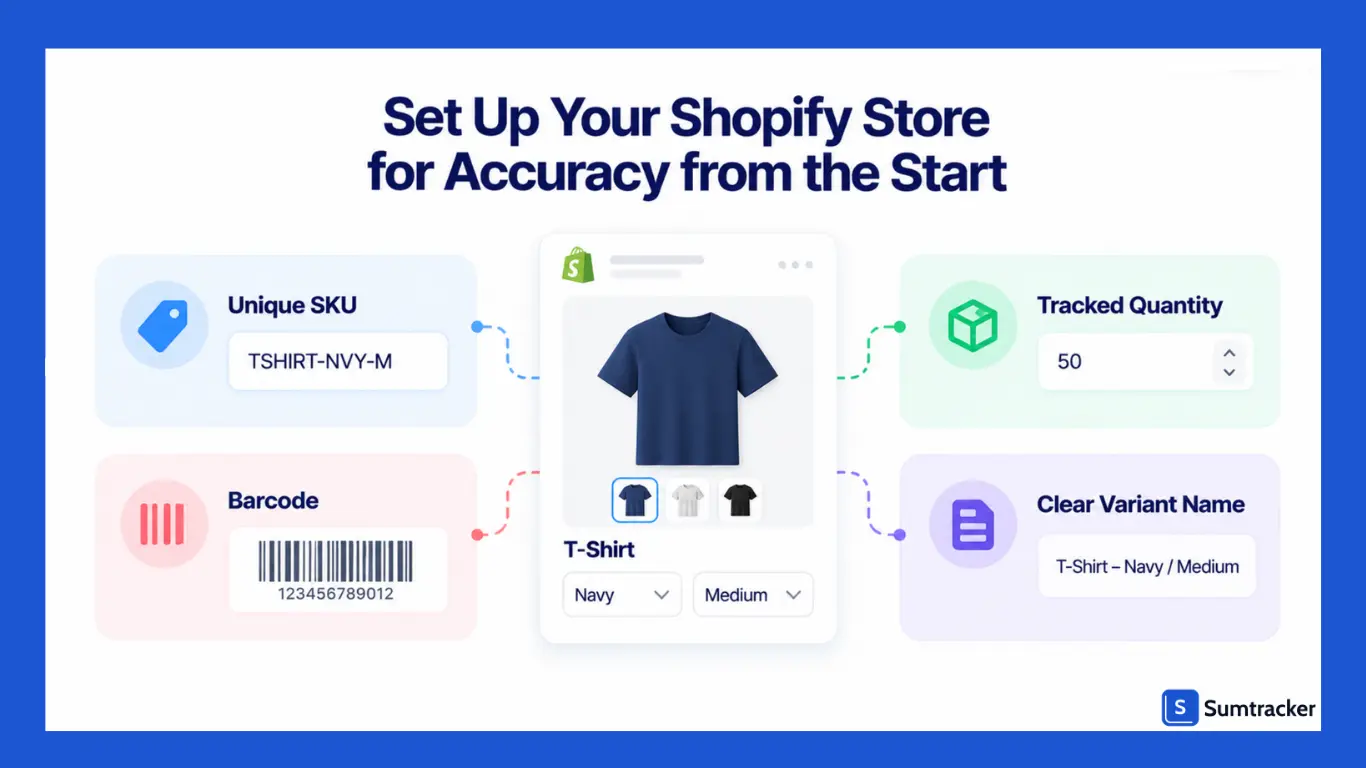
Clean product data stops errors before an order even exists. Fix these settings once, and every picker, scanner, and app downstream works from the right information.
Give Every Variant a Unique SKU
Shopify tracks stock at the variant level. A T-shirt in four colors and five sizes is 20 separate items, and each one needs its own SKU.
Use a pattern people can read at a glance, such as TEE-NAVY-M. Avoid codes that only differ by one character, like TEE-01 and TEE-10. Our guide to SKU management covers naming rules in more detail.
Add a Barcode to Every Variant
A SKU tells a person what an item is. A barcode lets a scanner confirm it, which is far more reliable during a rush.
Since September 2026, a Shopify variant can store up to 20 barcodes, each with an optional type such as GTIN, UPC, or EAN. This helps when your supplier's code differs from your own label. Both codes now point to the same variant.
Track Quantity on Every Variant
If tracking is off for a variant, Shopify keeps selling it with no stock limit. Check multi-variant products after every import, because one untracked size is easy to miss. See our guide to Shopify variant inventory.
Write Variant Names a Picker Can Use
Pick lists and packing slips show product titles and variant names. "Hoodie / Navy / M" is clear. "Option 2" is not. Add product images too, because Shopify pick lists can show the image next to each line.
Add Package Dimensions
When you add packed product sizes and save your box sizes, Shopify now works out which saved package fits a multi-item order.
Before this change, package selection only applied to single-item orders. The right box means fewer items rattling around and fewer damage returns.
A Harris Poll survey for DS Smith found that 60% of Americans received damaged goods within the year.
Stop Bad Addresses at Checkout
Address errors are order errors too. Shopify upgraded address autocomplete and validation for the US, Australia, Canada, the Netherlands, and France in March 2026.
In June 2026, address format validation in Checkout Blocks became available to all merchants. You turn it on under Settings → Checkout → Checkout rules → Address format validation. Buyers see an inline error and can't finish checkout until the address is fixed (Shopify Changelog).
Rule of thumb: If two variants look the same to a new hire, they need separate shelf spots and a barcode scan before packing.
Pre-Fulfillment Order Verification and Review Processes
The easiest time to fix an order error is before picking begins. A quick review helps catch unusual orders before they reach the packing bench.
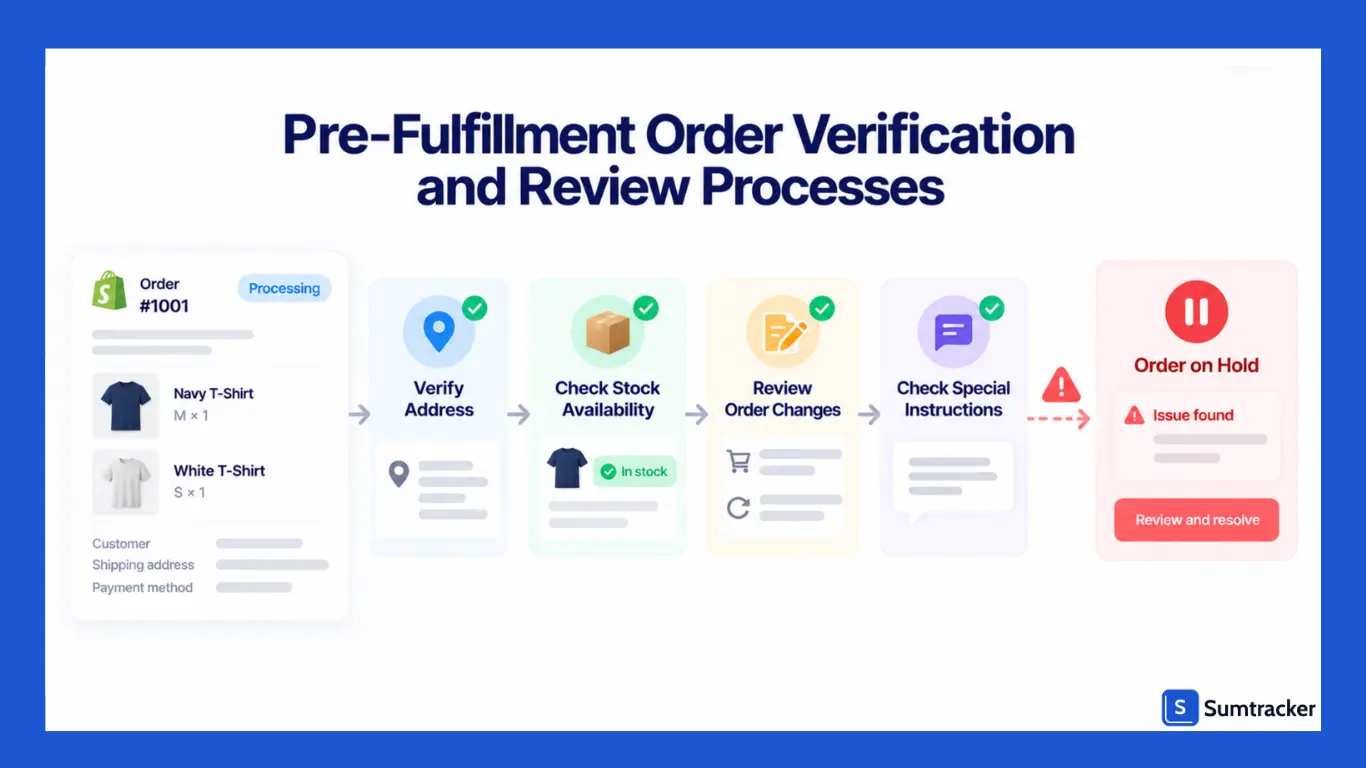
What to Check Before Picking
Review orders for these common issues:
- High-risk orders: Review fraud alerts and hold suspicious orders until verified. Shopify Flow can automate parts of this process.
- Address problems: Check for missing apartment numbers, incomplete addresses, or other delivery issues.
- Order edits: If an item, quantity, or address changes after printing, update the pick list and packing slip.
- Repeat orders: Flag multiple orders from the same customer when combining shipments makes sense.
- Special instructions: Make gift notes and personalization requests visible to the fulfillment team.
- Stock shortages: Check available inventory at the assigned location. Transfer stock, split the shipment, or hold the order if needed.
Use Holds Instead of Sticky Notes
A fulfillment hold pauses an order until an issue is resolved. Use holds for orders that need address confirmation, fraud review, stock transfers, or special handling.
This is more reliable than leaving a reminder for someone to remember. Our guide to Shopify fulfillment workflows explains how holds, routing, and Shopify Flow work together.
Pre-Fulfillment Checklist
Practical tip: Print fulfillment documents at set times, such as 10 a.m. and 2 p.m. If an order changes after printing, update its documents before picking begins.
Upgrade Your Picking and Packing Operations
Picking and packing is where many fulfillment errors occur. Clear processes help, but verification catches mistakes that careful handling alone can miss.
Use Shopify Batch Fulfillment
Shopify’s batch fulfillment feature lets you process multiple orders together. It supports batches of up to 250 fulfillments, with options for picking, printing documents, and packing.
A typical workflow has three steps:
- Pick: Use a consolidated pick list to collect items for multiple orders.
- Print: Prepare shipping labels, packing slips, and other required documents.
- Pack: Verify the items for each order before sealing the package.
Turn On Scan to Verify
Scan to verify helps confirm that the items being packed match the order. Correct scans confirm a match, while incorrect items or extra scans trigger an error.
Before using this workflow, check three things:
- Barcodes: Products need scannable barcodes and a compatible scanner. If scanning isn’t available, verify items manually.
- Location eligibility: Confirm that your fulfillment location meets Shopify’s requirements.
- Older orders: Check the batch selection rules, as the recent-orders workflow may exclude older unfulfilled orders.
Pick the Right Picking Method
The best method depends on your order volume, product range, and warehouse setup.
You can also group orders by fulfillment needs. For example, picking single-item orders or orders containing the same product together can reduce unnecessary walking. Keep express orders separate when needed to meet carrier cutoffs.
Use Shopify Order Printer for Pick Lists
If you don’t use batch fulfillment, Shopify’s free Order Printer app can help generate order documents. Choose a format that makes the product, variant, SKU, and quantity easy to check.
Watch this walkthrough: How to add Shopify Order Printer.
Set Up the Packing Bench for Accuracy
Use these simple rules to reduce packing errors:
- One open order per bench: Keep orders separate to avoid mixing items between packages.
- Scan before labeling: Verify every item before applying the shipping label.
- Include a packing slip: Make it easy to check what belongs in the box.
- Separate similar products: Store look-alike sizes, colors, and styles in clearly labeled locations.
Practical tip: Store similar, fast-moving variants such as medium and large sizes of the same bestseller in clearly labeled, separate locations. Make pickers check labels instead of relying on appearance.
Max and Zach, founders of the US fulfillment company Ships-A-Lot, explain what new Shopify brands should focus on in fulfillment and when to consider outsourcing on the Winning With Shopify podcast.
Post-Fulfillment Validation and Quality Control
Scanning helps catch mistakes during packing. Post-fulfillment checks help identify missed errors and show whether your process is improving.
Use three checks: verify packages before carrier handoff, audit a sample of orders daily, and review errors reported after delivery.
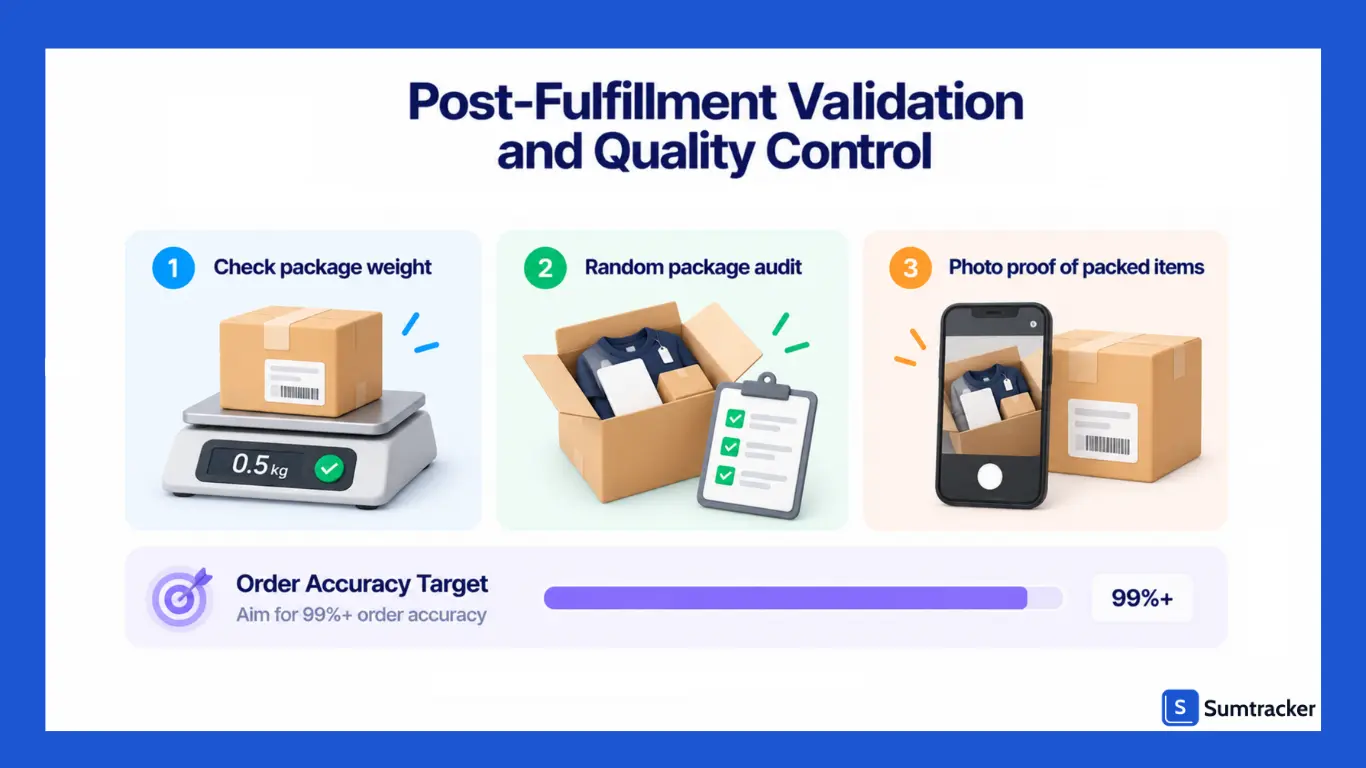
Check Package Weight Before Handoff
Record product weights in Shopify and account for the packaging. Weigh sealed packages and compare the actual weight with the expected total.
Shopify doesn’t automatically compare package weight against the expected order weight, so this check requires a manual process or a compatible app. It can help catch missing items before shipping.
Rule of thumb: Investigate significant differences between expected and actual package weight before handing the parcel to the carrier.
Audit a Sample of Orders Every Day
Randomly select packed orders and compare their contents with the order details or packing slip. Record any errors using the same tags you use for customer complaints.
Practical tip: Start by auditing 2% of daily orders, with a minimum of 10 where volume allows. Increase checks for new packers and high-value orders. Adjust the sample size as you gather enough data to understand your error rate.
Keep Proof of What You Ship
For high-value orders, take a photo of the packed items before sealing the box. This gives your support team a record of what was included if a customer later reports a missing item.
Shopify’s 2026 fulfillment announcement also describes proof-of-delivery photos for supported carriers. Where available, these can help investigate claims that a package wasn’t received.
Benchmarks Worth Knowing
The Warehousing Education and Research Council (WERC) publishes benchmarks for distribution center performance. The following figures are from its 2025 DC Measures Report, as summarized by Yale Materials Handling.
These figures reflect warehouse performance, not necessarily the results a small Shopify store should expect immediately. Use them as reference points while tracking your own progress.
Review the Error Log Weekly
Review your error tags by SKU, packer, and error type. Look for recurring problems rather than treating each mistake as an isolated incident. If the same SKU causes repeated errors, investigate its labeling, storage location, barcode, and picking process.
Our Shopify inventory audit checklist can help you identify inventory discrepancies during your regular reviews.
Handle Special Order Types Without Errors
Bundles, pre-orders, personalized products, and split shipments need different fulfillment checks. Define a clear process for each, so your team doesn’t have to rely on memory.
Bundles Need Component-Level Tracking
A bundle sells as one product but uses stock from several components. If its inventory isn’t linked to those components, selling individual items can leave the bundle’s stock count inaccurate.
For example, a paint kit needs three brushes and one palette. With 45 brushes and 20 palettes available, you can make 15 kits, limited by the brushes.
Case Study: Ozdingo’s Bundle-First Catalog
Ozdingo is an Australian multi-category retailer selling thousands of SKUs, including multipacks and sets, across two Shopify stores and Amazon FBA.
Previously, each multipack sale required manually deducting 3–10 component SKUs. During busy periods, delays led to overselling, while spreadsheet-based purchase orders were prone to errors.
After adopting Sumtracker, bundle sales automatically deduct component inventory. Ozdingo reports that stock accuracy improved from 70–85% to 98–100%, while overselling dropped to near zero.
Prevent Errors With Split Shipments
Orders containing items from different locations or with different availability dates may ship in multiple packages. Make sure each shipment is tracked and fulfilled separately, and communicate delivery expectations to customers.
For orders combining shipping and in-store pickup, verify which items belong to each delivery method before completing fulfillment. Available Shopify options can depend on the store’s plan and the features enabled.
Use Returns Data to Identify and Fix Accuracy Problems
Returns can reveal where fulfillment accuracy breaks down, provided you record why each item came back.
Some returns result from fit, preference, or a change of mind. Others point to operational problems, such as the wrong item, a missing component, an incorrect quantity, or damage in transit. Separating these reasons helps you identify which issues your fulfillment team can fix.
Separate Fulfillment Errors From Customer Choices
Separate returns caused by fulfillment errors, such as wrong items or missing products, from those caused by fit or preference. This helps you identify which problems your team can fix.
In a November 2025 survey of 2,013 US consumers by Shorr, 31% cited damaged goods as a return reason, second only to wrong size (44%). The finding highlights why merchants should also track damage-related returns and review their packaging practices.
Turn Each Return Reason Into a Fix
Use return reasons to identify the likely cause, the part of your workflow to inspect, and the corrective action to take.
Fulfillment-caused return rate = (Returns caused by fulfillment errors ÷ Orders shipped) × 100
Track this alongside your overall return rate. If the overall rate stays flat while the fulfillment-caused rate rises, investigate your picking, packing, and shipping processes.
Inspect Returns Before Restocking
A returned item can also create an inventory discrepancy. For example, a customer may return a different variant from the one originally ordered, or a damaged unit may be mistakenly added back to sellable stock.
Inspect each return, identify the correct SKU, and update its inventory accordingly. Move damaged or unsellable units to an unavailable state rather than returning them to available stock.
For a deeper look at matching physical counts with inventory records, see our guide to inventory reconciliation.
Practical tip: Review fulfillment-related returns by SKU every week. If the same SKU appears repeatedly, inspect its label, shelf location, and nearby look-alike products before changing the wider process.
Maintain Accuracy During Peak Seasons and High Order Volumes
Peak season rarely creates new kinds of errors. It multiplies the ones you already have, because the same team works through several times the usual volume.
The scale is real. Over Black Friday Cyber Monday 2025, Shopify merchants made a record $14.6 billion in sales, and more than 94,900 merchants had their highest-selling day ever on Shopify. A spike like that tests every weak spot in a fulfillment process.
What Changes at Peak
- New staff. Temporary packers don't know which products look alike.
- Longer shifts. Tired people skip checks.
- Promo bestsellers. A few SKUs make up a big share of orders, so one mislabeled shelf repeats the same error many times.
- Last-minute catalog edits. New bundles and variants added days before the sale often launch without barcodes.
Peak Accuracy Timeline
Rule of thumb: Freeze SKU and barcode changes 7 days before a major sale. Any product edited after that date gets its first 20 orders checked by hand.
For the inventory side of peak planning, use our BFCM inventory planning template and the full BFCM prep checklist.
Conclusion
Improving order accuracy in Shopify comes down to building reliable processes at every stage, from product setup and inventory tracking to picking, packing, and handling returns.
Clear SKUs, barcode verification, pre-shipment checks, and regular error reviews help prevent mistakes before they reach customers.
As your order volume grows, use fulfillment data to identify recurring errors and fix their root causes rather than relying on manual checks alone. Consistent processes help reduce costly returns, protect customer trust, and keep your inventory records accurate.
If you’re managing inventory across multiple sales channels, Sumtracker helps sync inventory across stores and manage stock in one place, reducing inventory discrepancies that can contribute to fulfillment problems.
Frequently Asked Questions About Shopify Order Accuracy
How can I improve order accuracy in Shopify?
Use unique SKUs and barcodes for every variant, verify items against pick lists before packing, and check quantities before shipping. Track fulfillment errors to identify recurring problems.
What is a good order accuracy rate for an ecommerce store?
A higher order accuracy rate means fewer incorrect shipments. For example, 99.5% accuracy means 5 incorrect orders per 1,000 shipped. Set a target based on your current performance and work toward reducing errors consistently.
What are the most common causes of Shopify fulfillment errors?
Common causes include picking the wrong variant, shipping incorrect quantities, missing bundle components, mislabeled products, and packing errors. High order volumes and unclear warehouse processes can make these problems more frequent.
How can I prevent picking and packing errors?
Use clear SKU labels, organize similar-looking products separately, verify items with barcode scanning, and check the packed order against the order details before dispatch.
How should I track fulfillment errors in Shopify?
Record each error by type, SKU, and likely cause. Review return reasons, customer complaints, and packing errors regularly to identify patterns and prioritize fixes.
How can I reduce fulfillment errors during Black Friday and other peak seasons?
Prepare inventory and packaging materials in advance, test scanners and printers, train temporary staff, and increase quality checks for high-volume products and new team members.
How do returns help identify order accuracy problems?
Return reasons can reveal recurring issues such as wrong items, missing products, incorrect quantities, or shipping damage. Review these returns by SKU and error type to identify which parts of your fulfillment process need attention.
Conclusion

Bhoomi writes about inventory management and multichannel selling at Sumtracker. Her focus is on solving real operational problems for Shopify, Amazon, and marketplace sellers through well-researched content. She covers everything from multi-location inventory syncing and stock error troubleshooting to replenishment planning and platform comparisons, turning complex eCommerce operations into clear, actionable guidance.
LinkedInRelated Articles
Tool and strategies modern teams need to help their companies grow.
.avif)
.avif)
.avif)
Ready to Simplify Your Inventory Management?
Join hundreds of e-commerce merchants who rely on Sumtracker to save time, eliminate errors, and grow their business.