Ultimate BFCM Prep Checklist for eCommerce Stores 2026


BFCM isn’t just another sales event. It’s the ultimate stress test.
Traffic explodes. Orders pour in. Inventory moves faster than any other week of the year.
And the stakes keep rising. Shopify merchants sold a record $14.6 billion over BFCM 2025, up 27% from the year before.
In the US alone, shoppers spent $44.2 billion online across Cyber Week.
Behind every smooth BFCM weekend is one thing most merchants overlook: a solid prep plan.
It’s not just about launching discounts or posting ads. The real work starts weeks in advance. Forecasting demand. Restocking bestsellers. Syncing inventory across Shopify and marketplaces. Tightening fulfillment. Stress-testing checkout before the rush hits.
This checklist walks you through it step by step, so your store is ready to handle the surge, delight customers and protect your margins when it matters most.
Know the 2026 Dates and Work Backwards
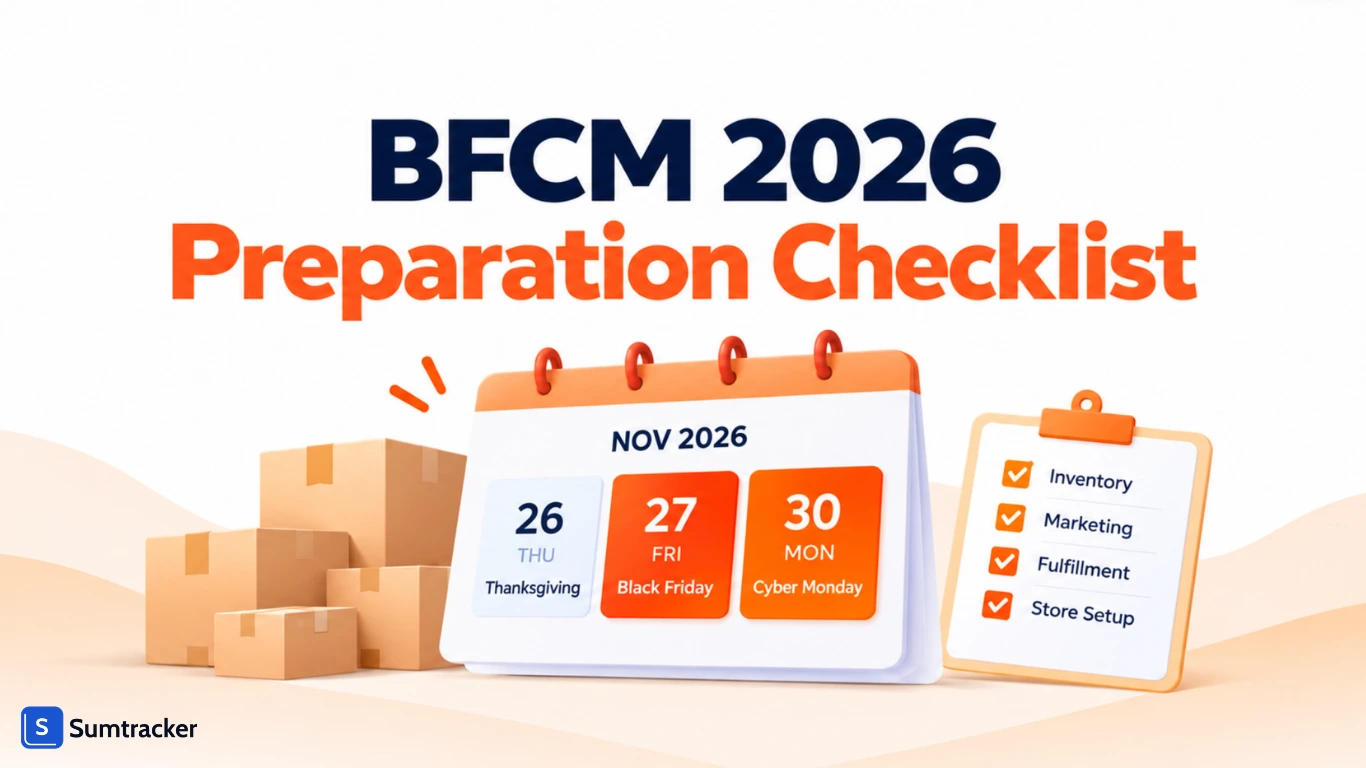
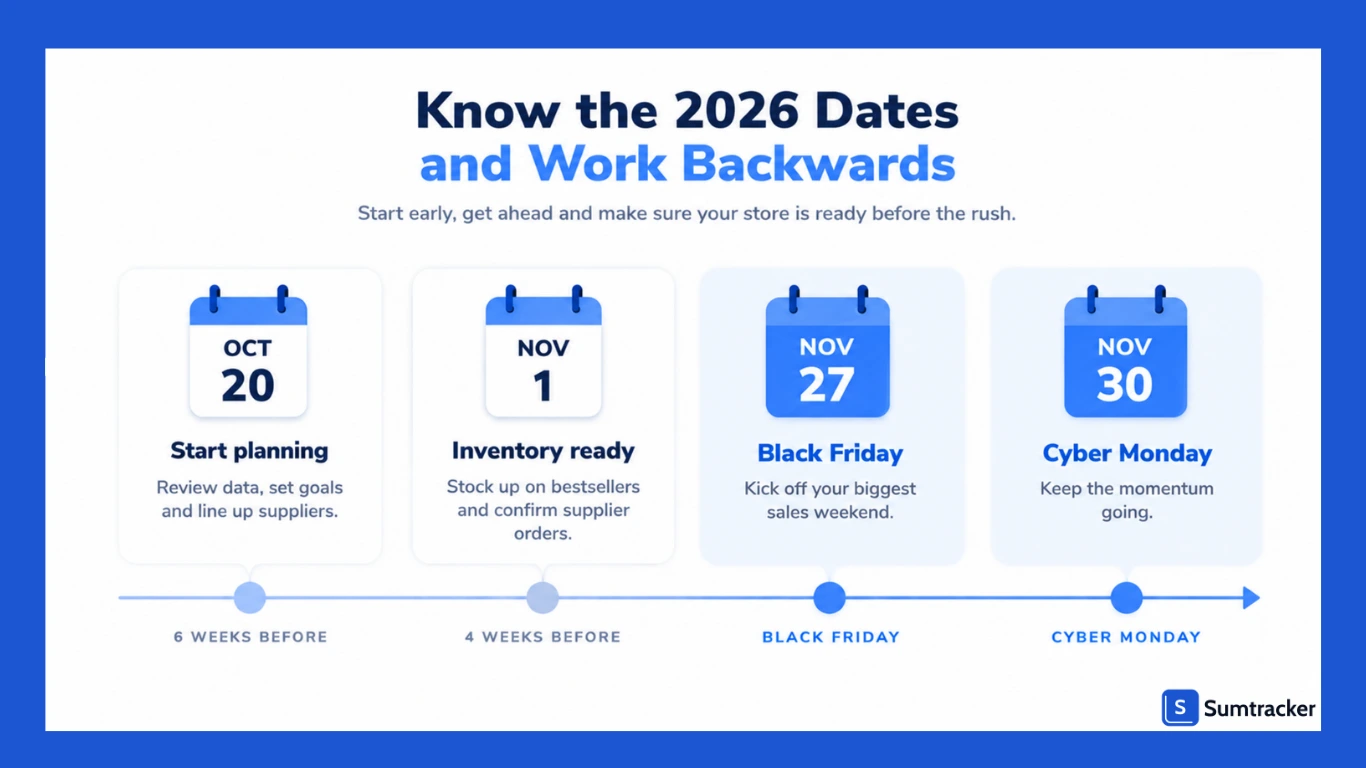
Here’s the calendar for this year:
- Thanksgiving: Thursday, November 26
- Black Friday: Friday, November 27
- Cyber Monday: Monday, November 30
But the sale doesn’t start on Friday anymore. In 2025, Black Friday grew faster than Cyber Monday for the second year in a row, because shoppers jumped on early deals. Many stores now run early access or “Black November” offers.
That changes your deadlines. Your stock needs to be on the shelf before your first deal goes live, not before Black Friday.
If you’re reading this in mid-October, you have about six weeks. That’s enough time, but only if you start with the steps that take longest. Supplier orders come first. Campaigns and site tweaks come after.
Review Last Year’s Numbers and Spot Opportunities
Before you jump into this year’s planning, pause and look back. Your last BFCM performance is a treasure trove of insights and knowing what worked (and what didn’t) will help you plan smarter this time.
Here’s what to dig into:
- Top-performing products: Which SKUs sold out first, and how much stock did you have on hand?
- Sales peaks: What days and times saw the biggest surges?
- Marketing ROI: Which campaigns brought the highest conversion rates?
- Operational bottlenecks: Where did delays, stockouts, or refunds occur?
Then set clear goals for this year: revenue, average order value (AOV), conversion rate and inventory turnover. These targets will guide every decision that follows.
Audit Your Inventory and Talk to Suppliers Early
The biggest BFCM mistake merchants make?
Realizing too late that they don’t have enough stock. Inventory is the backbone of your success and it needs attention now, not a week before launch.
Start with a full stock audit. Flag your bestsellers, seasonal products and anything with consistently high sell-through. Then:
- Confirm supplier lead times: Q4 is peak season for manufacturers and freight. Ask now, not in November.
- Place orders for long lead time SKUs first: These are the ones you can’t fix later.
- Line up backup suppliers: Have an alternate source ready for your highest-demand products.
Don’t forget the other end of the shelf. Slow movers tie up cash you could spend on bestsellers. BFCM is a great moment to clear them through discounts or bundles.
An ABC analysis makes it easy to see which products drive most of your revenue and which ones are just sitting there.
Forecast Demand and Adjust Safety Stock
Guessing demand is one of the riskiest moves you can make before BFCM. Use data instead:
- Start with last year’s BFCM sales and adjust for year-over-year growth.
- Factor in your marketing plans. Big discounts, influencer pushes and paid campaigns all lift demand.
- Account for a longer sales window if you’re running early access deals.
- Watch for trends or pre-order interest that could spike specific SKUs.
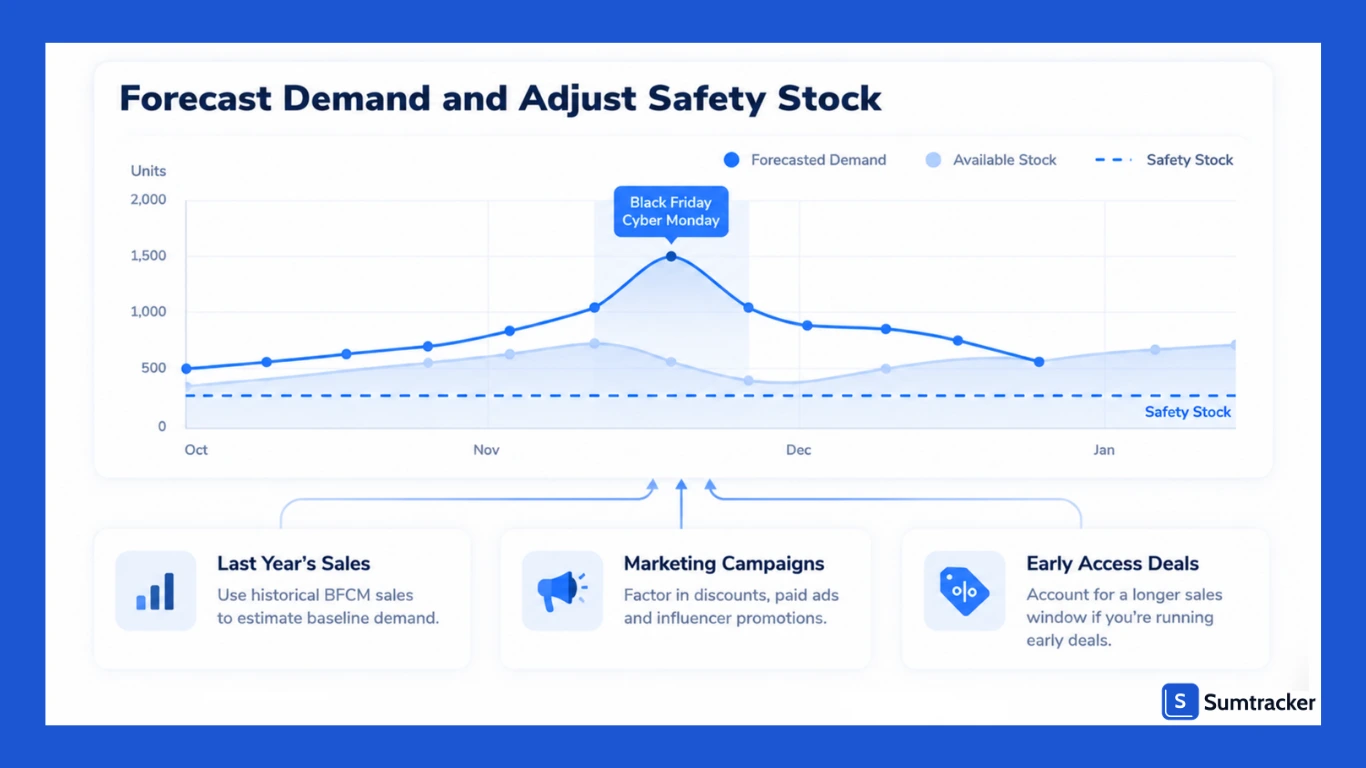
Once you have a forecast, update your safety stock. A small buffer on high-demand items can be the difference between hitting your target and watching a bestseller sell out on Saturday morning.
Here’s what this looks like in practice. Personal care brand Touchland used to run out of stock during peak shopping periods because demand outpaced supply.
For BFCM, the brand and its Amazon partner focused on forecasting unit demand and sending FBA stock in early. Stockouts dropped from 2.5 weeks to just 2 to 5 days.
Over the five-day event, sales grew 245% and units sold grew 305% compared to the year before. Read the full Touchland case study.
Automate Replenishment and Purchase Orders
If you’re still manually tracking reorder points, BFCM is going to feel chaotic. Automation ensures you’re never caught off guard by fast-moving inventory and it frees you from constant spreadsheet checks.
Here’s what to automate before the rush:
- Low-stock alerts: Get notified before products hit zero.
- Reorder points: Automatically trigger POs when stock dips below a certain threshold.
- Purchase order generation: Use historical data and lead times to auto-calculate reorder quantities.
This is where a tool like Sumtracker makes a real difference. It analyzes past sales and lead times to recommend exactly when and how much to reorder, so you’re always stocked without overstocking.
Sync Inventory Across All Your Sales Channels
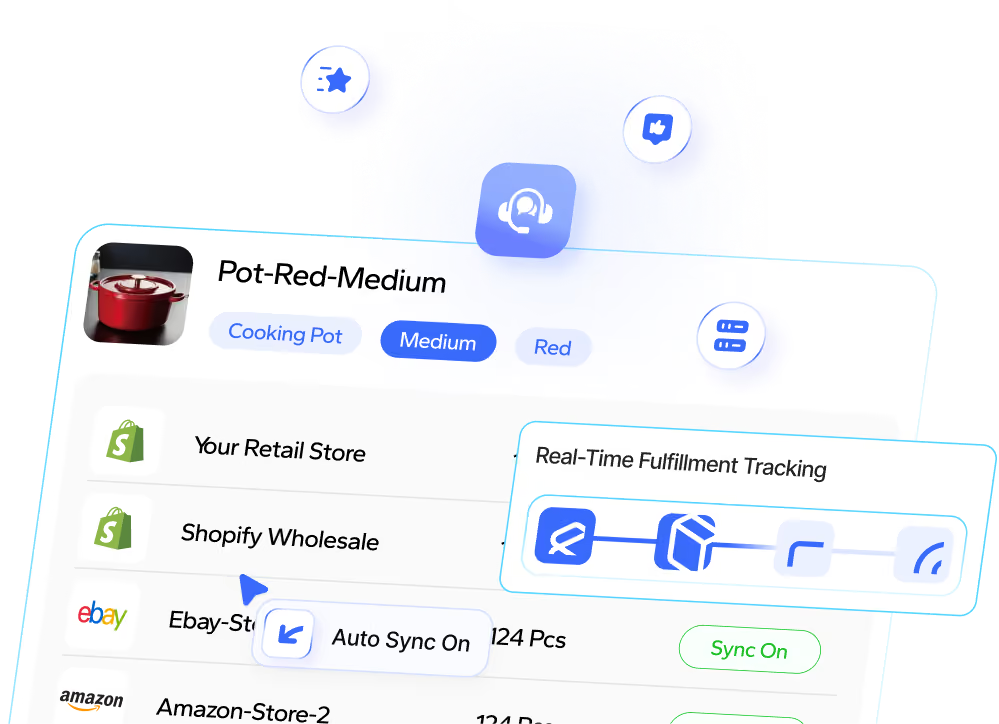
Selling on multiple platforms is a growth driver but it also multiplies the risk of overselling if your stock isn’t in sync. One sale on Shopify shouldn’t leave your Amazon listing showing false availability.
One sale on Shopify shouldn’t leave your Amazon listing showing stock you no longer have. During BFCM, when orders land every few seconds, that gap gets expensive fast.
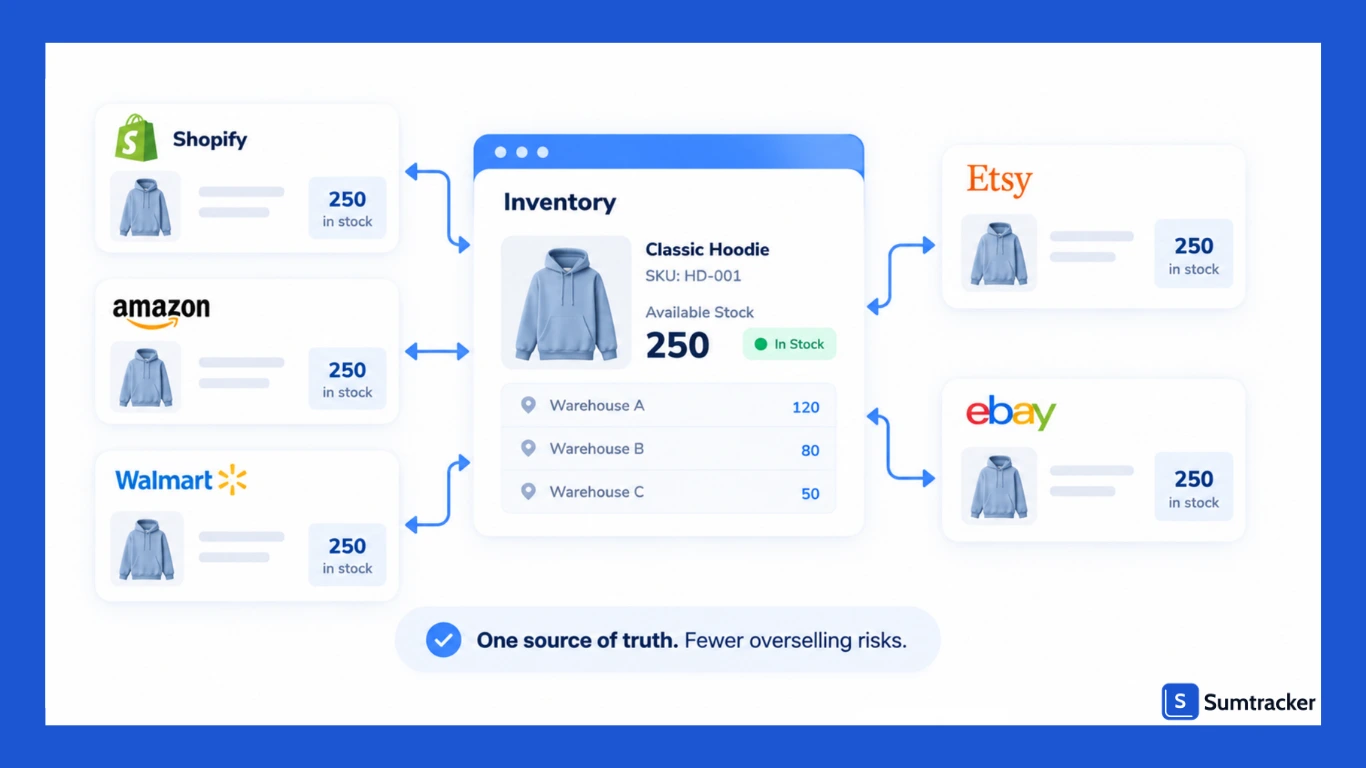
A centralized inventory system fixes this. When an item sells anywhere, every listing updates automatically. No manual work. No errors.
Sumtracker syncs stock in real time across Shopify, Amazon, Walmart, Etsy and eBay, including multiple Shopify stores. That gives you one accurate source of truth, so you can run campaigns everywhere without worrying about overselling or refund requests.
One extra tip for BFCM: set an out-of-stock threshold on your fastest sellers. That way, a listing goes out of stock while you still have a few units on hand to cover damaged items or miscounts.
Refresh Product Listings, Bundles, and Offers
BFCM shoppers are flooded with deals and how your product is presented can be the difference between a click and a scroll past. Your listings should be optimized to grab attention and drive action.
Do this for every key product:
- Rewrite titles and descriptions: Focus on benefits, urgency, and outcomes.
- Update visuals: Add lifestyle photos, comparison images, and clear promo banners.
- Use social proof: Reviews, ratings, and testimonials build trust quickly.
Now is also the perfect time to create bundles or kits. They’re a proven way to increase AOV and move inventory faster especially when framed as “limited-time” BFCM exclusives.
Plan and Schedule Marketing Campaigns in Advance
BFCM isn’t just about the discount. It’s about the excitement you build around it.
With deals starting earlier every year, here’s a timeline that works:
- 3 to 4 weeks before: Launch teaser campaigns and grow your email and SMS lists.
- 1 week before: Open early access or VIP-only deals for loyal customers.
- Thanksgiving to Cyber Monday: Run your main sale across email, social, SMS and paid ads.
- Final 24 hours: Use scarcity messaging like “last chance” or “ends tonight.”
And don’t ease off on Monday. Cyber Monday 2025 was the biggest online shopping day in US history.
Segment your audience and personalize your messaging.
A returning customer doesn’t need the same message as a first-time visitor, and personalized offers almost always convert better.
Want to hear how other founders plan for the big weekend?
In this Shopify Masters episode, 13 founders share the BFCM strategies that worked for them, covering sales, inventory and marketing. It’s a quick 22-minute listen.
Test Your Site, Checkout, and Mobile Experience
Imagine spending weeks prepping inventory and campaigns, only for your checkout to break on Black Friday. It happens every year. It’s almost always avoidable.
Run a full site audit well before the sale:
- Check load times: Aim for a Largest Contentful Paint under 2.5 seconds, Google’s benchmark for a good experience. Slow pages lose impatient shoppers.
- Stress-test checkout: Enable guest checkout, test every discount code and confirm your payment options work.
- Offer the payment methods shoppers expect: Shop Pay sales grew 39% over BFCM 2025, and US shoppers spent over $1 billion with buy now, pay later on Cyber Monday alone.
- Optimize for mobile: Mobile drove 57.5% of US online sales on Cyber Monday 2025 and over 60% on Thanksgiving. Your store needs to work flawlessly on a small screen.
Finally, set a code freeze. Avoid installing new apps or making theme changes in the final week before your sale goes live.
Lock In Fulfillment, Shipping, and Returns Plans
A successful sale isn’t just about what happens before checkout, it’s also about what happens after. Fulfillment and shipping mistakes are a fast way to lose repeat customers.
Here’s how to avoid them:
- Talk to your 3PL or warehouse early: Make sure they can handle volume spikes.
- Set clear shipping cutoffs: Display delivery estimates and order deadlines on product pages.
- Offer fast shipping: Even if it’s a paid option, it’s worth it for BFCM buyers.
- Simplify returns: A frictionless return policy can be a conversion booster, not a cost center.
When fulfillment runs smoothly, customers remember and they’re far more likely to come back long after the sale ends.
Monitor Metrics in Real Time During the Sale
Once the sale starts, things move fast and decisions made in the moment can have a big impact on revenue. That’s why real-time visibility is essential.
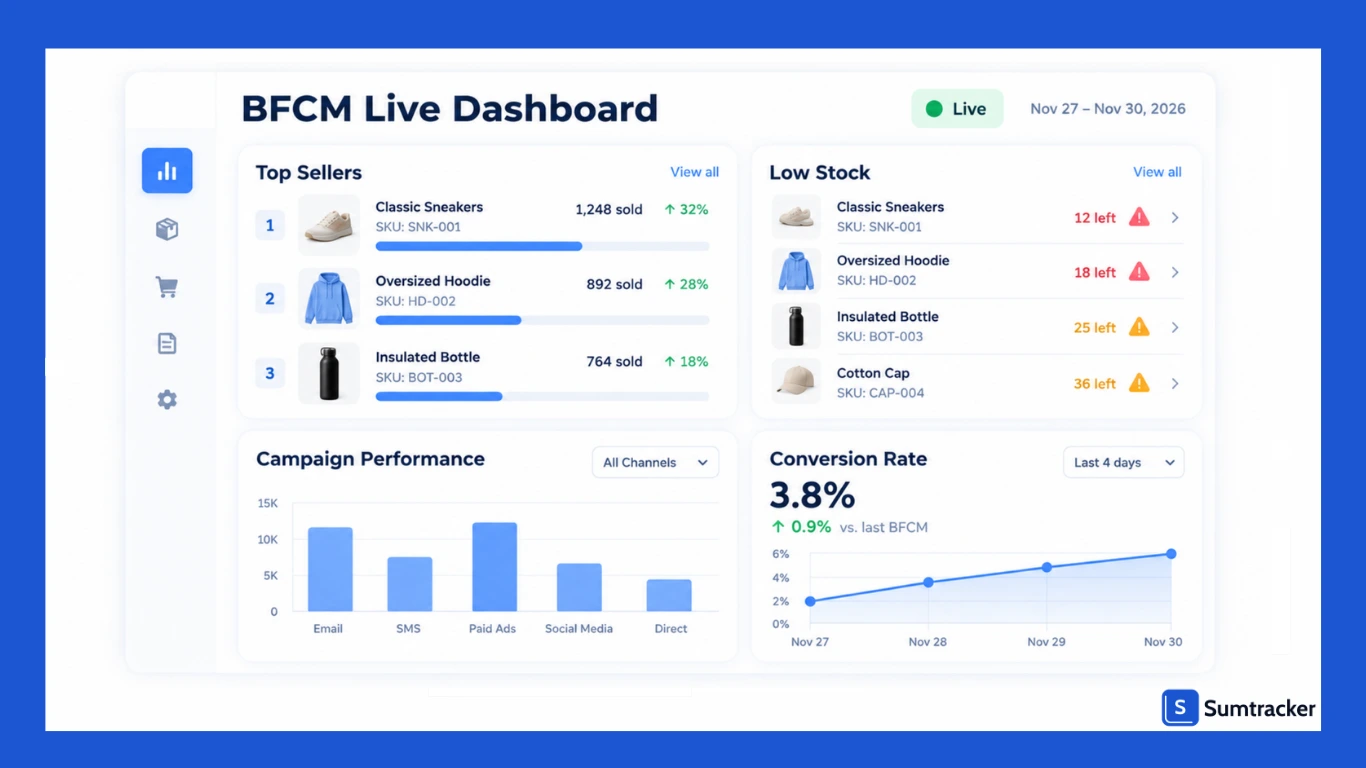
Set up dashboards to monitor:
- Top sellers: Double down on what’s moving.
- Low-stock alerts: Pause ads or reorder before you sell out.
- Campaign performance: Shift budgets to the best-performing channels.
- Conversion rate: Watch for sudden drops that may signal a site issue.
Having all this information in one place, especially inside a tool like Sumtracker, gives you agility when it matters most.
Turn BFCM Buyers into Long-Term Customers
When the weekend ends, the season doesn’t. December holiday shopping is right behind BFCM.
Start with your stock. Run a quick stocktake, process returns and reorder the bestsellers that ran low.
This is also a good stage to introduce subscriptions for products customers need regularly. Solutions like Recurpay can support this.
Here’s what more you can do in the weeks after BFCM:
- Send thank-you campaigns: A personalized note goes a long way.
- Offer post-sale discounts: Encourage a second purchase before the year ends.
- Retarget with complementary products: Increase AOV with smart upsells.
- Invite them to your loyalty program: Turn one-time shoppers into repeat buyers.
Retention is where many stores drop the ball. Nail this part, and the impact of BFCM lasts well beyond the weekend.
Conclusion
BFCM is a high-pressure, high-reward moment. The difference between chaos and success comes down to preparation.
Follow this checklist and you’ll walk into the weekend with stocked shelves, reliable systems, confident marketing and a plan for what comes next.
No software can do the work for you. But the right tools make it a lot easier. Sumtracker forecasts demand, recommends when and how much to reorder, syncs inventory across every channel and keeps you ahead of low stock during the busiest weekend of the year.
Ready to run your smoothest BFCM yet?
Start your 14-day free trial of Sumtracker and get your inventory sorted before the rush hits.
FAQs
When should I start preparing for BFCM?
Ideally, start planning 8–10 weeks in advance. This gives you time to forecast demand, secure inventory, schedule marketing campaigns, and test your site before traffic and orders spike during the BFCM weekend.
How do I know how much inventory to stock for BFCM?
Base it on last year’s sales data, growth trends, and marketing plans. Add a safety stock buffer (10–20%) for fast-moving items to prevent stockouts without overinvesting in slow sellers.
What’s the most common mistake stores make during BFCM?
Use an inventory management tool that syncs stock across all channels in real time. This ensures every sale updates quantities instantly, preventing overselling, refund requests, and poor customer experiences.
How can I prevent overselling during BFCM?
Optimize page speed, compress images, enable caching, and test checkout on desktop and mobile. A fast, seamless shopping experience reduces cart abandonment and significantly improves conversion rates during high-traffic events.
What should I focus on after BFCM is over?
Follow up with thank-you emails, personalized offers, and loyalty program invitations. Retarget new buyers with complementary products to increase repeat purchases and build long-term customer relationships beyond the sales event.
Conclusion

Bhoomi writes about inventory management and multichannel selling at Sumtracker. Her focus is on solving real operational problems for Shopify, Amazon, and marketplace sellers through well-researched content. She covers everything from multi-location inventory syncing and stock error troubleshooting to replenishment planning and platform comparisons, turning complex eCommerce operations into clear, actionable guidance.
LinkedInRelated Articles
Tool and strategies modern teams need to help their companies grow.


Ready to Simplify Your Inventory Management?
Join hundreds of e-commerce merchants who rely on Sumtracker to save time, eliminate errors, and grow their business.