.svg)

The Complete Inventory Audit Checklist for Shopify Stores (2026 Guide)


Is your Shopify admin showing 12 units when in reality, on your shelf, you only have 4?
Then let me break down the hard truth for you: you have a major inventory problem.
But you don’t need to worry!
An inventory audit fixes that.
Now you might wonder what an inventory audit really is?
It's a structured count that brings your recorded Shopify stock back in line with what's actually in your warehouse, so you stop overselling, cancel fewer orders, and trust your numbers when it's time to reorder.
In this guide, you will get the full Shopify audit checklist, know how to measure your accuracy, how often to run an audit, the mistakes that quietly wreck the results, and how to keep counts accurate once the audit is done.
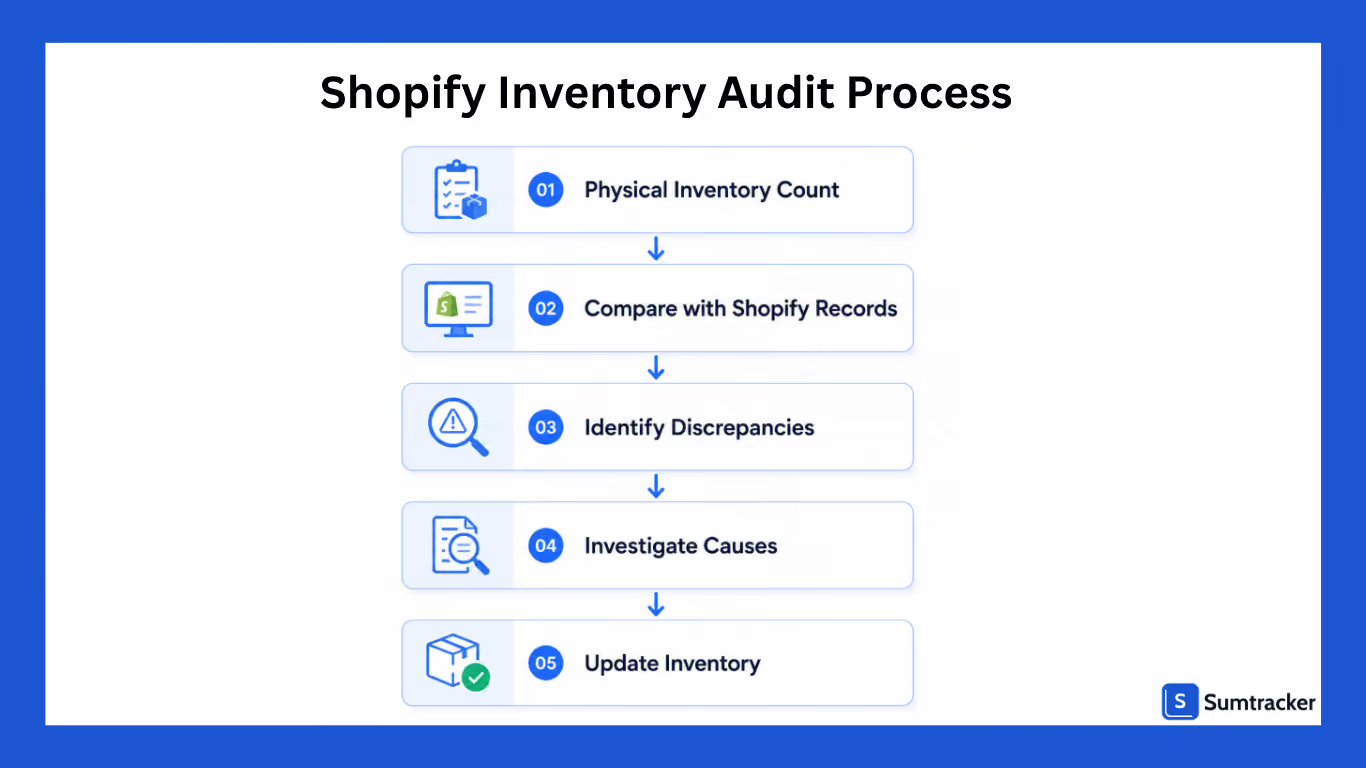
What is an Inventory Audit in Shopify?
An inventory audit in Shopify is the process of physically counting your stock and comparing it against the quantities recorded in your Shopify admin.
In simple terms, you have to answer just one question:
"Does the stock count in Shopify accurately reflect what's actually on the shelf?"
Inventory audits can help you identify missing inventory, data entry errors, receiving mistakes, duplicate SKUs, and sync issues between systems.
Why This Matters
Even a 2–3% inventory variance can create major operational problems when you scale.
For example:
A California-based apparel brand selling through Shopify, Amazon, and retail stores discovered during an audit that inventory counts for one of its best-selling products were overstated by 184 units.
The issue originated from returns being processed incorrectly. Because inventory appeared available, the business continued accepting orders and ultimately had to cancel dozens of customer purchases.
They lost revenue, had higher support costs, got negative customer reviews, and the customer trust was reduced.
Inventory audits help uncover these issues before they start impacting your sales.
Before You Start: What You'll Need
A successful inventory audit starts with preparation. Before counting products or comparing inventory records, make sure you have the right reports, tools, and team members.
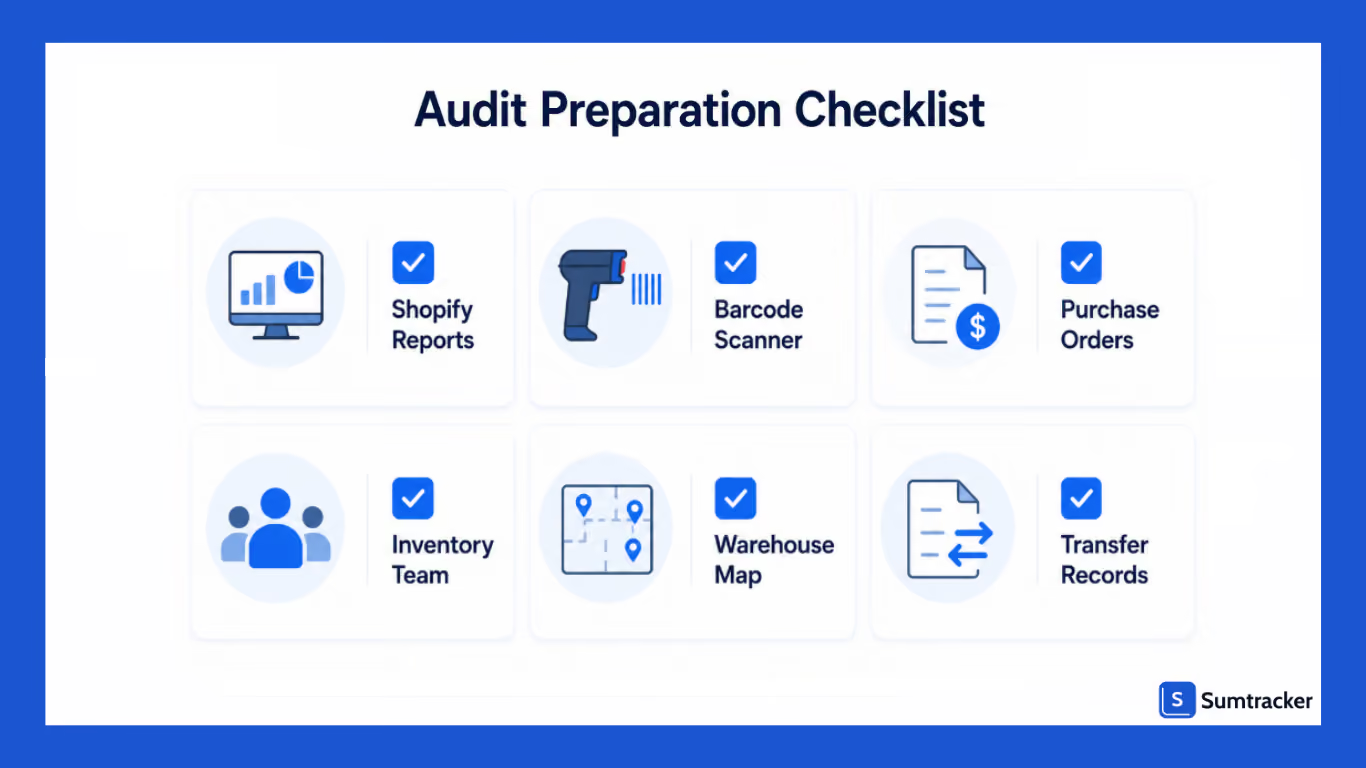
Proper preparation helps reduce counting errors, shortens audit time, and ensures more reliable results.
Access to Shopify Inventory Reports
Before starting the audit, export your latest inventory reports from Shopify.
Having current inventory data handy makes it easier to compare physical counts against system records later in the process.
Key reports that you must download:
- Inventory by SKU
- Product variants
- Inventory by location
- Inventory adjustment history
Save these reports in a spreadsheet or inventory management system so your team can reference them throughout the audit.
Organized Inventory Locations
It becomes much easier to audit your inventory when products are stored in clearly defined locations.
Before the audit:
- Label shelves and storage bins
- Organize products by category or SKU.
- Ensure overflow inventory is identified.
- Separate damaged or unsellable inventory
An organized warehouse helps teams count faster and reduces the risk of missing inventory.
Inventory Counting Tools
Choose the tools your team will use during the audit.
Depending on your operation, these may include:
Barcode ScannerFaster inventory countingInventory Count SheetsManual count trackingMobile DeviceAccess inventory recordsClipboardPhysical count verificationLabels or TagsMark completed sections
If you have a large inventory, using barcode scanners can significantly improve counting speed and accuracy.
A Dedicated Audit Team
Assign responsibilities to the team members before the audit begins. Clearly defining responsibilities helps avoid duplicate counts and confusion during the audit.
Time Scheduled for the Audit
Inventory audits require focused attention.
Whenever possible:
- Schedule audits during slower business periods
- Avoid major sales events.
- Minimize warehouse disruptions
The goal is to create an environment where inventory can be counted correctly without interruptions.
Recent Inventory Documents
Keep supporting documents available during the audit.
This may include:
- Purchase orders
- Receiving records
- Transfer records
- Return logs
These documents can be helpful later when investigating discrepancies.
Shopify Inventory Audit Checklist
Once you complete the initial prep, you are good to go to carry out the actual inventory audit.
Use the inventory audit checklist below as a step-by-step framework for conducting a thorough audit.
1. Export and Review Current Shopify Inventory Data
Start your auditing by exporting the latest inventory reports from Shopify.
These reports will act as your source of truth during the audit and make sure that they include the product name, SKUs, variants, inventory quantities, location, and adjustment history.
Before beginning physical counts, scan the report for differences such as:
- Negative inventory levels
- Unusually high stock quantities
- Duplicate products
- Missing SKUs
Identifying these issues in the beginning can help you focus your attention on high-risk areas during the audit.
2. Verify Product SKUs and Variants
Review your product catalog to ensure:
- Every product has a unique SKU
- Variants are correctly assigned.
- Archived products no longer affect inventory reports.
- Bundle products are mapped correctly.
If you have large catalogs, even a single duplicate SKU can create inventory tracking issues across multiple products and locations.
This step is particularly important for fashion, beauty, and consumer goods brands that manage large numbers of product variants.
3. Conduct a Physical Inventory Count
Count inventory by location, section, or warehouse zone rather than attempting to count everything at once.
Make sure to count one area at a time, use barcode scanners, separate damaged inventory, and verify high-value products twice.
If you operate multiple warehouses or retail locations, perform counts independently at each location.
Avoid relying on assumptions or previous counts. The purpose of the audit is to verify actual inventory levels as they exist today.
4. Compare Physical Counts With Shopify Records
Once counting is complete, compare physical inventory quantities against Shopify inventory records.
Create a variance report that highlights discrepancies.
Not every variance requires immediate concern, but significant differences should be investigated further.
Prioritize:
- Bestselling products
- High-value inventory
- Fast-moving SKUs
- Products with recurring discrepancies
These items typically have the greatest impact on revenue and customer experience.
5. Investigate Inventory Discrepancies
Finding discrepancies is only half the job.
The real value of an inventory audit comes from understanding why discrepancies occurred.
Common causes include recording errors, fulfillment mistakes, returns processing issues, and manual adjustment errors.
Document the root cause of every major discrepancy whenever possible.
6. Audit Inventory Across All Locations
For businesses using Shopify's multi-location inventory functionality, location-level audits are essential.
Verify inventory at:
- Warehouses
- Retail stores
- Fulfillment centers
- Third-party logistics providers (3PLs)
- Pop-up locations
One of the most common multi-location inventory issues occurs when inventory transfers are initiated but not completed properly.
As a result, inventory may appear available in one location while physically existing in another.
If you have 25+ locations, then pay particular attention to transfer records and inventory movement history.
7. Review Inventory Transfers
Inventory transfers deserve a dedicated review during every audit.
Check:
- Completed transfers
- Pending transfers
- Inventory in transit
- Transfer discrepancies
Ask questions such as:
- Was the inventory received at the destination location?
- Were transfer quantities recorded correctly?
- Are any transfers still showing as open?
Transfer-related errors can significantly impact inventory accuracy in multi-location operations.
8. Verify Bundle and Kit Inventory
If your inventory also has bundle products, it causes more complexities with auditing.
For example, a "Starter Pack" may contain:
- One notebook
- One water bottle
- One tote bag
When the bundle is sold, inventory should be deducted from each component SKU.
During the audit, start by verifying component inventory counts, reviewing bundle mapping, and confirming inventory deductions are occurring correctly.
Bundle-related discrepancies often go unnoticed until a formal inventory audit takes place.
9. Identify Slow-Moving and Dead Stock
Review products with little or no sales activity over the past 90 to 180 days.
These products may represent excess or seasonal inventory, obsolete stock, or discontinued products.
Consider adding them into bundles, putting them up for discounts, or clearing them out with sales.
Reducing dead stock improves cash flow and warehouse efficiency.
10. Review Damaged, Returned, and Unsellable Inventory
Inventory that cannot be sold should not be counted as available inventory.
During the audit:
- Separate damaged products
- Verify return processing records.
- Review expired inventory
- Document inventory write-offs
Many inventory discrepancies stem from products that remain listed as sellable despite being damaged or otherwise unavailable.
11. Update Shopify Inventory Records
Once all discrepancies have been investigated and verified, update inventory records accordingly.
Adjust inventory quantities to reflect actual stock levels.
When making adjustments:
- Record adjustment reasons
- Maintain audit documentation
- Save variance reports
- Track recurring inventory issues.
A documented audit trail makes future audits easier and helps identify patterns over time.
12. Document Findings and Action Items
An inventory audit should lead to operational improvements.
Create a summary report that includes:
- Inventory accuracy percentage
- Total inventory variances
- High-risk inventory categories
- Root causes of discrepancies
- Recommended process improvements
Examples of corrective actions may include:
- Improving receiving procedures
- Implementing barcode scanning
- Increasing cycle count frequency
- Standardizing transfer workflows
- Enhancing employee training
Free Shopify Inventory Audit Checklist Template
If you'd rather not build your own spreadsheet from scratch, use this free Shopify Inventory Audit Checklist Template to streamline your next audit.
The template includes:
- A step-by-step inventory audit checklist
- An inventory variance tracking sheet
- An audit summary dashboard
- Space to document discrepancies and corrective actions
Whether you're auditing a single Shopify store or managing inventory across multiple locations, this template helps ensure every audit follows a consistent process.
Inventory Audit KPIs You Should Track
An inventory audit provides valuable insights, but the greatest long-term value comes from measuring inventory performance over time.
The following key performance indicators can help businesses evaluate inventory health and identify areas for improvement.
Inventory Accuracy Rate
Inventory accuracy measures how closely recorded inventory matches physical inventory.
Formula:
Inventory Accuracy Rate = (Correct Inventory Records ÷ Total Inventory Records) × 100
High-performing retailers should aim for inventory accuracy above 95%.
Inventory Shrinkage Rate
Shrinkage represents inventory that is lost due to theft, damage, administrative errors, or other causes.
Formula:
Shrinkage Rate = (Lost Inventory Value ÷ Total Inventory Value) × 100
Monitoring shrinkage helps identify operational weaknesses and security concerns.
Stockout Rate
This metric measures how frequently products become unavailable when customers want to purchase them.
High stockout rates often indicate poor forecasting or inaccurate inventory records.
Dead Stock Percentage
Dead stock refers to inventory that has not sold within a defined time period.
Monitoring dead stock helps businesses identify opportunities for liquidation, bundling, or promotional campaigns.
Inventory Turnover
Inventory turnover measures how efficiently inventory is sold and replenished. Analyze inventory turnover to determine if slow-moving items need clearance.
Higher turnover generally indicates healthier inventory management and stronger cash flow.
Tracking these KPIs alongside regular audits creates a more complete view of inventory performance and helps teams prioritize improvements.
How Often Should You Audit Your Inventory?
It directly depends on your order volume and SKU count, but make sure to never rely on a single annual count. A once-a-year audit catches problems too late.
A better approach that you can follow is cycle counting, which means auditing a small part of your inventory often, instead of doing everything at once.
In this, you have to count high-value or fast-moving SKUs regularly and slow-moving items less often.
Here's a practical starting point:
The reasoning is simple: the more SKUs and channels you run, the less you rely on big full counts and the more you lean on frequent cycle counts. High-revenue SKUs always get counted most often, because that's where errors cost the most.
Common Inventory Audit Mistakes to Avoid
Even the most detailed inventory audit checklist can give inaccurate results if the audit process itself is flawed.
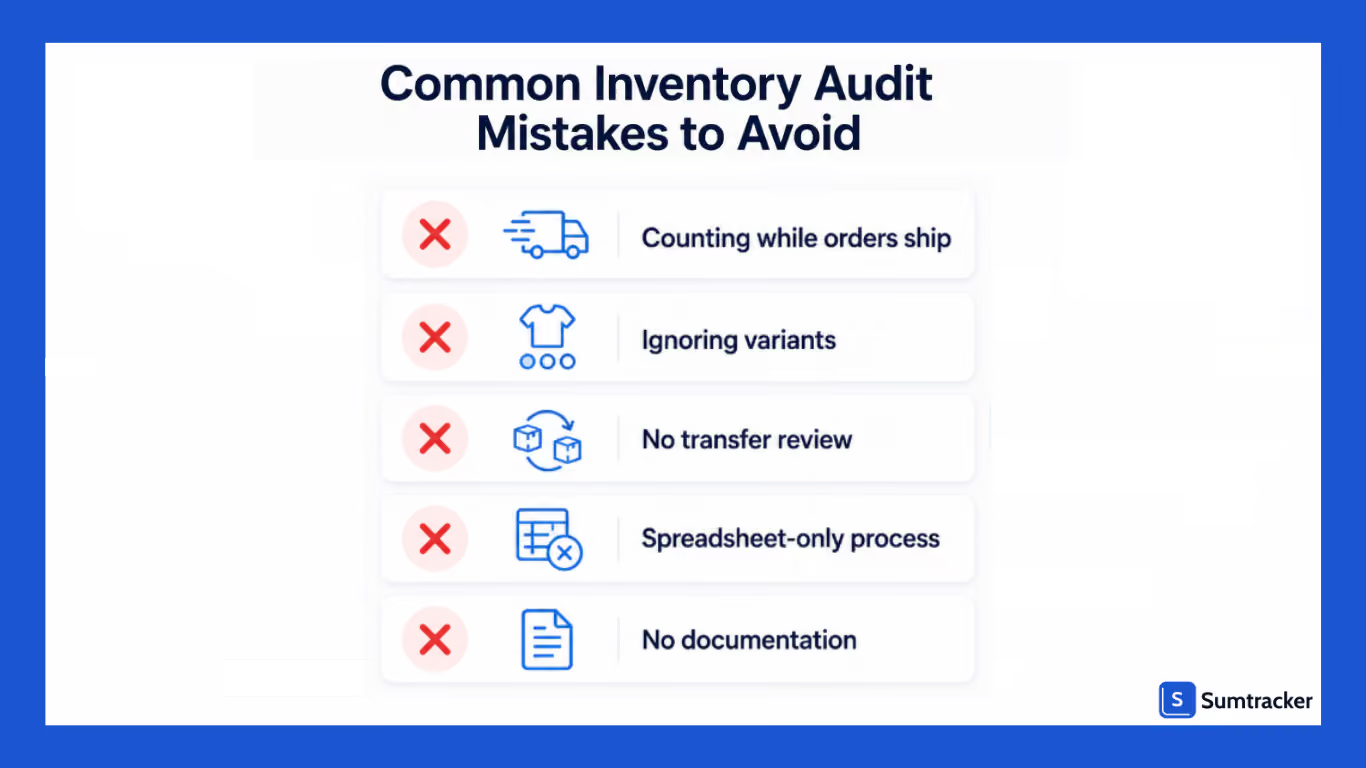
Here are the most common mistakes that you must avoid:
Auditing Once-a-Year
If you think of only conducting inventory audits when required for accounting or year-end reporting.
Then you will end up with the problem of inventory discrepancies piling up throughout the year, affecting your purchasing decisions, stock availability, and customer satisfaction.
Instead of relying only on annual audits, consider combining quarterly inventory audits with regular cycle counts. This approach helps identify issues earlier and keeps your inventory records accurate.
Not Verifying SKUs and Variants
Inventory erros also happen if your products have duplicate SKUs, missing identifiers, or incorrectly assigned variants.
Before counting inventory, review your product catalog and ensure all SKUs, variants, and bundle configurations are properly structured.
This becomes especially important if you are managing large product catalogs with multiple sizes, colors, or product variations.
Ignoring Inventory Transfers and Multi-Location Stock
If you are operating multiple warehouses, retail stores, or fulfillment centers, inventory transfers are one of the most common sources of discrepancies.
Inventory may be recorded as transferred but never received, or inventory may appear available in multiple locations simultaneously due to incomplete transfer records.
During every audit, review inventory movement between locations and verify that transfer records accurately reflect physical stock.
Adjusting Inventory Without Investigating Discrepancies
While correcting inventory levels is necessary, it's equally important for you to understand why the discrepancy occurred in the first place.
Issues such as receiving errors, fulfillment mistakes, damaged inventory, or return processing problems can continue creating inaccuracies if the root cause isn't addressed.
Use the audit as an opportunity to improve processes, not just inventory numbers.
Not Documenting Audit Findings and Action Items
Without properly documenting your inventory audit findings, it becomes difficult to identify recurring issues, track improvements, or hold teams accountable for corrective actions.
After every audit, make sure to create a summary report that includes inventory variances, root causes, process improvements, and recommended next steps.
This documentation becomes a valuable reference for future audits and helps build a more reliable inventory management process.
Tips to Keep Inventory Accurate Between Audits
The real win isn't the audit. It doesn't need a dramatic one because your counts stay close to accurate all year. A few habits get you there:
- Cycle count continuously. Pick a handful of SKUs to count every week. Small, constant checks beat one giant annual scramble.
- Receive stock properly. Count and log every delivery against the purchase order before it hits the shelf. Receiving errors are a top source of drift.
- Standardize your SKUs and barcodes. One product, one SKU, one barcode, everywhere. Consistency now prevents reconciliation headaches later.
- Reconcile channels on a fixed schedule. If you're updating marketplace stock by hand, errors are a question of when, not if.
- Set low-stock alerts. Catching a SKU before it hits zero gives you a chance to verify the count while it still matters.
- Sync your stock in real time. This is the big one. The moment a sale happens on any channel, every other channel should reflect it automatically.
Audit your Inventory Accurately With Sumtracker
Manually auditing your inventory and updating stock levels across multiple locations, sales channels, and product bundles will lead to inventory problems in the long run.
The sooner you automate your processes and rely on a tool, will make your inventory game strong.
That’s what Sumtracker helps with.
Sumtracker automatically syncs inventory across Shopify and other connected sales channels, giving you a single source of truth for your inventory.
Instead of spending hours reconciling stock counts and finding errors, your team can focus on identifying genuine discrepancies and improving inventory processes.
With Sumtracker, you can:
- Track inventory across multiple warehouses and locations.
- Sync inventory across Shopify and other sales channels
- Manage bundles and component inventory accurately.
- Monitor inventory transfers and stock adjustments.
- Maintain a detailed inventory history for easier audits.
This visibility makes inventory audits easier because you keep your inventory records more accurate right from the very start.
If you have a growing Shopify business, Sumtracker helps reduce overselling, improve inventory accuracy, and simplify the entire audit process.
Rather than treating inventory audits as a periodic cleanup exercise, Sumtracker helps you maintain accurate inventory year-round, making every audit faster, more reliable, and more actionable.
Ready to spend less time reconciling inventory and more time growing your business?
Try Sumtracker free for 14 days!
FAQs
How long does a Shopify inventory audit take?
The time required for you to carry out the audit depends on the number of SKUs, locations, and team members involved. A small Shopify store may complete an audit in a few hours, whereas if you are managing a large inventory, it can also take you days.
What's the difference between a cycle count and an inventory audit?
A cycle count focuses on a small section of inventory and is performed regularly throughout the year. A full inventory audit reviews all inventory across locations. Mostly businesses use cycle counts to maintain accuracy between full audits.
Should I stop taking orders during an inventory audit?
If possible, yes. Inventory movement during an audit can create errors and make reconciliation more difficult. If stopping operations isn't practical for you, then document all inventory transactions that occur during the audit period.
How do I audit bundle products in Shopify?
You should start by verifying the inventory counts of each component SKU within the bundle. Then confirm that inventory deductions occur correctly whenever the bundle is sold. Bundle inventory is one of the most common areas where discrepancies occur.
What is the biggest cause of inventory inaccuracies?
For most Shopify merchants, the biggest causes are receiving errors, inventory transfers, return processing mistakes, and inventory that isn't synced properly across sales channels. These issues often increase over time if regular audits aren't performed.
Conclusion
Inventory audits aren't just about finding inventory discrepancies; they're about creating confidence in your inventory data.
When your stock records are accurate, purchasing decisions improve, fulfillment becomes smoother, and customers are less likely to come up with problems later.
The challenge is that inventory accuracy doesn't happen automatically. It requires consistent processes, regular cycle counts, and a clear understanding of how inventory moves through your business.
By following the Shopify inventory audit checklist outlined in this guide, you can find hidden inventory issues, improve operational efficiency, and maintain more accurate stock levels across locations and sales channels.
As your business grows, inventory complexity grows with it. Tools like Sumtracker can help automate inventory syncing, reduce manual errors, and make future audits significantly easier.
Your goal shouldn't be to achieve a perfect audit once; it's to build a system that keeps your inventory accurate every day.

Bhoomi writes about inventory management and multichannel selling at Sumtracker. Her focus is on solving real operational problems for Shopify, Amazon, and marketplace sellers through well-researched content. She covers everything from multi-location inventory syncing and stock error troubleshooting to replenishment planning and platform comparisons, turning complex eCommerce operations into clear, actionable guidance.
LinkedInRelated Articles
Tool and strategies modern teams need to help their companies grow.
.avif)

.avif)
Ready to Simplify Your Inventory Management?
Join hundreds of e-commerce merchants who rely on Sumtracker to save time, eliminate errors, and grow their business.
