.svg)
How to Handle Dead Stock on Shopify: Find, Clear, and Prevent Unsold Inventory



If you run a Shopify store for long enough, some products stop selling.
They sit on shelves or in your warehouse, tie up cash, and take space your popular products need.
That’s dead stock, and it’s expensive across retail. IHL Group estimates that inventory distortion, meaning out-of-stocks plus overstocks, costs retailers $1.73 trillion a year.
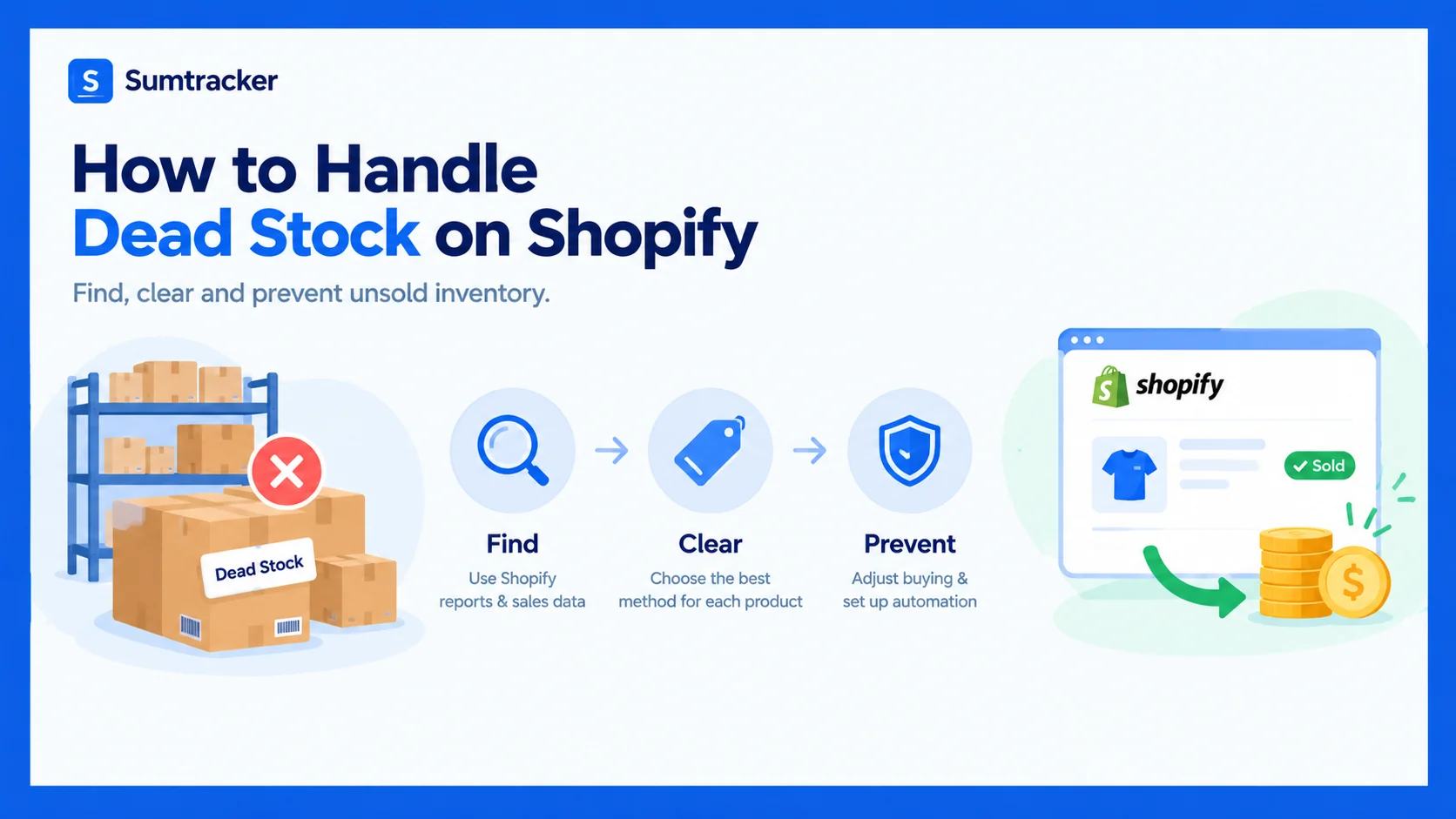
To handle dead stock on Shopify, find it with sales data and clear it with the method that recovers the most money first. Then change how you buy, so less of it builds up.
That’s where a simple dead stock process comes in. Shopify’s built-in reports can find most of it, but only if you know which reports to use.
In this guide, you’ll learn how to spot dead stock in Shopify, what it costs you, and which clearance method suits each product.
We’ll also cover automation, multi-location stock, and how to prevent dead stock in the first place.
Before you start: Turn on inventory tracking and add a cost per item to each product. Without costs, you can’t see how much capital is stuck.
What Is Dead Stock?
Dead stock is inventory that hasn’t sold in an expected period and is unlikely to sell at full price. It’s also called dead inventory or obsolete inventory.
Shopify’s definition doesn’t set a fixed number of days. The cut-off depends on what you sell.
Rule of thumb: Set a product’s dead stock window at two to three times its normal gap between sales.
These windows are starting points, not Shopify rules. Days without a sale are a signal, not a verdict.
A spare part that sells twice a year can be healthy stock. A seasonal item can become obsolete within weeks. Judge each product against its expected demand and where it is in its lifecycle.
In sneaker and streetwear resale, “deadstock” means something else: new, unworn items. This guide uses the inventory meaning.
Dead stock vs. slow-moving, excess and unsellable inventory
These terms get mixed up, but each one needs a different response.
Catching slow movers early is far cheaper than clearing dead items later.
What Causes Dead Stock?
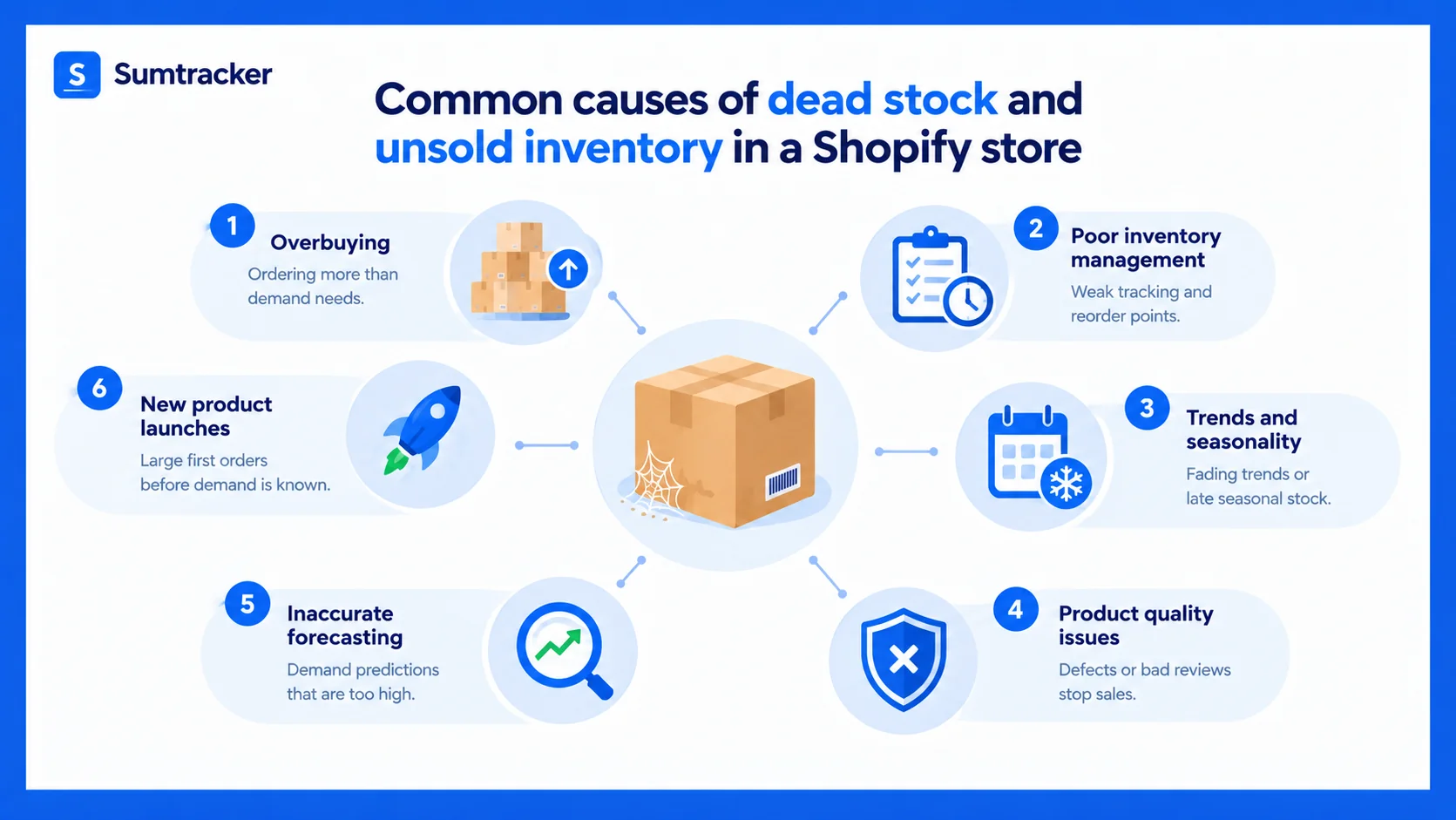
Dead stock usually starts with a buying decision, not a sales problem. Shopify’s guide lists five common causes:
- Overbuying: ordering more than demand supports, often to hit a supplier’s minimum order quantity (MOQ) or a volume discount.
- Poor inventory management: weak tracking of lead times and reorder points, which leads to over-ordering.
- Trends and seasonality: a trend fades, or seasonal stock arrives late.
- Product quality issues: defects or bad reviews stop a product from selling.
- Inaccurate forecasting: demand predictions that are too high.
New product launches add a sixth risk. A large first order commits you before you know whether customers want the product.
How to Find Dead Stock in Shopify
To find dead stock in Shopify, compare what you hold with what has sold over your dead stock window. Shopify’s reports can do this, but the most obvious report misses the products you’re looking for.
Which Shopify reports find dead stock (and which don’t)
Shopify’s inventory reports each answer a different question:
Common mistake: Sorting the sell-through report by lowest rate and assuming you’ve found your dead stock. Products with zero sales don’t appear in that report at all.
Quick check: products with no sales in 28 days
- In the Shopify admin, go to Analytics → Reports.
- Filter the category to Inventory and open Inventory remaining per product.
- Sort by days of inventory remaining and look for N/A.
Each N/A row is a product with stock on hand and no sales in the last 28 days. That makes it a slow mover to watch, not yet dead stock.
Full dead stock audit over 90 to 180 days
- In Analytics → Reports, open Total sales by product variant.
- Set a custom date range that matches your dead stock window, for example the last 180 days, and export the report.
- Go to Products → Inventory, click Export, and export All states for your locations.
- In a spreadsheet, match the two files by SKU where both include it. Otherwise, match on product title plus variant title.
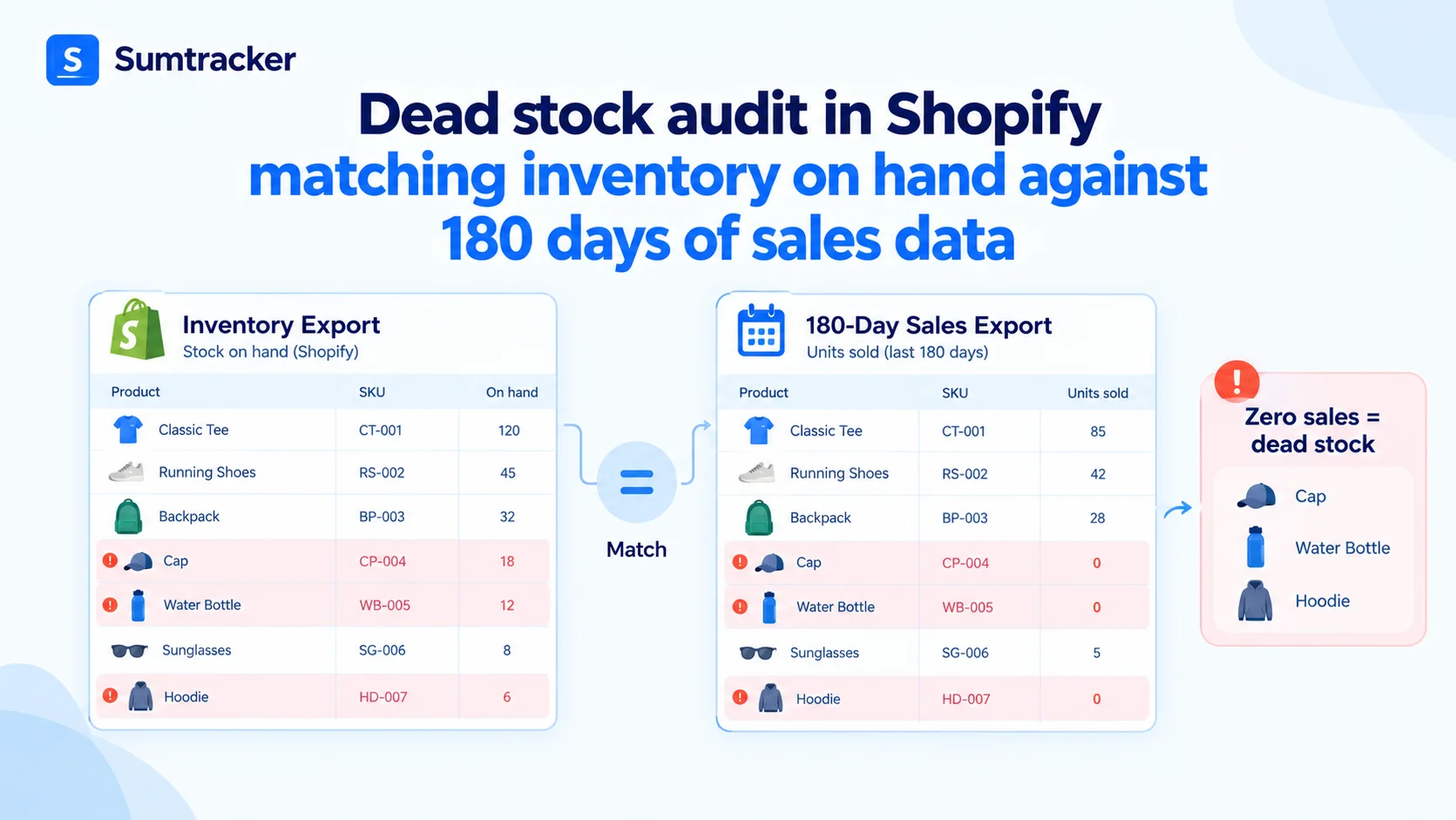
- Flag every variant with stock on hand and no sales in the date range. That’s your list of dead stock candidates.
- Add each variant’s cost per item and multiply by units on hand to see how much capital is tied up.
Here’s what the result looks like for four SKUs over 180 days:
Treat the list as candidates to review, not proof that stock is obsolete. Check for recent receipts, transfers, returns or write-offs, because a product that arrived last month will show zero sales without being dead.
Repeat the audit monthly. Regular checks catch slow movers while you still have cheap options.
Use ABC analysis to decide where to look first
ABC analysis ranks products by how much revenue they bring in. In Shopify’s ABC product analysis report, A products make up 80% of revenue, B products the next 15%, and C items the last 5%.
ABC analysis is a way to prioritize, not a way to find dead stock on its own. A C item might be a new product, a seasonal line or an accessory customers need.
An A product can also turn into dead stock if demand collapses. Check C items first, but confirm with the sales audit.
Because Shopify’s report only looks at the last 28 days, use a longer ABC analysis for your Shopify store for buying decisions.
Tip: Track inventory by age as well as sales velocity. A product that sells slowly but steadily is fine. A product with old stock and no recent sales is the real problem.
How Much Is Dead Stock Costing You?
Dead stock costs you twice: the cash you paid for it is stuck, and you keep paying to hold it.
Holding costs include storage, insurance, handling and the value stock loses over time. There’s no standard rate, so work out your own from your storage, insurance and financing costs. The examples below assume 25% a year.
Annual holding cost = Value of dead stock at cost price × Your holding cost rate
Here’s the example product we’ll use through this guide:
At an assumed 25% rate, the throw costs an estimated $540 a year to hold, on top of what you paid for it. At the same rate, $10,000 of dead stock costs about $2,500 a year to hold.
Why this matters: Dead stock also distorts your numbers. It inflates your inventory value and drags down your inventory turnover, so the business looks healthier on paper than it is.
How to Clear Dead Stock on Shopify
To clear dead stock, start with the method that recovers the most money, and move down the list only if it doesn’t work.
Three questions narrow the choice quickly:
- Is the product sound? If it’s damaged or expired, skip to returning, donating or writing it off.
- Can it still sell above its price floor? If yes, try bundles and markdowns first.
- Do you need the cash or space now? If yes, liquidation or a B2B buyer is faster, even at a lower price.
1. Bundle dead stock with popular products
Bundling pairs a slow item with a bestseller, so customers see added value instead of a markdown. It protects your full price better than a straight discount.
The Shopify Bundles app creates fixed bundles and multipacks. It uses your store’s overall stock rather than stock per location. Our guide to Shopify bundle inventory covers the setup.
2. Mark it down in steps, with a price floor
Discounting works when it’s planned, not panicked. Use markdowns strategically, in steps over time, rather than one deep cut.
Set a price floor before you start. Breaking even on the product isn’t the same as breaking even on the order, so include the variable costs of each sale.
Price floor = Cost price + Payment fees + Fulfillment and shipping you pay + Marketplace fees
Maximum discount = (Full price − Price floor) ÷ Full price
Say the linen throw costs you $18 and each order adds about $5 in payment, packing and shipping costs. Its price floor is $23, so the maximum discount is ($45 − $23) ÷ $45, or about 49%. A 40% markdown gives a $27 price, $4 above the floor. A 60% markdown would sell it at a loss.
Shopify discounts can apply to an entire collection, either via a code or automatically. Tiered discounts in a single cart, such as “spend more, save more,” need a discount app or, on Shopify Plus, Checkout Blocks.
Common mistake: Discounting everything at once. Frequent sitewide sales teach customers to wait, which hurts your profitable products too.
3. Create a clearance collection
A dedicated sale collection makes clearance items easy to find without cluttering your main catalog.
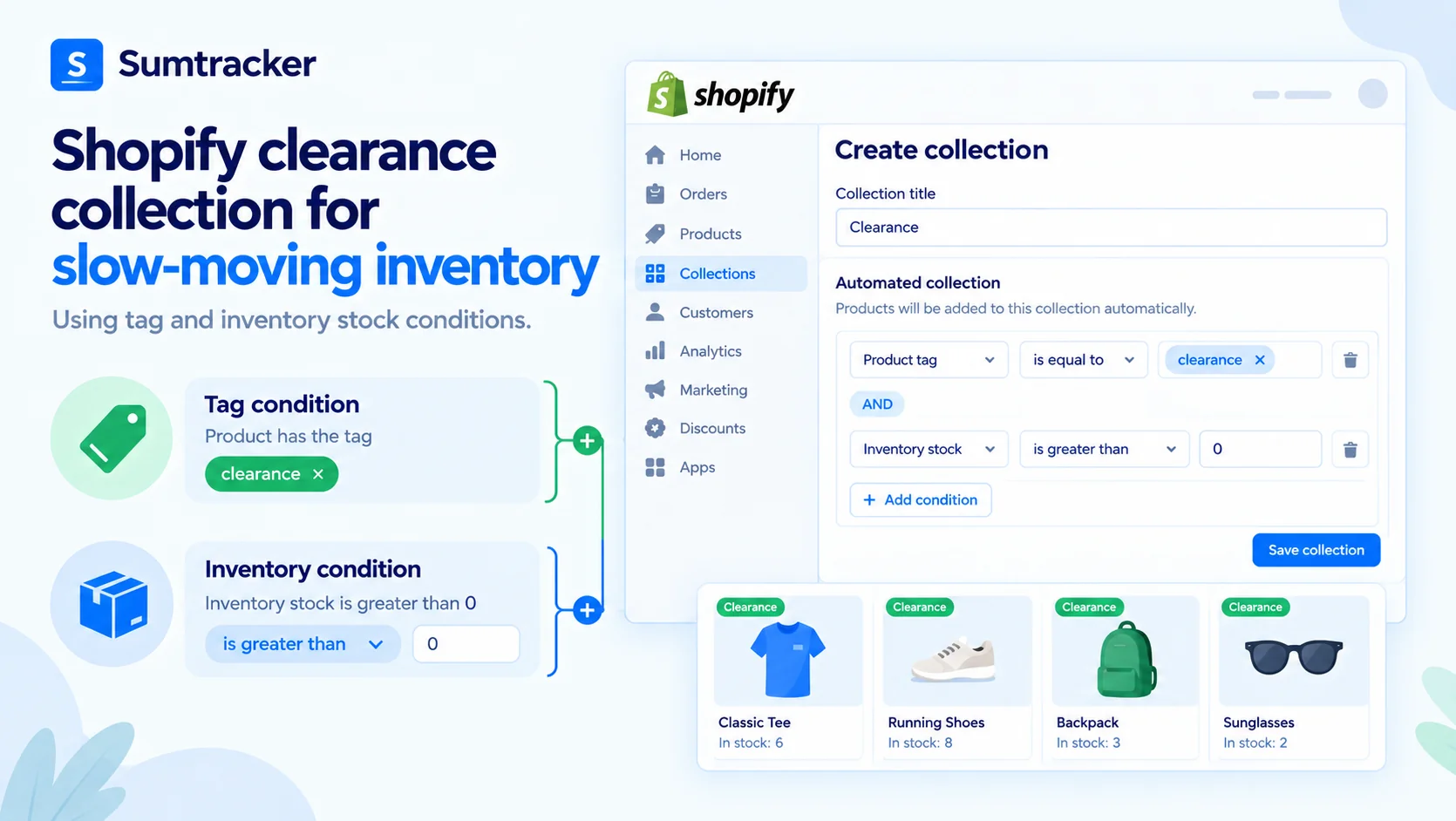
- Add a tag such as “clearance” to each dead stock product.
- Create an automated collection with two conditions: Product tag is equal to clearance and Inventory stock is greater than 0.
- Apply an automatic discount to the collection, so shoppers don’t need a code.
The inventory condition means sold-out items drop out of the collection automatically. A merchant in the Shopify Community was pointed to the same tag-plus-inventory setup to show only in-stock products.
4. Run a flash sale or email campaign
A short flash sale creates urgency and moves stock quickly. Keep it to 24 to 72 hours and to a clear set of products.
Email past buyers of related products first, because they’re the most likely to want the item. Frame it around value (“final pieces”, “last chance”), not desperation, to protect your brand.
5. Offer a gift with purchase
A gift with purchase turns low-cost dead stock into a pleasant surprise. Set up an automatic Buy X get Y discount that makes the item free. Shopify doesn’t add the free item to the cart for the customer, so promote the gift on product pages and in the cart.
It moves units and can lift order value, but it recovers no cash for the gift itself.
6. Sell through another channel
A product that stalls in your online store may sell to a different audience. Listing it on eBay or another marketplace can recover more than liquidation.
If the same stock sells in two places, keep the counts in sync so you don’t oversell. Our guide to syncing Shopify and eBay inventory explains how.
7. Return it to the supplier or liquidate it
Some suppliers take back unsold inventory for credit, often for a restocking fee. Check your supplier agreements before discounting, because a return can beat a deep markdown.
Liquidation companies and B2B buyers buy in bulk at a steep discount. You recover only a small part of your cost, but you quickly free up cash and storage space.
8. Donate or write off what can’t be sold
Donating sound items to a qualified charity may be tax-deductible. Under US federal tax law, a deduction for donated inventory is generally limited to its cost. C corporations can sometimes claim more when the charity uses the items to care for the ill, the needy, or infants. Check with your accountant before you donate.
For damaged or expired stock, reduce the quantity in Shopify with a clear reason and keep the evidence. Your accountant needs a record of every write-off.
How to Automate Dead Stock Checks With Shopify Flow
Shopify Flow is Shopify’s automation app. It can’t find dead stock on its own, because it doesn’t track days since a product’s last sale. It can automate what happens after your audit or an inventory app flags candidates.
Flow has the building blocks you need, according to its advanced workflows guide and actions list:
- a Scheduled time trigger that can run daily, weekly or monthly
- a Get product data action that pulls up to 100 products per run
- Add product tags and Remove product tags actions
- a Send internal email action to alert your team
A simple setup:
- Your monthly audit adds the “clearance” tag to dead stock candidates.
- A scheduled Flow workflow collects tagged products that still have stock.
- Flow emails the list to your team, so someone reviews the next markdown step.
Build and test the workflow on a few products first, because the data each action can read depends on your setup.
How to Prevent Dead Stock
The best way to deal with dead stock is not to buy it. Prevention comes down to smaller first orders, better forecasts, and regular checks.
- Order smaller first quantities. Test unproven products with a small batch, or take pre-orders on Shopify before you commit to a large order.
- Negotiate MOQs. A slightly higher unit price on a smaller order can cost less than months of holding costs.
- Forecast from real sales data. Base orders on sales velocity and seasonality, not on a few good weeks. Our guide to demand forecasting for ecommerce shows how.
- Track seasonality. Plan seasonal stock to sell through before the season ends, and order less late in the season.
- Set reorder points by product. Fast sellers and C items shouldn’t share the same reorder point or safety stock.
- Watch sell-through rates. Run the 28-day quick check monthly to catch slow movers while discounts are still small.
- Set alerts in both directions. Use low stock alerts for bestsellers, and a monthly no-sales check for everything else.
A spreadsheet audit works well for a small catalog. It starts to break down once you have hundreds of SKUs, several locations or channels, and suppliers with different lead times.
The exports get harder to match, and forecasts go stale between checks. That’s when an inventory management system pays off.
Sumtracker is inventory management and replenishment software for Shopify and Amazon merchants. Its reorder suggestions use 12 months of sales, supplier lead times, and the days a product was actually in stock.
How to Handle Dead Stock Across Multiple Locations
Dead stock at one location can sell well at another. Before you discount, check whether another store or warehouse also sells the product.
- Filter your inventory export by location to see where the unsold units sit.
- Transfer stock to the location where it sells, if the transfer costs less than the markdown.
- Find which location keeps creating dead stock, and fix its ordering rules.
How to Measure Whether Your Clearance Worked
Track each clearance method separately, so you know what to repeat next time.
Use a separate discount code or tag for each method, so the results stay comparable. Then feed what you learn back into your buying so the same mistake doesn’t create new dead stock.
FAQs
What is dead stock on Shopify?
Dead stock is inventory in your Shopify store that hasn’t sold in an expected period and is unlikely to sell at full price. Many stores use 90 to 180 days without a sale, depending on the product. It ties up cash and storage space.
Does Shopify automatically identify dead stock?
No. Shopify has no dead stock report or official dead stock threshold. You can find candidates by comparing an inventory export with a sales report for your chosen window. For a quick check, look for N/A in the Inventory remaining per product report.
How do I find dead stock in Shopify?
Export Shopify’s Total sales by product variant report for your dead stock window, then export your inventory from Products → Inventory. Variants with stock on hand but no sales in that period are your dead stock candidates. Check recent receipts and transfers before you mark them down.
How much does it cost to hold dead stock?
Holding dead stock costs you storage, insurance and the value it loses over time. The rate depends on your business, so calculate your own. At an assumed 25% a year, $10,000 of dead stock costs about $2,500 a year to hold, on top of the cash already spent buying it.
Should I discount dead stock or donate it?
Discount first if the product can still sell above its price floor, because a markdown recovers cash. Donate when it can’t. In the US, donation deductions are generally limited to the item’s cost, so confirm the rules with your accountant before donating.
How do I prevent dead stock?
Order smaller quantities of unproven products, forecast based on real sales data, and check monthly for products with no sales. Setting reorder points by product also stops you from restocking items that have started to slow down.
Conclusion
Dead stock is a cash problem, not just a storage problem. Find it by comparing your inventory against sales over a set window, not just the sell-through report. Clear it with the method that recovers the most money first, and set a price floor so you never accidentally sell below cost. Then start with smaller orders and forecast from real sales, so less unsold inventory piles up. Start this month with a 180-day audit and add up how much capital is sitting still.
Related Articles
Tool and strategies modern teams need to help their companies grow.

.avif)
.avif)
Ready to Simplify Your Inventory Management?
Join hundreds of e-commerce merchants who rely on Sumtracker to save time, eliminate errors, and grow their business.