.svg)
Inventory Turnover Calculation in Shopify: Formula, Examples & Optimization Tips


Here's something most Shopify merchants never think about until it's already a problem.
You could be doing $2M a year, moving product every day, and still have $180,000 sitting in dead stock buried across slow-moving variants your inventory reports never flagged.
That's exactly what happened to one apparel brand.
The brand was calculating inventory turnover using revenue instead of COGS, ignoring variant-level performance, and letting seasonal buildup pile up before Black Friday without realizing it.
Once they corrected the formula and adjusted reorder points by SKU, they cleared the excess within two quarters.
If you're like most Shopify merchants, inventory turnover isn't something you're tracking closely or maybe not at all.
And that's exactly why stock builds up, cash gets tied up in products that aren't moving, and purchasing decisions get made on numbers that look fine on the surface but aren't telling the full story.
Your inventory turnover ratio directly impacts your cash flow, your storage costs, your purchasing decisions, and your margins.
This guide breaks down the formula, what good actually looks like for Shopify stores, and the practical changes that move the number in the right direction.
What is Inventory Turnover Ratio?
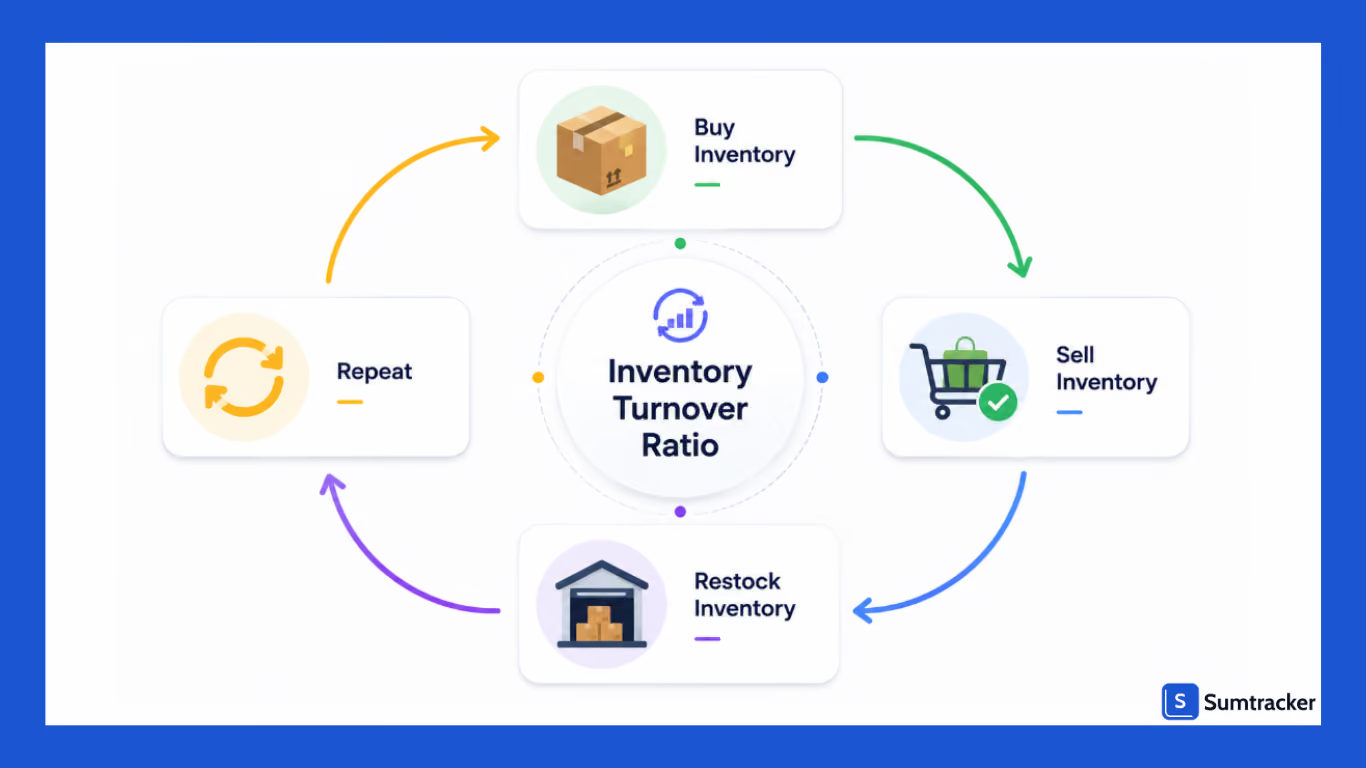
The inventory turnover ratio measures how many times a business makes a sale and replaces its average inventory during a given time period.
For Shopify merchants, this metric matters because it shows whether inventory is moving efficiently or sitting unsold for long periods.
For example:
- A turnover ratio of 2 means inventory sits roughly 182 days before selling.
- A turnover ratio of 8 means inventory moves approximately every 45 days.
That difference directly affects:
- Cash flow
- Storage costs
- Reorder planning
- Inventory efficiency
Sensible Forecasting’s 2026 ecommerce inventory study notes that 6–12 inventory turns annually is considered healthy for most ecommerce businesses because inventory moves consistently without excessive stockouts.
For Shopify stores specifically, turnover becomes more difficult to calculate because Shopify’s native reports don’t automatically reconstruct historical inventory snapshots needed for precise calculations.
That’s why many Shopify brands accidentally overestimate their turnover ratio.
Inventory Turnover Formula for Shopify Stores
The standard inventory turnover formula is:
Inventory Turnover Ratio = Cost of Goods Sold (COGS) ÷ Average Inventory Value
To calculate the inventory turnover ratio correctly, you need:
- Cost of goods sold (COGS)
- Average inventory value during the time period
Average inventory is calculated using beginning inventory and ending inventory:
Average Inventory = (Beginning Inventory + Ending Inventory) ÷ 2
Inventory Turnover Calculation Example
Let’s say a Shopify apparel store in California had:
- Beginning inventory: $75,000
- Ending inventory: $125,000
- Cost of goods sold: $600,000
Average inventory value:
($75,000 + $125,000) ÷ 2 = $100,000
Inventory turnover ratio:
$600,000 ÷ $100,000 = 6
That means the business sold through its average inventory six times during the year.
A turnover ratio of 6 is generally considered healthy for apparel brands because inventory moves consistently without frequent stockouts.
Why Shopify Merchants Calculate Inventory Turnover Incorrectly
Many Shopify merchants calculate inventory turnover incorrectly because they rely on incomplete reports or simplified calculations.
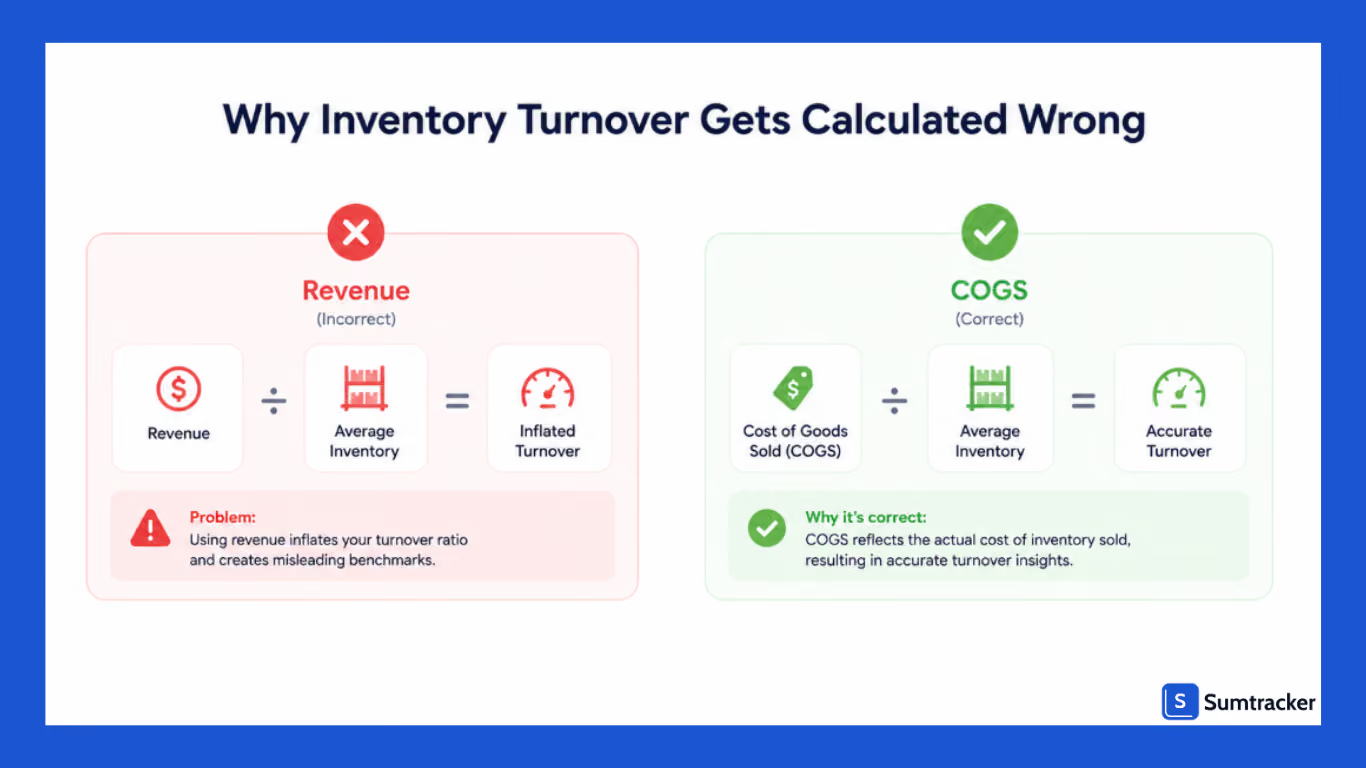
Using Revenue Instead of COGS
The inventory turnover formula requires cost of goods sold, not total revenue. When you use revenue instead, your turnover ratio gets artificially inflated.
You think you're performing better than you are but in reality, you are just measuring it wrong.
Ignoring Historical Inventory Data
A lot of stores only track current stock levels. But inventory turnover depends on average inventory across a specific period, and in this beginning inventory and the ending inventory matter.
Without those two numbers, your calculation is unreliable.
Variant-Level Blind Spots
This one is common in apparel and beauty. At the product level, inventory looks healthy. But zoom in, and it's a different story, your black medium hoodie is making big numbers while your yellow XXL hasn't moved in months.
One variant is carrying the other, and by the time you notice, the slow mover is already dead stock.
Ignoring Flash Sales and Seasonal Demand
Flash sales can temporarily spike your sales velocity and misinterpret the bigger picture.
If you don't account for promotions or seasonal demand when you're analyzing trends, you'll overbuy inventory later, chasing a number that wasn’t even real to start with.
Why Inventory Turnover Matters for Cash Flow
Inventory turnover is not just an inventory metric. It’s also one of the clearest indicators of cash flow efficiency.
When inventory sits unsold for long periods, money gets tied up in products instead of being available for:
- Marketing
- Reordering fast-selling products
- Expanding product lines
- Hiring and operations
For example, a Shopify store carrying $200,000 worth of slow-moving inventory may struggle with purchasing even if sales look healthy overall.
Low turnover also increases:
- Storage costs
- Insurance costs
- Storage space usage
- Risk of dead stock
On the other hand, healthy inventory turnover helps businesses free up working capital faster and reinvest in higher-performing products.
How to Find Cost of Goods Sold (COGS) in Shopify
Shopify Advanced / Shopify Plus
Go to:
Shopify Admin → Analytics → Reports → Profit Reports → Profit by Product
This report includes:
- Cost of goods sold
- Gross profit
- Product margins
- Product-level profitability
Shopify Plan (Standard)
You can access:
- Product cost fields
- Basic inventory reports
- CSV exports
But many merchants still rely on spreadsheets or inventory apps for accurate turnover calculations.
Basic Shopify
Basic plans do not include advanced COGS reporting.
Most merchants export:
- Orders
- Product costs
- Inventory history
Then calculate turnover manually.
Shopify Reporting Capability by Plan
What’s a Good Inventory Turnover Ratio?
There’s no universal “perfect” turnover ratio.
A good inventory turnover ratio depends on:
- Industry
- Profit margins
- Product lifecycle
- Lead times
Inventory Turnover Benchmark Table
A very high turnover ratio may indicate:
- Low safety stock
- Frequent stockouts
- Missed sales opportunities
A low turnover ratio often signals:
- Excess inventory
- Weak demand
- Slow-moving products
The goal is balanced inventory movement, not simply the highest turnover possible.
How Product Variants Affect Inventory Turnover in Shopify
One major Shopify-specific issue most articles ignore is variant-level inventory turnover.
A product may appear healthy overall while certain variants become slow movers.
For example:
- Blue running shoes size 9: strong sales
- Blue running shoes size 13: low turnover
- Red running shoes size 7: dead stock risk
If you only calculate inventory turnover at the product level, these issues remain hidden.
This becomes even more complicated with:
- Bundles
- Multi-location inventory
- Seasonal launches
- Flash sales
Many merchants also accidentally double-count inventory for bundled products, distorting turnover calculations.
That’s why good inventory management requires analyzing turnover by SKU and variant whenever possible.
Quick Inventory Turnover Audit Checklist
- Are you using COGS instead of revenue?
- Are you tracking turnover by SKU or variant?
- Are reorder points location-specific?
- Are you reviewing dead stock regularly?
- Are flash sales excluded from forecasting?
If you answered “No” to multiple questions, your inventory turnover numbers may not reflect your actual inventory health.
How to Improve Inventory Turnover
Improving inventory turnover requires better inventory planning, not just faster selling.
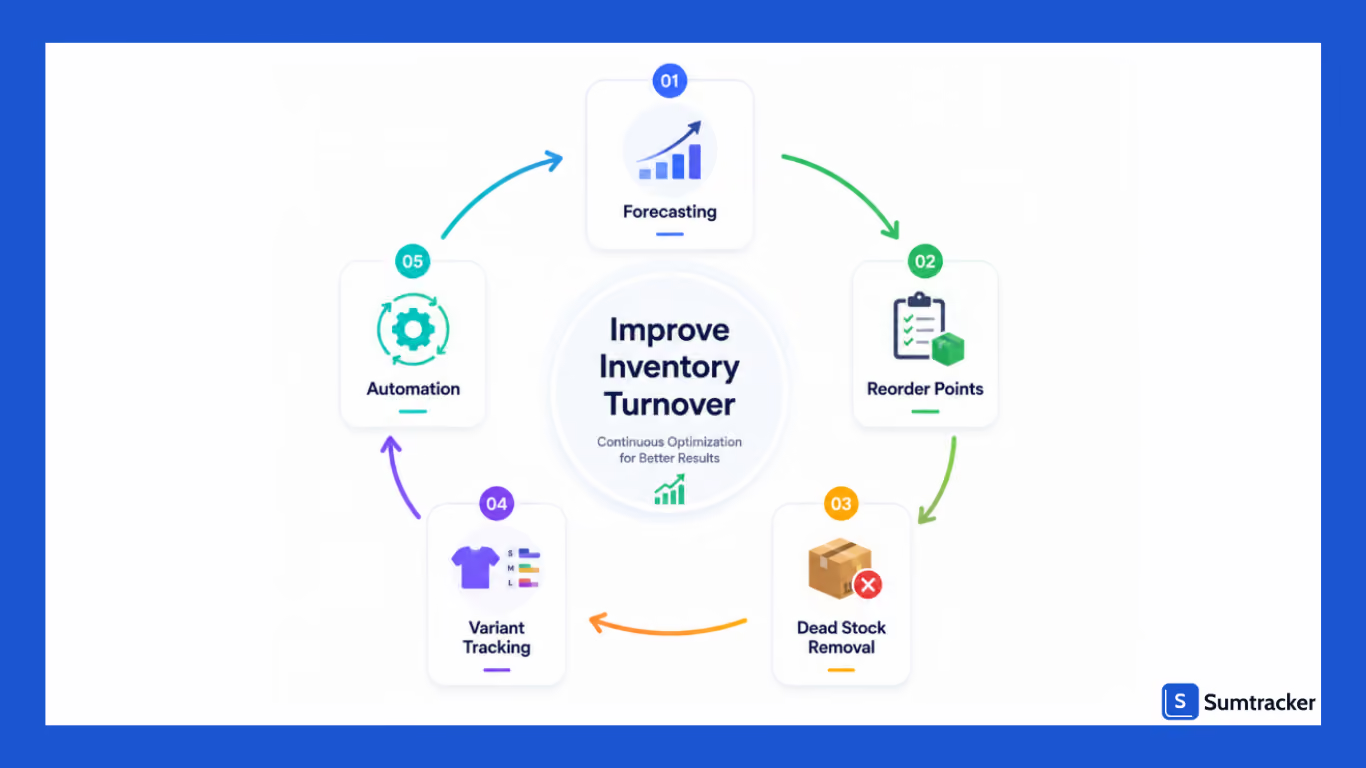
Improve Inventory Forecasting
Use Shopify sales reports to identify products with declining movement.
For example:
- Review slow-moving variants monthly
- Reduce purchasing for underperforming SKUs
- Monitor sales velocity trends
Use Smarter Reorder Points
Many merchants use identical reorder points across warehouses, which creates excess inventory in slower regions.
Instead:
- Set location-specific reorder points.
- Adjust buffer stock levels by demand.
- Increase reorder frequency for fast-moving warehouses.
Eliminate Dead Stock Earlier
Dead stock increases holding costs quickly.
A simple process:
- Run monthly inventory reports.
- Identify products sitting for over 90–120 days.
- Bundle, discount, or liquidate those SKUs early
Track Inventory by Variant
A product-level turnover ratio often hides slow movers.
Instead:
- Track turnover by SKU and variant
- Monitor size/color combinations separately.
- Separate flash sale inventory from evergreen inventory
This is especially important for apparel and beauty brands with large SKU catalogs.
Automate Inventory Management
As stores scale beyond hundreds of SKUs or multiple locations, spreadsheets become unreliable.
A ResearchGate study found that businesses implementing inventory management systems improved the annual inventory turnover ratio from 4.8x to 6.3x through better inventory visibility and forecasting.
For most Shopify brands, inventory software improves:
- Inventory visibility
- Replenishment planning
- Multi-location tracking
- Purchase order management
How Sumtracker Helps Improve Inventory Turnover
As Shopify stores scale across multiple sales channels, warehouses, and product variants, tracking inventory turnover manually becomes difficult.
Sumtracker helps ecommerce brands maintain accurate stock levels across Shopify, Amazon, Etsy, eBay, and Walmart through real-time inventory syncing and forecasting.
It helps businesses with:
- Real-time inventory sync
- Replenishment forecasting
- Automated low stock alerts
- Multi-location inventory tracking
- Purchase order management
- Bundle inventory management
These features help merchants reduce excess inventory, avoid stockouts, and improve inventory turnover through better inventory visibility.
Pricing & Reviews
Sumtracker plans start from around $59/month depending on order volume and operational needs.
The platform is also highly rated on the Shopify App Store for:
- Accurate inventory syncing
- Easy onboarding
- Responsive customer support
Common Inventory Turnover Mistakes to Avoid
Before calculating inventory turnover, avoid these common mistakes:
- Using revenue instead of COGS
- Ignoring slow-moving products
- Forgetting pre-orders and backorders
- Using retail value instead of inventory cost
- Failing to adjust for flash sales
- Carrying dead stock too long
These mistakes often create misleading turnover metrics and poor purchasing decisions.
FAQs
How do you calculate inventory turnover ratio in Shopify?
Divide your cost of goods sold (COGS) by your average inventory value during a specific period.
Inventory Turnover Ratio = Cost of Goods Sold (COGS) ÷ Average Inventory Value
What is a good inventory turnover ratio for ecommerce?
A good inventory turnover ratio for ecommerce businesses usually falls between 4x and 8x annually. However, the ideal turnover rate depends on your industry, product margins, seasonality, lead times, and how quickly customers typically purchase your products.
What does low inventory turnover mean?
Low inventory turnover usually indicates excess inventory, weak demand, slow-moving products, or inaccurate purchasing decisions. It often leads to higher storage costs, reduced cash flow, and increased risk of products eventually becoming obsolete or difficult to sell profitably.
Can Shopify calculate inventory turnover automatically?
Shopify provides inventory reports data, but most plans do not automatically calculate complete inventory turnover metrics historically. Many merchants use spreadsheets or inventory management software to track average inventory, forecasting, and turnover trends more accurately.
How often should inventory turnover be calculated?
Most Shopify merchants calculate inventory turnover monthly or quarterly to monitor inventory health and purchasing efficiency. Fast-growing ecommerce brands often review turnover more frequently to identify slow-moving inventory early and improve replenishment planning before stock issues develop.
Conclusion
Inventory turnover is one of the clearest indicators of inventory health and operational efficiency for Shopify brands.
A higher turnover ratio usually means inventory moves efficiently and cash flow remains healthy. But the best strategy balances:
- Strong sales
- Healthy safety stock
- Stable profit margins
- Reliable replenishment
The most successful ecommerce brands don’t just calculate inventory turnover annually.
They continuously monitor turnover trends, analyze variant performance, predict demand accurately, and optimize inventory allocation across locations and products.

Bhoomi writes about inventory management and multichannel selling at Sumtracker. Her focus is on solving real operational problems for Shopify, Amazon, and marketplace sellers through well-researched content. She covers everything from multi-location inventory syncing and stock error troubleshooting to replenishment planning and platform comparisons, turning complex eCommerce operations into clear, actionable guidance.
LinkedInRelated Articles
Tool and strategies modern teams need to help their companies grow.

.avif)

Ready to Simplify Your Inventory Management?
Join hundreds of e-commerce merchants who rely on Sumtracker to save time, eliminate errors, and grow their business.
