.svg)
![7 Best Shopify Stocky Alternatives - Expert's Pick [2026]](https://cdn.prod.website-files.com/67907f49647e48895e5dc266/6811b766ed5886224dc44c87_Cover%20(9).avif)



Looking for the best Stocky replacement for your Shopify store?
I have tested 7 popular alternatives so that you don’t have to do the hard work of switching tool to tool.
What did I do?
I installed each tool on a live Shopify store, ran it through a real product catalogue, and scored every option on various parameters.
You know what I discovered?
Huge quality differences.
Scores ranged from 62/100 to 94/100. And the gap between the best and worst options is wide enough to cost you real money.
Let’s get started!
Why Shopify Merchants Are Replacing Stocky
For years, Stocky was a widely used option for a Shopify inventory management system for users.
But now Shopify has officially announced that it is being discontinued on August 31, 2026.
And if you're still one of those merchants who are using it for purchase orders, forecasting, or inventory management, then this is your deadline for finding another tool.
The app was already pulled from the Shopify App Store on February 2, 2026.
But the shutdown is only half the problem.
Even before Shopify’s announcement, Stocky had major feature gaps.
Like Stocky only worked inside Shopify. If you are selling on multiple channels as well, then you were managing stock mismatches manually and living with overselling risk.
Another problem is the zero bundle or kit tracking. Every bundled sale meant manually updating inventory for each individual component.
Also, let’s not forget the basic reporting that it offers, like no profitability analysis, stock aging, or multi-location visibility. Just basic numbers that told you what you had, not what it meant for your business.
Before you do anything else: export your data now.
Purchase order history and stocktake records can be downloaded as CSVs, but they won't transfer automatically to any new system. Supplier names, contacts, lead times, and MOQs cannot be exported from Stocky at all. That has to be copied manually before the deadline.
Quick Results: Our Top Picks
Best Overall: Sumtracker (94/100) — multi-channel sync, bundle automation, purchase orders, forecasting and inventory replenishment, API access. Starting at $59/month.
Best for Simple POs: Fabrikatör (91/100) — simple purchase orders with simple forecasting.
Best for listing management: LitCommerce (72/100) — listing managment and inventory sync tool (has poor inventory sync).
Best for Manufacturers: Katana (70/100) — the only tool here built for production workflows and bill of materials.
Best Stocky Alternative Comparison: All 7 tools
How I Tested These Tools
I tested each tool by installing it on a live Shopify store running a real product catalogue. Data was cleaned before connecting each app, so conditions were fair across all seven tools.
What I looked for:
- How many actionable insights did the tool actually surface?
- How long did setup and onboarding take?
- Was the forecasting accurate, or just confident-looking numbers?
- Could I bring in my own data easily, or was I locked into their import format?
- Was there a real workflow, like purchase orders, supplier management, performance tracking, or did it stop at the dashboard?
My scoring system weights the important stuff:
- Forecasting / reorder accuracy gets the highest weight.
- Workflow integration is heavily weighted.
- Feature completeness matters.
- Ease of migration matters somewhat.
- Speed matters least.
How I Calculated Final Scores
Each tool gets scored across five categories, then added up:
- Example — Sumtracker: Forecasting Accuracy (36/40) + Workflow Integration (24/25) + Feature Completeness (20/20) + Ease of Migration (9/10) + Speed (5/5) = 94/100
- Example — Qoblex: Forecasting Accuracy (20/40) + Workflow Integration (18/25) + Feature Completeness (14/20) + Ease of Migration (6/10) + Speed (4/5) = 62/100
Forecasting and workflow account for 65 of the 100 points. Speed accounts for 5. That’s intentional.
1. Sumtracker — Best Overall Stocky Replacement
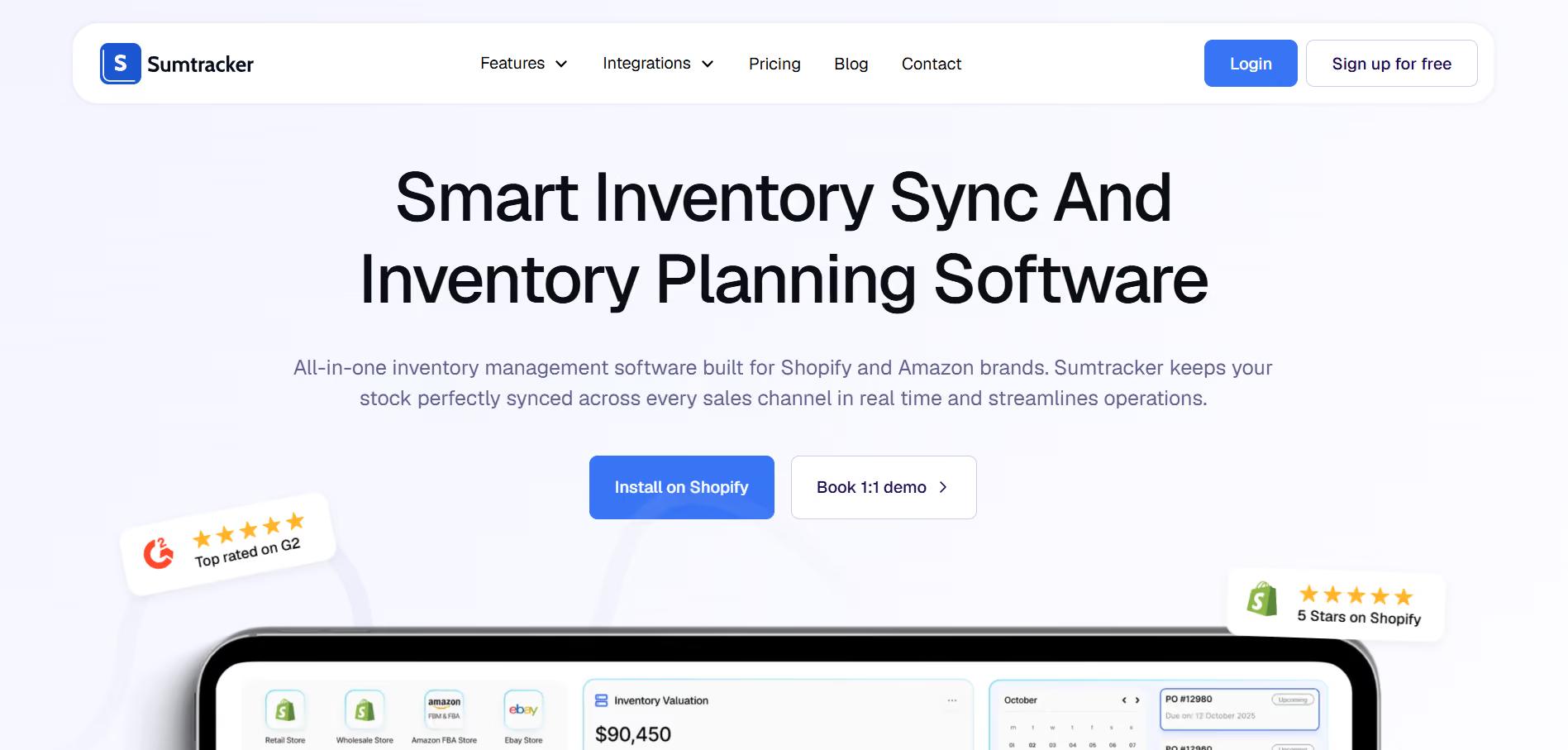
Sumtracker is the most complete Shopify Stocky alternative on this list.
Stocky managed basic inventory inside a single Shopify store, whereas Sumtracker syncs stock in real time across Shopify, with inventory replenishment and forecasting.
Everything Stocky did natively is here too: stock adjustments, stock transfers, stocktakes. But Sumtracker goes further.
Complete purchase order workflows without the manual export-and-email routine that Stocky forced on you. It also gives low-stock alerts, complete supplier management, and other features at a starting price of just $59/month.
Key features:
- Real-time multi-channel sync across multiple platforms
- Inventory replenishment and forecasting
- Automated reorder suggestions based on actual sales velocity
- Automated bundle/kit inventory, components auto-update on every sale
- Automated purchase orders and lead time tracking
- Low stock alerts with configurable reorder thresholds
- Inventory logs, COGS, stock valuation, days of inventory remaining
- Bulk import/export for all functions
- API access for custom integrations
My Testing Results
The multi-channel sync was the fastest of anything I tested. Stock adjusted on Shopify appeared on the dashboard almost immediately, which matters a lot when you’re running high-velocity SKUs across Amazon and your own store at the same time.
Bundle automation was flawless. Set up a multi-component bundle, watched every component’s inventory update in real time as test orders came through. This is something I had to do manually in Stocky.
PO workflow is clean. Create the order, receive partial deliveries against it, and watch stock update as it arrives.
The inventory log is the standout reporting feature. COGS and valuation reports are ready to go without any setup.
One honest limitation: There is no bill of materials tracking for manufacturing workflows, which seems a setback for users looking for this.
User Experience
Clean. Onboarding is straightforward, and customer support is notably responsive; multiple users in reviews mention getting on calls with the team within hours of signing up.
Pros & Cons
Strengths: Best multi-channel sync tested, seamless bundle automation, proper PO workflow, deep reporting, competitive pricing, and fast setup.
Weaknesses: No bill of materials tracking and backorder management.
Final Verdict
Score: 94/100
The most complete Stocky replacement available. Fixes every meaningful limitation Stocky had, like multi-channel, bundles, POs, and reporting, that too at a price that doesn’t require an enterprise budget.
Skip if: You are looking for manufacturing workflow features.
Start your free trial of Sumtracker today!
2. Fabrikatör — Best for Simple PO Workflows
Fabrikatör is built around one thing to ease the journey from demand forecast to submitted purchase order. It does that better than any other tool I tested.
AI forecasting, one-click PO creation, component-level bundle tracking, multi-warehouse transfers, and a backorder engine that lets you keep selling through stockouts rather than losing the sale.
.avif)
Key features:
- SKU-level AI demand forecasting
- One-click PO automation
- Component-level bundle inventory
- Multiple warehouse inventory transfers
- Backorder and pre-order engine
- Klaviyo, QuickBooks, Xero, ShipHero integrations
My Testing Results
The AI forecasting caught a seasonal dip two months out on a test SKU that simpler tools completely missed. PO creation from a flagged forecast took under three minutes, start to finish.
The backorder engine is genuinely useful for brands that would rather take the order and fulfil late than show a sold-out message. Not many tools handle this cleanly.
Where it falls behind Sumtracker is channel breadth and price. $99/month starting versus $59/month, and the multi-channel integration isn’t as wide.
User Experience
Modern interface, well-designed. Slightly more setup time than Sumtracker, but the onboarding is guided well.
Pros & Cons
Strengths: Best-in-class PO automation, solid AI forecasting, backorder engine, and clean bundle support.
Weaknesses: Higher starting price, narrower channel coverage than Sumtracker, and no free plan.
Final Verdict
Score: 91/100
Excellent tool that earns its ranking. The PO automation and backorder engine are genuinely best in class. Strong second choice for merchants whose primary pain point is demand planning rather than multi-channel sync.
Best for: Shopify merchants with complex buying cycles, seasonal products, or stores that sell through stockouts.
Skip if: Multi-channel sync is what you need most, and Sumtracker covers that ground better than that, too, at a lower cost.
3. Assisty — Best Free Option
Assisty isn’t trying to replace Stocky’s full feature set. It’s a reporting and reorder suggestion tool, and you can use it for free, but with a very limited feature list.
For merchants who just need better visibility into what’s in stock, what’s moving, and what’s sitting dead, it does that well without costing anything.
.avif)
Key features:
- Real-time inventory reporting
- AI-powered reorder suggestions (rule-based, not ML)
- Dead stock detection and sell-through inventory tracking
- ABC analysis
- Free plan, no credit card required
My Testing Results
Assisty is good as a starting point for someone looking for a free option. ABC analysis correctly ranked test SKUs by revenue contribution. Dead stock alerts flagged products sitting untouched for 60+ days. That’s the visibility Stocky never provided.
The reorder suggestions are rule-based. They work fine for stable, predictable demand, but won’t hold up against seasonal volatility. There’s no PO automation, no multi-channel sync, no bundle support.
User Experience
Simple. Gets out of its own way. You can be up and reading useful data within minutes.
Pros & Cons
Strengths: Genuinely useful free tier, dead stock detection, ABC analysis, dead simple setup.
Weaknesses: No PO automation, no multi-channel, no bundle support, and rule-based reorder logic.
Final Verdict
Score: 74/100
The best starting point is if the budget is genuinely a constraint. Gives you meaningful inventory visibility and a reason to make better purchasing decisions, at no cost.
Best for: Small to mid-size merchants who need better inventory reporting and don’t yet need the full stack.
Skip if: You need purchase orders, multi-channel sync, or bundle inventory management.
4. LitCommerce — Best for Listing Management
LitCommerce does one thing to manage listing management and basic inventory sync. If the only problem you need to solve is that you to find a good listing tool then this is for you.
.avif)
Key features:
- Real-time inventory sync across Shopify and multiple marketplaces
- Bulk listing editing with automated rule-based updates
- Centralised order management
- Low-stock alerts
- Pay-as-you-go from $29/month
My Testing Results
Sync speed was fast. A stock update on Shopify appeared in connected channels within about a minute in testing.
The bulk listing automation is useful — price and quantity rules propagate automatically across platforms without manual updates.
It lacks various features, such as forecasting, POs, bundles, and deep reporting.
In a true sense, it’s only a sync tool. If you need any of those other things, you’re combining LitCommerce with a separate tool, or choosing Sumtracker instead and getting everything in one place.
User Experience
Straightforward. The dashboard is readable, and the setup for each channel is well guided.
Pros & Cons
Strengths: Fast sync, clean interface, affordable, good marketplace coverage.
Weaknesses: No forecasting, no PO automation, no bundle support.
Final Verdict
Score: 72/100
Good at one thing. Not a complete Stocky replacement on its own.
Best for: Merchants whose only pain point is channel sync and who don’t need anything else from an inventory tool.
Skip if: You need more than sync, and you’re just creating a gap that needs filling with another app.
5. Katana Cloud Inventory — Best for Manufacturers
Katana is for merchants who make their products, not just sell them. Bill of materials tracking, production orders, work-in-progress inventory, and raw material management.
None of the other tools on this list comes close to touching this.
.avif)
Key features:
- Bill of materials (BOM) tracking
- Production order and WIP management
- Real-time raw material and finished goods inventory
- Multi-location inventory support
- Shopify sync with one-click finished goods push.
- Free plan (30 SKUs, 3 locations)
My Testing Results
BOM tracking worked cleanly. Set up a multi-component product, ran it through a test production order, and watched raw material inventory adjust in real time. The finished goods push to Shopify is one click and works exactly as expected.
The jump from free plan to paid is steep — $299/month for the full feature set. Smaller makers may find the 30 SKU limit on the free tier too tight for real use.
User Experience
More complex than most tools here. It needs to be — manufacturing workflows are genuinely more complicated. The learning curve is real, but the documentation is solid.
Pros & Cons
Strengths: Only tool purpose-built for manufacturing, excellent BOM tracking, and clean Shopify sync.
Weaknesses: Steep pricing jump above the free tier, significant learning curve, and overkill for retailers.
Final Verdict
Score: 70/100
Essential if you make your products. Pointless if you don’t.
Best for: Merchants who manufacture their own products and need raw material tracking, production orders, and component-level COGS.
Skip if: You’re a reseller or retailer. You’d be paying for complexity you’ll never use.
6. Inventory Planner — Best for Large Established Catalogues
What It Does
Inventory Planner has been around long enough to have a track record. It handles deand forecasting, automated PO generation, and multi-channel visibility for stores with large catalogues and multiple suppliers.
It’s been positioning itself as a Stocky replacement, it has the features to back that up, mostly.
.avif)
Key features:
- Multi-channel demand forecasting
- Automated replenishment with customisable rules
- Vendor management with direct PO sending
- ABC classification and dead stock reporting
- Shopify, Amazon, and accounting integrations
My Testing Results
Performed well with large catalogue test stocky data. Hundreds of SKUs across multiple suppliers stayed manageable. Vendor management and lead time tracking worked as expected.
The forecasting was reliable on stable, high-volume SKUs. On seasonal or volatile products, it occasionally produced recommendations I wouldn’t have acted on. Not broken, but not as accurate as the better forecasting tools.
The interface is the most obvious weakness. It’s functional, but it looks and feels older than almost every other tool I tested.
User Experience
Gets the job done. Not an enjoyable experience to use. The UI hasn’t kept up with the competition.
Pros & Cons
Strengths: Proven track record, strong vendor management, reliable on stable SKUs, solid multi-channel coverage.
Weaknesses: Dated interface, forecast accuracy wobbles on volatile SKUs, and no bundle support.
Final Verdict
Score: 67/100
Safe and reliable. Not exciting. For established stores with large catalogues that want a known quantity over a newer tool, it does the job.
Best for: Large established Shopify stores with stable demand and complex supplier relationships.
Skip if: You need bundle support, a modern UI, or best-in-class forecasting accuracy.
7. Qoblex — Best for B2B and Wholesale
Qoblex is a full inventory management platform aimed at businesses operating at the intersection of e-commerce and wholesale. It handles inventory, order processing, B2B sales, manufacturing, and accounting integration in one platform.
Key features:
- Combined inventory, order processing, and B2B sales management
- Manufacturing tracking
- Multi-currency and multi-location
- QuickBooks and Xero integrations
- From $99/month
My Testing Results
Wholesale and B2B scenarios that nothing else on this list is built for — tiered pricing, B2B purchase orders, multi-warehouse sync — all worked cleanly. If that’s your business, this tool makes sense.
For a standard DTC Shopify store, it’s genuinely too much. The learning curve is steep, the price is steep, and you’d be using maybe 30% of what you’re paying for.
User Experience
Complex by design. If you’re a B2B operation, you’ll appreciate the depth. If you’re not, you’ll find it overwhelming.
Pros & Cons
Strengths: Built for B2B, strong accounting integrations, handles genuine wholesale complexity.
Weaknesses: Overkill for standard DTC, steep learning curve, high price point relative to what most Shopify merchants need.
Final Verdict
Score: 62/100
Excellent if you’re the right fit. A mismatch if you’re not.
Best for: Shopify merchants with significant B2B or wholesale operations running alongside DTC.
Skip if: You’re a standard DTC store. The complexity will cost you more time than the features save.
What I Learned From Testing All Seven Tools
A few things became clear after running all seven through the same scenarios.
The quality gap is real. 94/100 versus 62/100 isn’t a surface-level difference. It’s the difference between a tool that actively improves your operations and one that barely covers what Stocky already did.
Price and feature breadth don’t always move together. Sumtracker at $59/month outperforms tools at $99/month on almost every dimension. The correlation between cost and capability is weak in this category.
Most tools only solve one problem well. LitCommerce syncs channels. Katana handles manufacturing. Only Sumtracker and Fabrikatör cover multiple Stocky gaps in one tool — and Sumtracker does it at a lower cost.
Free tools aren’t Stocky replacements. Assisty is genuinely useful for reporting. But if you used Stocky for purchase orders and forecasting, a free alerting tool isn’t filling that gap.
How to Choose the Right Alternative
If you need the most complete Stocky replacement: Sumtracker. Multi-channel sync, bundles, POs, and reporting in one tool at $59/month. Nothing else on this list offers this combination at this price.
If simple PO management and backorders are your main need: Fabrikatör. The PO automation is best in class, and the backorder engine is something no other tool here offers.
If budget is the deciding factor: Assisty. The free plan gives you real inventory visibility with no commitment.
If listing management is your only problem: LitCommerce. Focused, affordable, does that one job well.
If you manufacture your products: Katana. Nothing else on this list handles production workflows.
If you have a large, stable catalogue with multiple suppliers: Inventory Planner. Proven, reliable, and handles the complexity.
If you run wholesale or B2B alongside DTC: Qoblex. Built specifically for that complexity.
Avoid entirely: Tools that replicate Stocky’s basic stock counting without fixing the multi-channel, bundle, or forecasting gaps. Don’t just swap one limited tool for another.
Frequently Asked Questions
What should I use instead of the Shopify Stocky app?
Popular Stocky alternatives include Sumtracker, LitCommerce, and Qoblex. The right choice depends on whether you prioritize multi-channel syncing, forecasting, warehouse operations management, or operational simplicity.
Why are people switching from Stocky to other inventory systems?
Many users are switching because Stocky is completely shutting down in August, 2026. Others need stronger multi-channel syncing, forecasting, reporting, bundle management, and scalability for growing eCommerce operations.
What’s a good alternative to Stocky for inventory management?
Sumtracker is a strong Stocky alternative for Shopify brands needing accurate inventory syncing, forecasting, purchase orders, and multi-channel support. Qoblex, Assisty, and Fabrikator are also widely used options.
How do I migrate data from Stocky to a new inventory system?
Most inventory platforms support CSV imports and Shopify integrations for migrating products, inventory quantities, suppliers, and purchase orders. Many tools also offer onboarding assistance to simplify the transition process.
How much do Stocky alternatives cost?
Stocky alternatives range from free to advanced platforms costing hundreds monthly. Pricing usually depends on order volume, SKUs, warehouses, users, forecasting, and connected sales channels.
Conclusion
Related Articles
Tool and strategies modern teams need to help their companies grow.
![10 Best Inventory Management Software for Shopify [Expert's Tested] - Updated 2026](https://cdn.prod.website-files.com/67907f49647e48895e5dc266/699ef477d7260e2a544f9607_Growth%20Unlocked%20with%20Sumtracker%20-%202026-02-25T183855.057.avif)
.avif)
.avif)
Ready to Simplify Your Inventory Management?
Join hundreds of e-commerce merchants who rely on Sumtracker to save time, eliminate errors, and grow their business.
