.svg)
![9 Best Inventory Restocking Software for Shopify in 2026 [Expert's Tested]](https://cdn.prod.website-files.com/67907f49647e48895e5dc266/6acf97900d9f34a03359086e_Growth%20Unlocked%20with%20Sumtracker-101-2.webp)
9 Best Inventory Restocking Software for Shopify in 2026 [Expert's Tested]


Ever had a product sell out just before your next shipment arrived?
It's frustrating, especially when you thought you had enough stock to last.
And ordering extra isn't always the answer. You could end up with products sitting in your warehouse while other items sell out faster than you expected.
The tough part is knowing what to reorder, how much to buy, and when to place the order.
That's where inventory restocking software helps.
It gives you a clearer picture of your stock and helps you plan your next purchase. Depending on the tool, you can also get reorder suggestions, forecast demand, and manage purchase orders.
I've curated a list of 9 inventory restocking tools for Shopify, with their features, pros and cons, and what to consider before choosing one.
New to Inventory Restocking Software?
Inventory restocking software helps businesses maintain enough inventory to meet customer demand without buying more stock than they need.
It uses inventory and sales data to recommend when and how much to reorder.
For example, suppose a Shopify store sells 10 units of a product per day and has 80 units available. Its supplier takes seven days to deliver a new order.
At the current sales rate, the store has only eight days of stock remaining, leaving very little room for delays or unexpected demand.
A restocking tool can flag the product for replenishment before it runs out. More advanced tools can also account for incoming stock, seasonal demand, supplier constraints, and the amount of inventory the business wants to keep on hand.
Here are the main terms you should understand:
- Reorder point: The stock level at which a new order should be placed. A basic formula is average daily demand × supplier lead time + safety stock.
- Reorder quantity: The number of units to purchase when replenishing stock. It depends on expected demand, current inventory, incoming stock, and purchasing constraints.
- Supplier lead time: The time between placing a purchase order and receiving usable inventory.
- Safety stock: Extra inventory held to protect against unexpected demand or delivery delays.
- Demand forecasting: Estimating future product sales using historical sales, trends, seasonality, and other relevant information.
- Purchase order (PO): A document sent to a supplier specifying the products, quantities, prices, and delivery terms being ordered.
- Inventory replenishment: The broader process of identifying stock needs, calculating order quantities, placing orders, and restoring inventory levels.
Quick Results: Our Top Picks
Best Overall Restocking Software: Sumtracker — Combines inventory management, demand forecasting, reorder suggestions, purchase orders, and multichannel inventory sync for Shopify merchants.
Best for Manufacturing and Production Management: Cin7 Core — Designed for product businesses that need inventory control alongside production planning, bills of materials, and manufacturing workflows.
Best for Warehouse Management and Barcode Scanning: Finale Inventory — Built for businesses that need detailed inventory control, barcode-based workflows, and warehouse operations.
Best for Multichannel Order Management: Zoho Inventory — Helps businesses manage sales orders, purchasing, and inventory across multiple sales channels.
Key Findings From Our Evaluation
- Quality varies by use case: Some tools focus on restocking, while others handle warehouse operations or manufacturing.
- Ratings don't tell the whole story: Reviews offer useful insights, but may not reflect how well a tool handles replenishment.
- Pricing varies: Compare subscription costs, usage limits, and included features before choosing.
- Shopify integration matters: Check inventory sync, multi-location support, and compatibility with your sales channels.
- Automation levels differ: Some tools offer low-stock alerts, while others provide reorder suggestions and purchase order workflows.
- More features aren't always better: Choose a tool that fits your inventory needs without unnecessary complexity.
Comparison of the 9 Top Inventory Restocking Software for Shopify
How I Evaluated These Tools
I tested nine inventory restocking tools for Shopify, focusing on the features that matter most when deciding what to reorder, how much to buy, and when to place a purchase order.
What I Looked For
- Demand forecasting: How well the tool helps estimate future product demand.
- Reorder recommendations: Whether it suggests when to reorder and how much stock to buy.
- Supplier lead times: Whether delivery times can be factored into replenishment decisions.
- Purchase order management: How easily merchants can create and track supplier orders.
- Shopify integration: How the tool connects with Shopify and handles inventory updates.
- Multi-location and multichannel support: Whether it can manage inventory across warehouses and sales channels.
- Pricing and ease of use: Whether the features justify the cost and are practical for everyday use.
Our Scoring System
I scored each tool out of 100 using the following weighted criteria:
How I Calculated Final Scores
I evaluated each tool against the same five criteria and weighted its performance according to the scoring system above. I considered its restocking capabilities, purchasing workflow, Shopify integration, ease of use, and pricing to arrive at a final score out of 100.
The scores reflect my assessment of how well each tool meets the inventory restocking needs of Shopify merchants. They also help highlight the differences between tools focused on replenishment and those designed for broader inventory or warehouse operations.
1. Sumtracker — Best Overall Restocking Software for Shopify
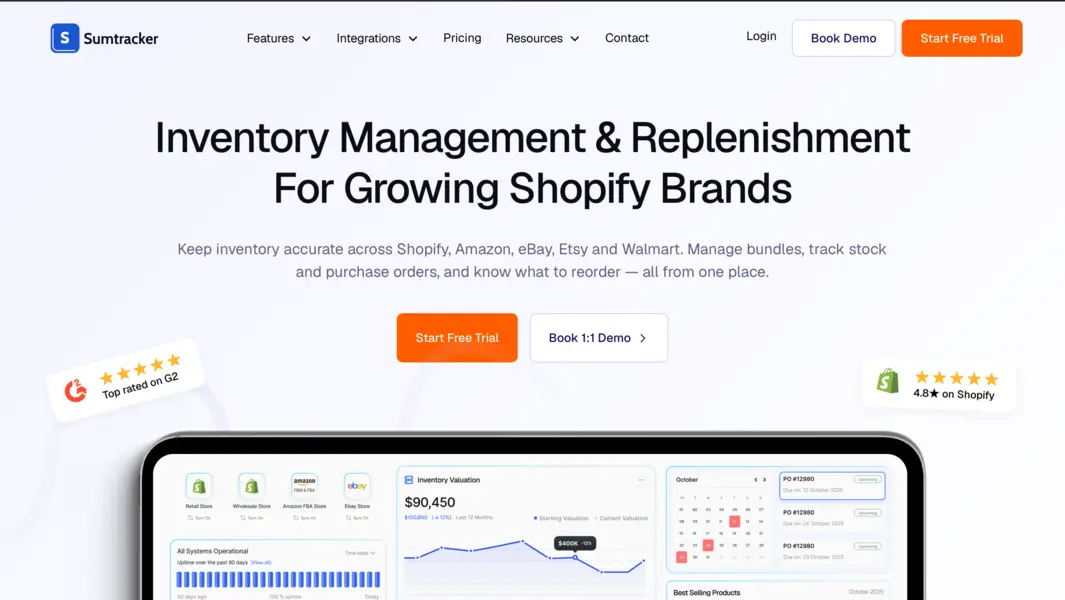
Sumtracker helps Shopify merchants restock at the right time and in the right quantity, so fast sellers don’t run out, and slow movers don’t pile up.
It brings inventory tracking, demand forecasting, reorder suggestions, and purchase orders into one platform, and keeps stock synced across your stores and marketplaces.
For merchants who manage reorders through spreadsheets, Sumtracker connects your sales data directly to purchasing decisions.
Instead of checking stock levels for each product individually, you get a clear view of which products need reordering, how much to buy, and when to place the order. You can then turn those suggestions into a supplier purchase order without re-entering the numbers.
Key Features
- Inventory forecasting: Forecast demand using up to 12 months of sales history, trends, and seasonality.
- Reorder suggestions: Get recommended reorder quantities and dates based on forecast demand and replenishment settings.
- Purchase order management: Create supplier purchase orders, track incoming inventory, and record partial receipts.
- Multichannel inventory sync: Keep inventory aligned across Shopify, Amazon, Etsy, eBay, and Walmart.
- Multi-location inventory management: Track stock across warehouses and plan replenishment for individual locations.
- Bundle and component tracking: Account for component inventory when selling bundles, kits, and multipacks.
- Inventory reporting: Monitor sales velocity, days of inventory remaining, stock valuation, and other inventory metrics.
My Testing Results
During my evaluation, I focused on how Sumtracker connects inventory replenishment with the purchasing process.
One of its main strengths is the connection between reorder suggestions and purchase orders. You can review which products need replenishment, check the suggested quantities, and use that information when creating supplier orders. This makes the process more straightforward than calculating reorder quantities separately and then transferring them into a purchasing spreadsheet.
I also looked at its forecasting capabilities. Sumtracker uses historical sales data, seasonality, and effective in-stock days to estimate demand. Accounting for days when a product was out of stock is particularly useful because recorded sales alone may not reflect how much customers would have purchased if inventory had been available.
Another useful aspect is the connection between replenishment and multi-location inventory management. Merchants can plan purchases for different locations and track incoming stock alongside their existing inventory.
The main consideration is the plan structure. Purchase orders, forecasting, stock transfers, and automated reorder suggestions are included in the Replenish plan rather than the entry-level Manage plan. Merchants should account for this when comparing subscription costs.
Pros and Cons
Pros
- Connects forecasting, reorder suggestions, and purchase orders in one workflow.
- Supports inventory management across multiple sales channels and locations.
- Accounts for seasonality and effective in-stock days when forecasting demand.
- Supports bundles and component-level inventory tracking.
- Offers a 14-day free trial.
Cons
- Businesses that need comprehensive manufacturing planning or advanced warehouse management may require a more specialized system.
Final Verdict
Sumtracker is a strong option for Shopify merchants who want to connect inventory management with restocking decisions. Its combination of demand forecasting, reorder suggestions, purchase orders, and multi-channel inventory sync makes it suitable for growing businesses that need more than basic low-stock alerts.
Score: 95/100
Best for: Shopify merchants who need inventory management, forecasting, reorder suggestions, and purchase orders in one platform, particularly those selling across multiple channels or managing several locations.
Skip if: You only need basic stock alerts, or your business requires advanced manufacturing and production planning.
2. Prediko — Best for AI-Powered Inventory Planning
Prediko is an inventory planning platform designed for Shopify and direct-to-consumer brands.
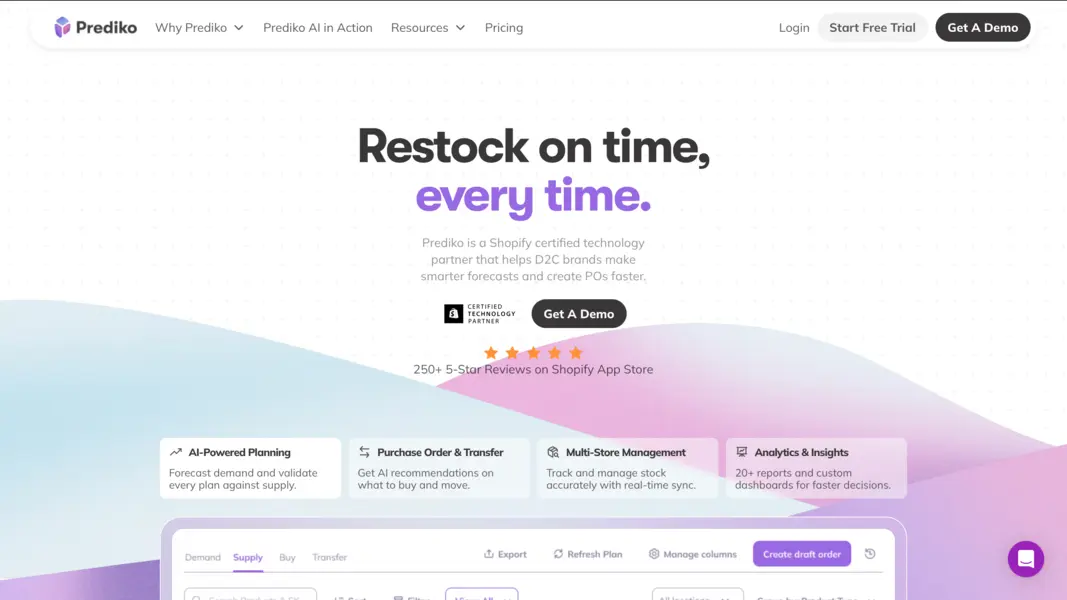
It helps merchants forecast demand, plan inventory purchases, and manage purchase orders from a single platform. It also supports multi-location inventory management and stock transfers.
For merchants whose purchasing decisions depend on changing sales patterns, Prediko provides a way to look beyond current stock levels. Its planning tools help users estimate future demand and compare it with available and incoming inventory before deciding what to buy.
Key Features
- AI-powered demand forecasting: Forecast future demand at the SKU level, accounting for trends and seasonality.
- Inventory planning: Review projected demand and supply before making purchasing decisions.
- Purchase order management: Create and manage supplier purchase orders.
- Stock transfers: Plan inventory movements between locations.
- Inventory reports: Access customizable reports and inventory insights.
- Multi-location inventory: Monitor stock across supported stores and locations.
My Testing Results
During my evaluation, I focused on how Prediko connects demand forecasting with inventory purchasing decisions.
Its demand-to-supply-to-replenishment workflow is useful for merchants who want to plan purchases around future requirements instead of relying only on fixed stock thresholds. Reviewing forecast demand alongside incoming inventory can help identify potential shortages before they become urgent.
I also considered its reporting and multi-location planning capabilities. These are relevant for brands managing larger catalogs or selling from multiple locations, where reviewing each SKU manually can become time-consuming.
The main consideration is whether you need a dedicated inventory planning platform or a broader inventory management solution. I would compare its forecasting workflow, purchasing features, and integration requirements with your existing Shopify setup before choosing a plan.
Pros and Cons
Pros
- Offers SKU-level demand forecasting and inventory planning.
- Connects forecasts with purchase order workflows.
- Supports multi-location inventory and stock transfers.
- Provides customizable inventory reports.
Cons
- May offer more planning functionality than a small store with predictable demand needs.
- Merchants should check plan pricing and feature availability against their catalog size and annual revenue.
Final Verdict
Prediko is a good option for Shopify brands that want a structured approach to demand planning and purchasing. Its main appeal is the ability to bring forecasts, supply planning, and purchase orders into one workflow.
Score: 92/100
Best for: Shopify brands that prioritize AI-assisted demand planning and future inventory purchasing.
Skip if: You only need basic low-stock alerts or prefer a simpler inventory management workflow.
3. Fabrikatör — Best for Purchase Order Workflows
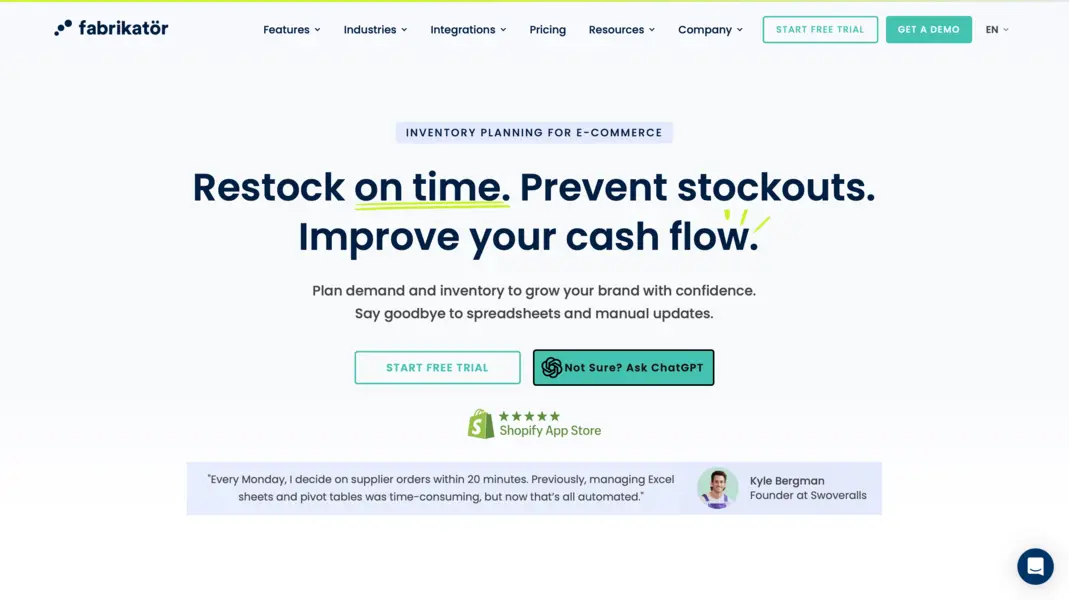
Fabrikatör is an inventory planning and purchasing tool for e-commerce businesses. It combines demand forecasting, inventory planning, and purchase order management to help merchants organize replenishment without relying entirely on spreadsheets. Its Shopify app also lists bundle planning, reports, and backorder and preorder management among its capabilities.
For businesses that regularly order from multiple suppliers, the purchasing process can involve more than deciding which products are running low. Merchants must review quantities, account for incoming stock, prepare purchase orders, and coordinate replenishment across their catalog.
Key Features
- Inventory forecasting: Estimate future stock requirements using demand data.
- Replenishment planning: Identify products that may need replenishment.
- Purchase order management: Create and manage supplier orders.
- Bundle planning: Account for bundles when planning inventory requirements.
- Backorders and preorders: Manage products sold before stock is available.
- Inventory reporting: Review inventory data to support purchasing decisions.
My Testing Results
During my evaluation, I focused on how Fabrikatör supports the transition from inventory planning to purchasing.
Its main appeal is the connection between replenishment requirements and purchase order workflows. This is relevant for merchants who spend considerable time preparing supplier orders from inventory reports or spreadsheets.
I also considered how bundle planning and backorder management fit into the purchasing process. These capabilities can be useful for stores where product demand depends on bundled items or where customers can place orders before inventory arrives.
Before choosing Fabrikatör, I would pay particular attention to how its recommendations account for supplier lead times and incoming purchase orders, along with the requirements of your existing inventory workflow.
Pros and Cons
Pros
- Combines inventory planning with purchase order management.
- Supports bundle planning and inventory reporting.
- Includes backorder and preorder workflows.
- Offers a structured alternative to manual purchasing spreadsheets.
Cons
- Merchants should verify the depth of its multi-location and multichannel support for their particular setup.
- Pricing can depend on the selected plan and backorder usage.
Final Verdict
Fabrikatör is worth considering for Shopify merchants who want to organize purchasing around inventory requirements. It is particularly relevant when preparing and managing supplier orders is a significant part of the restocking workload.
Score: 91/100
Best for: E-commerce businesses looking to connect inventory planning with supplier purchasing workflows.
Skip if: You need extensive warehouse management or have integration requirements that the platform does not support.
4. Inventory Planner — Best for Advanced Inventory Planning
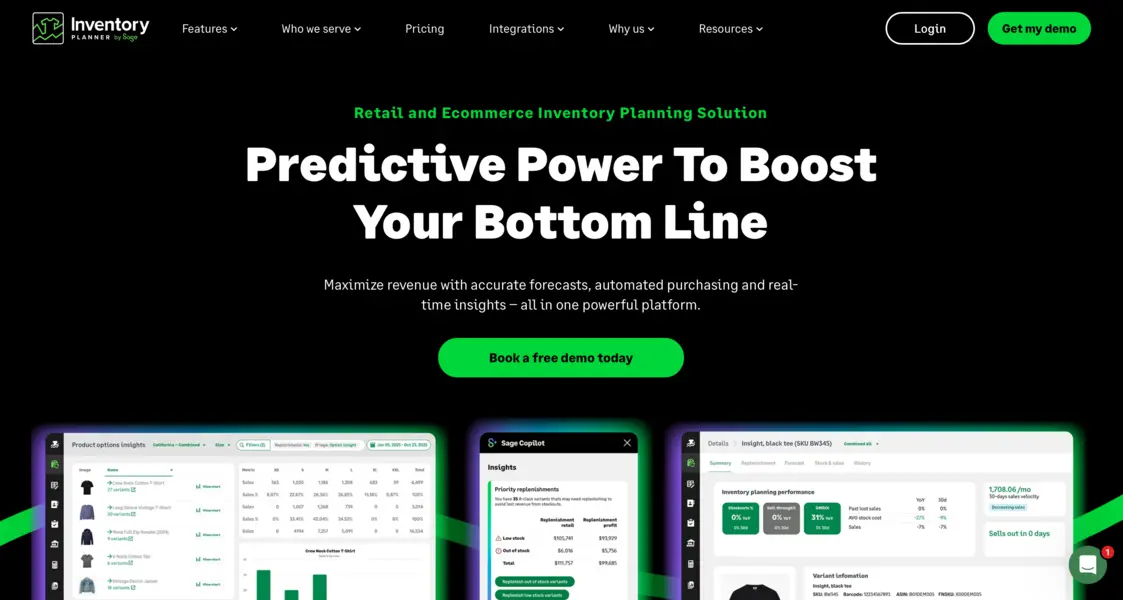
Inventory Planner by Sage is an inventory planning platform that helps retailers forecast demand, plan purchasing, and monitor inventory across locations and sales channels. It combines forecasting and replenishment capabilities with reporting that helps merchants understand stock levels, inventory turnover, and purchasing requirements.
For Shopify businesses managing large catalogs, deciding what to reorder can become a time-consuming task. Inventory Planner is designed to help buyers prioritize products, review upcoming requirements, and make purchasing decisions using inventory and sales data.
Key Features
- Demand forecasting: Estimate future demand using sales and inventory data.
- Replenishment recommendations: Identify stock that may need replenishment.
- Purchasing recommendations: Plan supplier orders based on inventory requirements.
- Multi-location planning: Review inventory needs across supported locations.
- Inventory reporting: Monitor stock levels, inventory turnover, and related metrics.
My Testing Results
During my evaluation, I focused on how Inventory Planner supports purchasing decisions across a larger product catalog.
Its planning and reporting capabilities are particularly relevant when manually reviewing every SKU is no longer practical. Buyers can use forecasts and replenishment recommendations to identify products that need attention and plan purchases around expected demand.
I also considered its suitability for businesses with multiple locations or sales channels. Having a broader view of inventory requirements can help buyers coordinate purchases rather than treating every product or location in isolation.
The main trade-off is complexity. Merchants should consider whether they need advanced planning and reporting or whether a simpler Shopify-focused tool would cover their requirements with less setup.
Pros and Cons
Pros
- Offers demand forecasting and replenishment planning.
- Supports purchasing decisions across larger catalogs.
- Provides inventory reporting and financial insights.
- Supports multi-location and multichannel planning.
Cons
- May require more setup than a basic Shopify inventory app.
- Pricing is quote-based and should be evaluated against the expected benefits.
Final Verdict
Inventory Planner is a strong candidate for established retailers that need more structured purchasing decisions across a broad catalog. It is particularly relevant when forecasting, inventory reporting, and replenishment planning are central to the buying process.
Score: 89/100
Best for: Larger Shopify businesses with complex inventory planning and purchasing requirements.
Skip if: You only need basic reorder alerts or a straightforward purchase order workflow.
5. StockTrim — Best for Demand Forecasting and Order Quantities
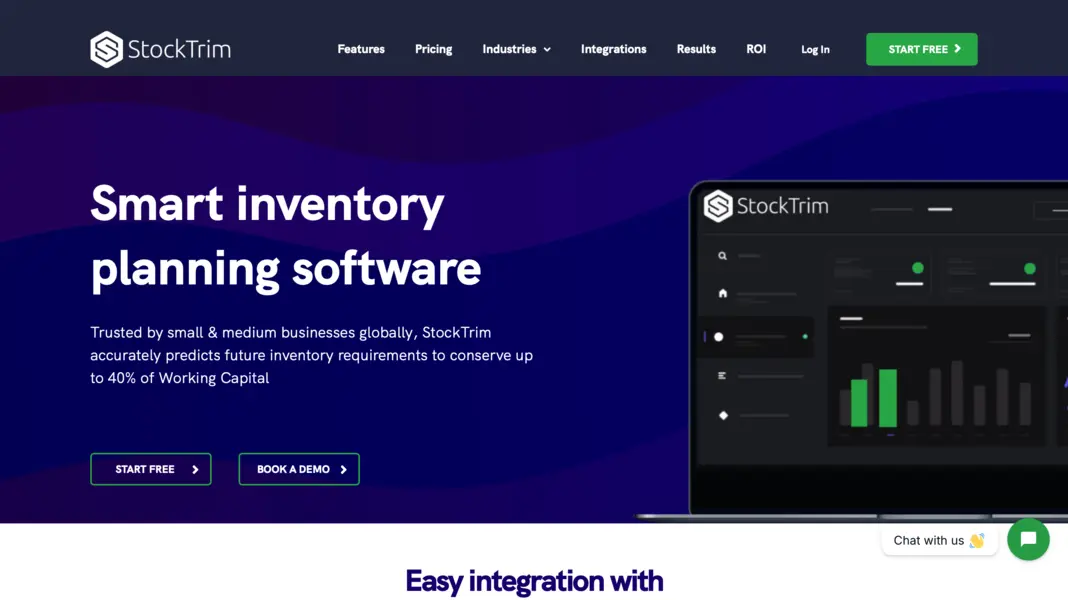
StockTrim is an inventory forecasting tool that connects with Shopify to estimate future demand and recommend how much stock to order. It supports forecasting by product variant, planning across multiple locations, and purchasing constraints such as minimum order quantities and container sizes.
For merchants selling products in different sizes, colors, or configurations, deciding how much to order can be as challenging as deciding when to order. StockTrim focuses on using demand forecasts to help businesses plan quantities and reduce the risk of overstocking or running out of popular items.
Key Features
- Demand forecasting: Estimate future product demand using sales data.
- Variant-level forecasting: Forecast stock requirements for individual product variants.
- Suggested order quantities: Calculate purchasing requirements based on forecast demand.
- Purchase order generation: Create purchase orders to support replenishment.
- Multi-location planning: Plan inventory requirements across locations.
My Testing Results
During my evaluation, I focused on how StockTrim translates demand forecasts into practical purchasing quantities.
Its variant-level forecasting is useful for merchants who sell products in several sizes or colors. Rather than treating a product as a single unit of demand, merchants can plan stock requirements for individual variants.
I also considered its support for purchasing constraints. Supplier minimums and container sizes can affect the final quantity a business must order, even when the forecast suggests a different requirement. Accounting for these constraints makes purchasing recommendations more practical.
The main consideration is whether you need this level of forecasting detail. Stores with stable sales and a small catalog may find basic reorder points sufficient, while businesses with variable demand or more complex purchasing requirements may benefit from a forecasting-led approach.
Pros and Cons
Pros
- Supports demand forecasting at the variant level.
- Recommends purchasing quantities based on expected demand.
- Supports purchase order generation and multi-location planning.
- Accounts for purchasing constraints such as minimum order quantities.
Cons
- Advanced forecasting may be unnecessary for stores with simple, predictable demand.
- Pricing varies by plan and product limits, so merchants should check the current costs for their catalog size.
Final Verdict
StockTrim is worth considering if your main restocking challenge is determining how much inventory to buy. Its forecasting and purchasing capabilities can help merchants move beyond fixed stock thresholds and plan orders around expected demand.
Score: 85/100
Best for: Shopify merchants who need demand forecasting, variant-level planning, and suggested purchasing quantities.
Skip if: Your catalog is small, demand is predictable, and basic reorder points already meet your needs.
6. Zoho Inventory — Best for Broader Inventory and Purchasing Management
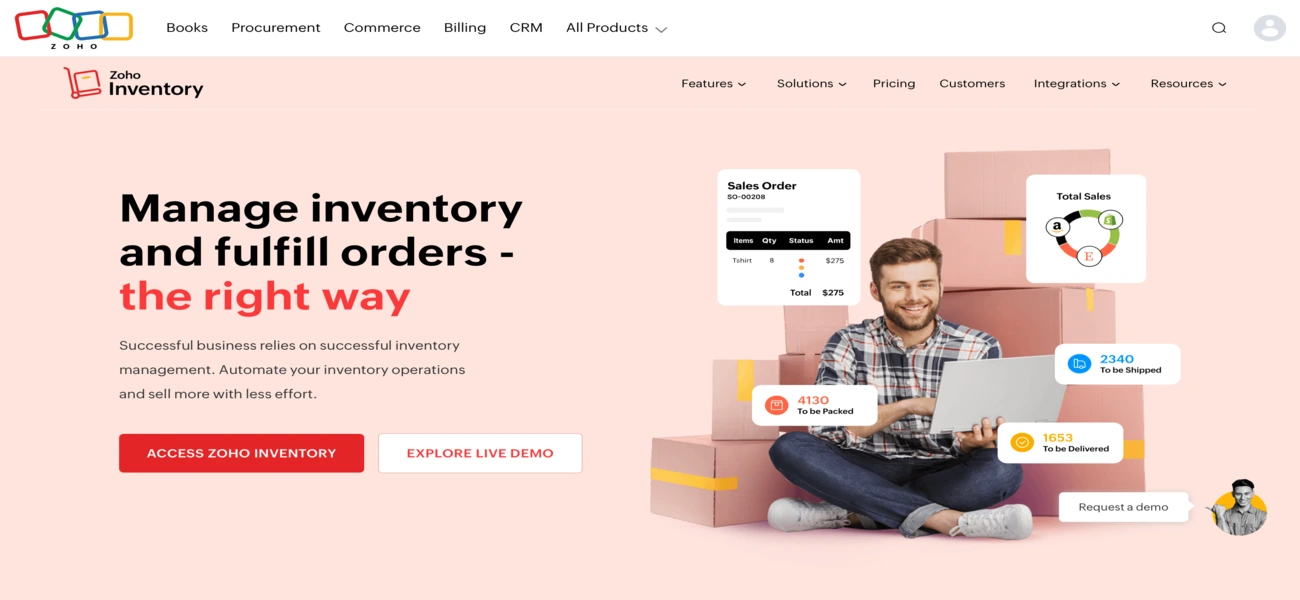
Zoho Inventory is an inventory and order management platform that helps businesses manage purchasing, stock receiving, warehouses, and sales orders. Its Shopify integration can synchronize orders and inventory, with settings for warehouse mapping and stock synchronization.
For Shopify merchants, restocking is often only one part of the job. You may also need to receive supplier deliveries, transfer stock between warehouses, track sales orders, and maintain purchasing records. Zoho Inventory brings these activities into a broader inventory management workflow.
Key Features
- Purchase orders: Create and manage supplier orders.
- Multi-warehouse management: Track stock across warehouses and transfer inventory.
- Composite items: Manage item groups and composite products.
- Order management: Coordinate sales orders, purchasing, and fulfillment.
- Business integrations: Connect with supported Zoho applications and other business tools.
My Testing Results
During my evaluation, I focused on how Zoho Inventory supports the operational side of restocking.
Its purchasing and receiving workflows are useful for businesses that need to track supplier orders and record incoming inventory, rather than simply receive a low-stock notification. Multi-warehouse support is another relevant feature for merchants managing stock across different locations.
I also considered the distinction between inventory management and automated replenishment. Being able to create purchase orders does not necessarily mean that a system will forecast demand or automatically recommend the right reorder quantity. Merchants who prioritize demand-based purchasing should confirm the planning capabilities available in their setup.
The main trade-off is scope. Zoho Inventory may be a good fit for businesses that need purchasing, order management, and warehouse controls together, but it may offer more operational functionality than a store looking only for restocking recommendations requires.
Pros and Cons
Pros
- Combines inventory tracking, purchasing, and receiving.
- Supports multiple warehouses and stock transfers.
- Integrates with Shopify and other business applications.
- Useful for businesses that need broader order management.
Cons
- Purchase order functionality alone does not guarantee automated replenishment recommendations.
- Merchants should verify the available forecasting features, plan limits, and Shopify synchronization settings.
Final Verdict
Zoho Inventory is a sensible option for businesses that want to manage stock, supplier purchases, and sales orders in one system. It is particularly relevant when restocking is part of a wider inventory and order management process.
Score: 84/100
Best for: Small and growing businesses that need inventory, purchasing, warehouse, and order management capabilities together.
Skip if: Your primary requirement is advanced demand forecasting and automated reorder recommendations in a Shopify-focused workflow.
7. Cin7 Core — Best for Complex Inventory and Purchasing Operations
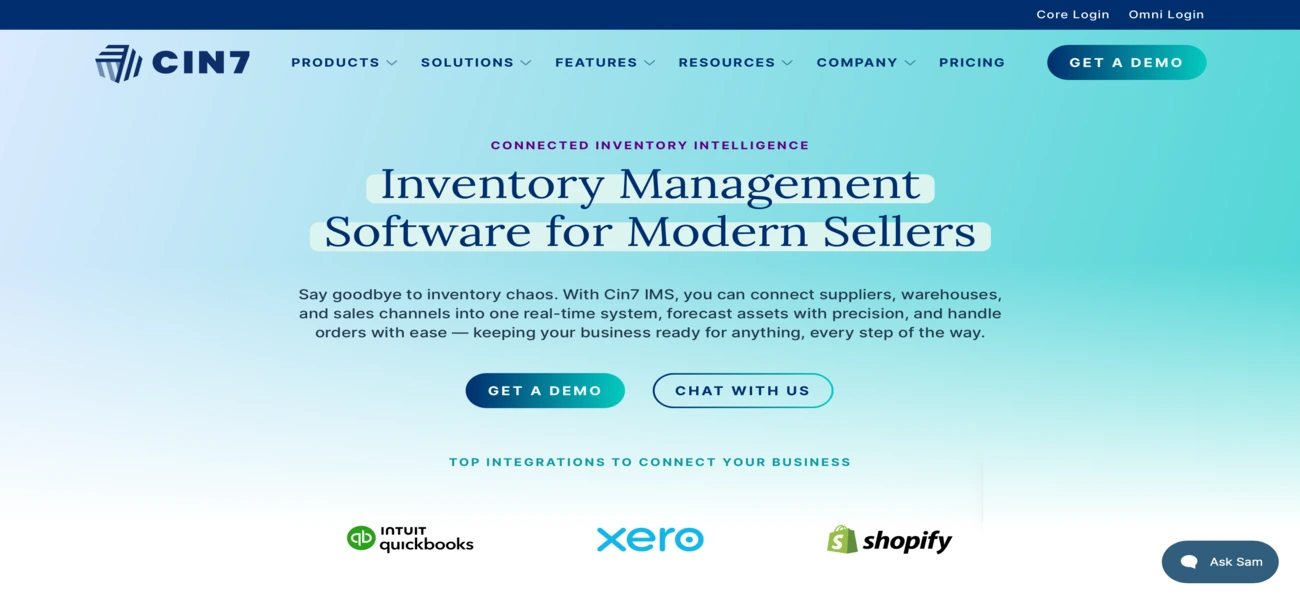
Cin7 Core is an inventory management platform designed for product businesses with more complex purchasing, warehouse, and sales operations. Its capabilities include inventory synchronization, purchasing, demand forecasting, multi-location stock management, and manufacturing-related workflows.
For businesses that have outgrown a basic Shopify inventory app, restocking may involve coordinating suppliers, warehouses, wholesale orders, and multiple sales channels. Cin7 Core brings these activities into a broader operational system.
Key Features
- Shopify integration: Connect supported product, order, and inventory data.
- Purchasing workflows: Manage suppliers and purchase orders.
- Demand forecasting: Estimate future inventory requirements.
- Multi-location inventory: Manage stock across multiple warehouses and locations.
- Order management: Coordinate orders across supported sales channels.
- Manufacturing support: Manage production-related inventory workflows through supported features and plans.
- Reporting: Monitor inventory and purchasing activity.
My Testing Results
During my evaluation, I focused on how Cin7 Core supports restocking as part of a larger inventory operation.
Its broader purchasing and inventory capabilities are relevant to businesses that manage several locations, multiple sales channels, or more complicated supplier workflows. In these cases, replenishment decisions need to fit into the wider process of purchasing, receiving, stock control, and order fulfillment.
I also considered the trade-off between breadth and complexity. A platform with wider operational capabilities can be useful when several business processes need to work together, but it may take more time to configure and learn than a dedicated Shopify replenishment app.
Before choosing Cin7 Core, I would compare the available features and plan limits against the workflows your business actually needs, especially if you require manufacturing or advanced warehouse functionality.
Pros and Cons
Pros
- Supports purchasing and inventory management in a broader operational system.
- Offers demand forecasting and multi-location inventory capabilities.
- Suitable for businesses with complex purchasing and sales workflows.
- Includes manufacturing-related functionality in supported plans.
Cons
- More expensive than many Shopify-focused inventory apps.
- Setup, configuration, and training may require additional effort.
- Some advanced features and integrations incur additional costs.
Final Verdict
Cin7 Core is worth considering when inventory restocking is one part of a larger operational challenge. Its wider capabilities can be useful for businesses that need purchasing, inventory control, and other product operations connected in one system.
Score: 84/100
Best for: Growing product businesses with complex purchasing, multi-location inventory, or manufacturing-related requirements.
Skip if: You want a lightweight Shopify app focused mainly on reorder recommendations and purchase orders.
8. Descartes Finale — Best for Warehouse and Barcode Operations
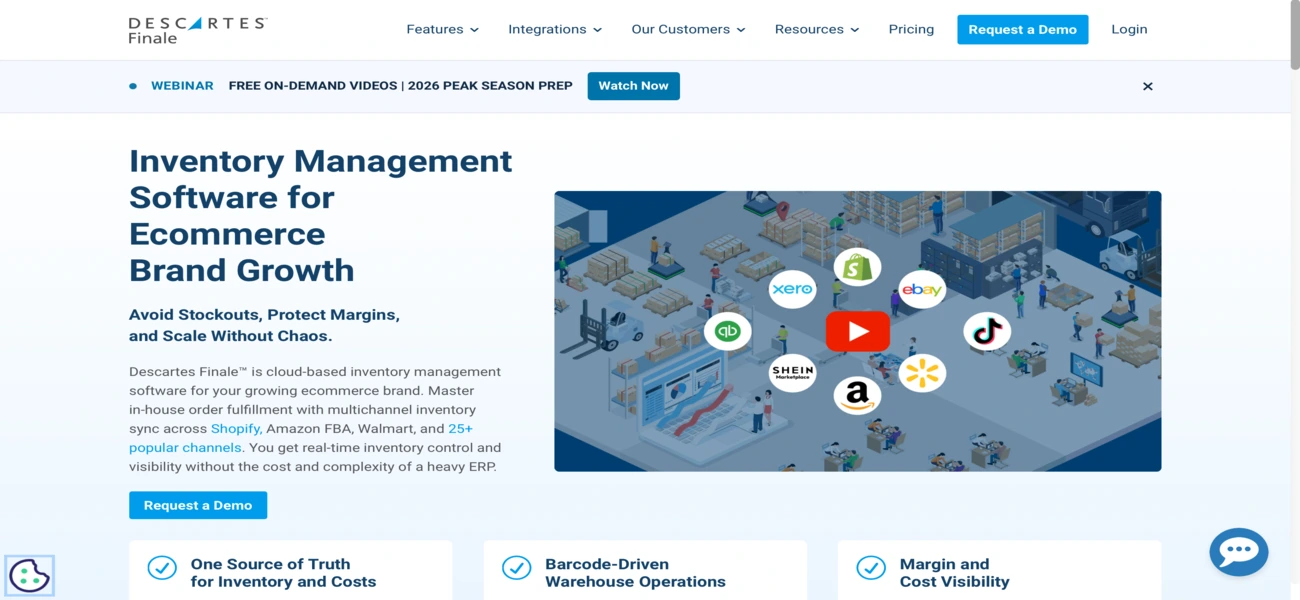
Finale Inventory is inventory management software designed for e-commerce businesses that need detailed stock control and structured warehouse workflows. It integrates with Shopify and other sales channels, with capabilities for purchase orders, inventory transfers, barcode scanning, and replenishment planning.
For merchants handling large SKU counts or operating multiple warehouses, accurate inventory records are essential for restocking. If stock movements, receipts, or order allocations aren't recorded correctly, replenishment decisions can be based on misleading inventory figures.
Key Features
- Inventory tracking: Maintain inventory records across locations and sales channels.
- Purchase order management: Create supplier orders and manage incoming inventory.
- Barcode scanning: Support receiving, picking, packing, and inventory counts.
- Warehouse management: Track stock movements and manage multiple warehouses.
- Inventory transfers: Move stock between warehouses and locations.
My Testing Results
During my evaluation, I focused on Finale Inventory's warehouse controls and how they support accurate restocking decisions.
Its barcode workflows and stock movement records are particularly relevant for businesses that receive, store, pick, and transfer large quantities of inventory. Maintaining accurate records of these activities helps ensure that purchasing decisions reflect the stock actually available to sell.
I also considered its replenishment capabilities. Reorder points and low-stock alerts can help identify products that need attention, while inventory reporting provides additional context for purchasing decisions.
The main consideration is whether your business needs warehouse-oriented inventory control or primarily needs demand forecasting and reorder recommendations. Merchants with complex warehouse operations may benefit from the additional controls, while smaller Shopify stores may find the system more extensive than necessary.
Pros and Cons
Pros
- Offers detailed inventory and warehouse management capabilities.
- Supports barcode-based inventory workflows.
- Includes purchase orders, receiving, and stock transfers.
- Supports multichannel inventory management.
Cons
- May require more setup than a lightweight Shopify inventory app.
- Merchants should verify the depth of forecasting and replenishment functionality available for their requirements.
- The broader warehouse feature set may be unnecessary for stores with simple inventory workflows.
Final Verdict
Finale Inventory is a strong candidate for e-commerce businesses where warehouse accuracy and inventory control are central to restocking. Its barcode and stock movement workflows can help maintain reliable inventory records across locations.
Score: 80/100
Best for: E-commerce businesses with high SKU counts, multiple warehouses, and barcode-intensive inventory workflows.
Skip if: You mainly need a straightforward Shopify replenishment tool for forecasting demand and calculating reorder quantities.
9. Assisty — Best for Shopify-Focused Inventory Restocking
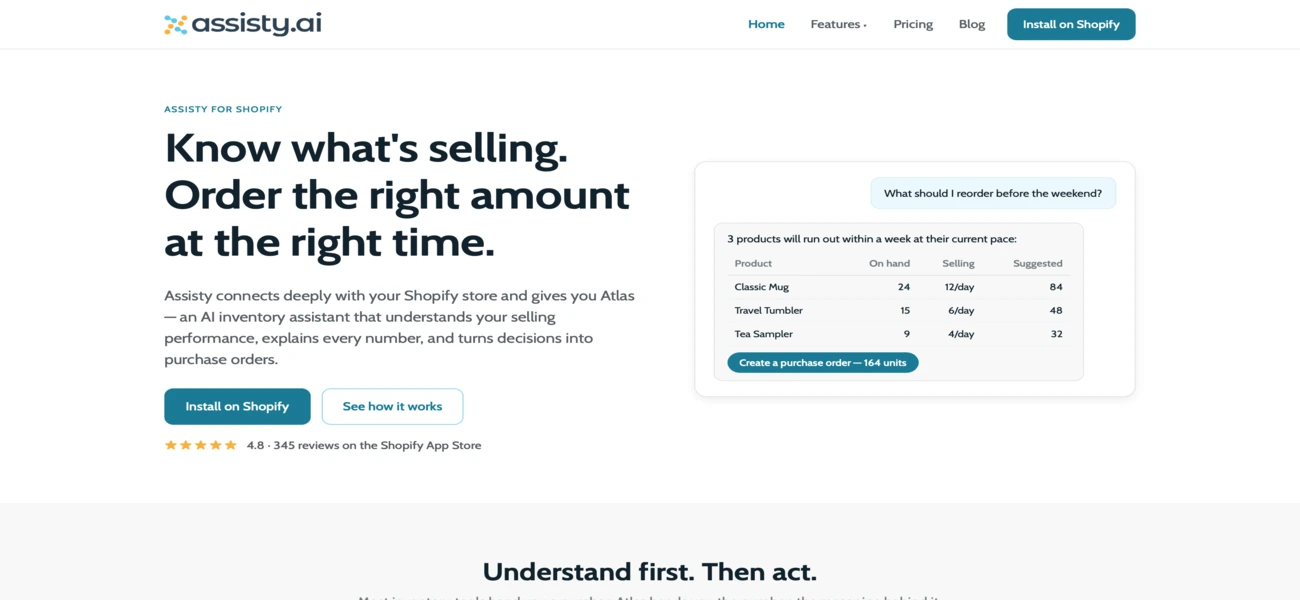
Assisty is a Shopify inventory management app that combines inventory tracking, demand forecasting, replenishment planning, and purchasing workflows. Its feature set includes reorder suggestions, purchase orders, inventory reports, and multi-location inventory management. Advanced replenishment capabilities are available through its paid plans.
For merchants who want to manage stock and plan purchases without adopting a broader ERP system, Assisty offers a Shopify-focused approach. Its planning features can help identify products that need replenishment and organize purchasing around expected demand.
Key Features
- Demand forecasting: Estimate future stock requirements using sales data, trends, and seasonality.
- Reorder suggestions: Identify products that may need replenishment.
- Purchase orders: Create and manage supplier orders.
- Purchase receiving: Record incoming stock against purchase orders.
- Multi-location inventory: Track stock and plan inventory requirements across locations.
- Stock transfers: Identify opportunities to move stock between locations.
- Inventory reporting: Monitor sales, stock levels, and inventory performance.
My Testing Results
During my evaluation, I focused on how Assisty connects inventory tracking with replenishment planning.
Its Shopify-focused workflow is relevant for merchants who want to move beyond basic stock alerts. The combination of demand forecasting, reorder suggestions, and purchasing features can help organize the process of identifying stock requirements and preparing supplier orders.
I also considered its multi-location capabilities. For merchants holding inventory in several locations, deciding whether to transfer existing stock or place a new purchase order is an important part of replenishment planning.
One factor to consider is the plan structure. Assisty's more advanced forecasting, buying, and purchase order capabilities are not all included in the free plan. Merchants should compare the features available at their Shopify plan level before subscribing.
Pros and Cons
Pros
- Designed around Shopify inventory workflows.
- Combines forecasting and replenishment planning with purchasing features.
- Supports inventory tracking across multiple locations.
- Offers inventory reports and stock alerts.
- Provides a free entry plan for basic inventory tracking.
Cons
- Advanced replenishment features require a paid plan.
- Merchants should confirm which features are available for their Shopify subscription tier.
- Businesses with extensive manufacturing or warehouse requirements may need a broader system.
Final Verdict
Assisty is worth considering for Shopify merchants who want inventory tracking and replenishment planning in one app. Its combination of forecasting, reorder suggestions, purchase orders, and multi-location inventory makes it relevant for stores looking to organize routine restocking.
Score: 78/100
Best for: Shopify merchants looking for a dedicated inventory planning and replenishment app with multi-location support.
Skip if: You need advanced manufacturing management or extensive warehouse operations beyond the capabilities of a Shopify-focused app.
How to Choose the Right Inventory Restocking Software for Your Shopify Store
The best software depends on your catalog size, sales channels, purchasing process, and operational complexity. Use these questions to narrow down your options.
- For inventory management, forecasting, and purchase orders in one Shopify-focused workflow: Choose Sumtracker.
- For demand planning and future supply requirements: Compare Prediko and Inventory Planner.
- For demand forecasting and order quantity recommendations: Look at StockTrim.
- For purchasing and replenishment workflows: Compare Fabrikatör and Assisty.
- For broader inventory and purchasing operations: Consider Zoho Inventory.
- For complex inventory operations across multiple locations and channels: Evaluate Cin7 Core.
- For warehouse-intensive operations: Consider Finale Inventory.
Conclusion
Choosing inventory restocking software is about more than preventing products from reaching zero stock.
The right system helps you anticipate demand, account for supplier lead times, determine appropriate order quantities, and manage incoming inventory before shortages affect sales.
For Shopify merchants, the priority should be finding a tool that connects inventory data with practical purchasing decisions.
A simple low-stock alert may be enough for a small catalog, while a growing multichannel business may need forecasting, automated reorder suggestions, purchase orders, and multi-location inventory management.
Sumtracker is worth considering if you want to bring these activities together in one inventory workflow. If your primary requirement is advanced demand planning, warehouse control, or broader business operations, compare the other tools against those specific needs.
Before committing, test your shortlisted tools with a representative set of products, including fast-moving SKUs, seasonal items, and products with long supplier lead times.
The best choice is the one that helps you maintain product availability while avoiding unnecessary inventory investment.
Frequently Asked Questions About Shopify Inventory Restocking Software
1. What Is Inventory Restocking Software?
Inventory restocking software helps businesses determine when to reorder products and how much stock to purchase. Depending on the tool, it can use sales history, current inventory, supplier lead times, and demand forecasts to recommend replenishment quantities and manage purchase orders.
2. Does Shopify Have Built-In Inventory Restocking?
Shopify includes inventory tracking and basic purchase orders. You can create a PO in the Shopify admin, add supplier details, and receive stock against it. However, Shopify doesn’t forecast demand or suggest reorder quantities, so you still have to work out what to buy and when.
3. How Does Inventory Restocking Software Calculate Reorder Quantities?
Restocking software may consider forecast demand, current stock, incoming purchase orders, supplier lead times, and safety stock when calculating how much to reorder. Some tools use fixed reorder points, while others use demand forecasts to estimate future requirements.
4. Can Inventory Restocking Software Manage Multiple Shopify Locations?
Yes, some tools support multi-location inventory tracking and replenishment planning. Depending on the software, you may be able to review stock by location, plan purchases for individual warehouses, and transfer inventory between locations.
5. How Much Does Inventory Restocking Software Cost?
Pricing depends on the software, plan, catalog size, order volume, and features included. Basic inventory tools may cost less, while platforms offering advanced forecasting, replenishment planning, and broader inventory management can cost more. Compare current plan limits and subscription costs before making a decision.
6. What Is the Best Inventory Restocking Software for Shopify?
The best option depends on your requirements. Sumtracker is worth considering if you need inventory management, demand forecasting, reorder suggestions, purchase orders, and multichannel inventory sync in one platform. Other tools may be a better fit if your main priority is advanced inventory planning, warehouse management, or broader operational workflows.
Conclusion

Bhoomi writes about inventory management and multichannel selling at Sumtracker. Her focus is on solving real operational problems for Shopify, Amazon, and marketplace sellers through well-researched content. She covers everything from multi-location inventory syncing and stock error troubleshooting to replenishment planning and platform comparisons, turning complex eCommerce operations into clear, actionable guidance.
LinkedInRelated Articles
Tool and strategies modern teams need to help their companies grow.
.avif)
Ready to Simplify Your Inventory Management?
Join hundreds of e-commerce merchants who rely on Sumtracker to save time, eliminate errors, and grow their business.