.svg)
![10 Best Shopify Inventory Sync Tools for 2026 [Tested & Reviewed]](https://cdn.prod.website-files.com/67907f49647e48895e5dc266/6a8ec6079097db9a02b803ef_Growth%20Unlocked%20with%20Sumtracker%20(49).avif)
10 Best Shopify Inventory Sync Tools for 2026 [Tested & Reviewed]


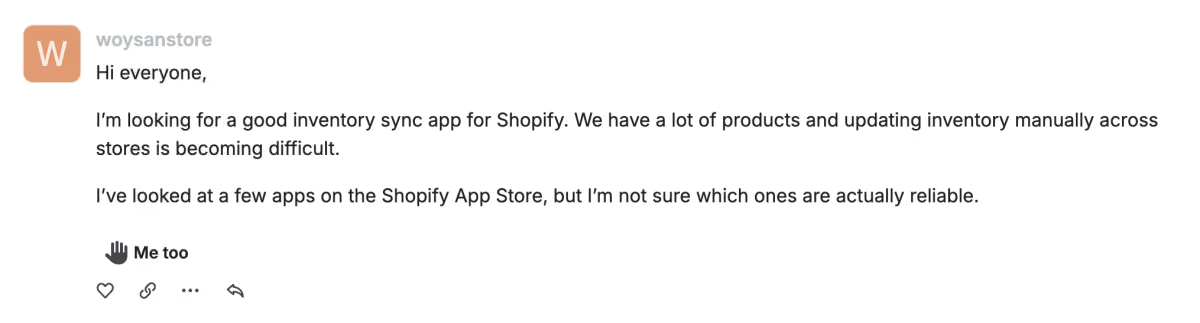
A Shopify merchant asked this question in the Shopify community forum:
Every Shopify merchant faces inventory sync issues at some point.
It occurs whether you add a new sales channel, increase your product catalog, or add another Shopify store.
And when you start your search for a good inventory sync tool, you see a pool of options available.
But it’s always difficult to analyze which one suits you best because not every software can prove to be the end of your search.
To make your search process easy, I spent time reviewing the Shopify inventory sync tools available in 2026 and curated the best 10 for you.
To be clear, I didn’t rank the tools on the Shopify App Store ratings.
Instead, I looked at the actual synchronization workflow: how products are matched, what triggers an inventory update, whether syncing works across locations, how multi-store setups are handled, and what happens when something doesn't match correctly.
Let’s compare each one of the tools.
Key Findings From My Evaluation
When I started my research, a few things became clear:
There isn't just one definition of “inventory sync.”
For every merchant, inventory sync can mean a different thing.
It can mean syncing inventory between Shopify and other sales channels, keeping inventory aligned across multiple Shopify stores, or simply syncing inventory between different SKUs and product variants.
Another thing I noticed is that multi-location inventory is handled very differently across tools. Some aggregate locations into one quantity, while others let you control which locations participate in the sync.
And finally, there's a clear distinction between inventory sync software and inventory management software.
A dedicated sync tool can be perfect if your only problem is keeping two stores aligned. But if you also need purchasing, bundles, forecasting, and replenishment, you'll probably outgrow a basic sync app.
New to Shopify Inventory Sync?
Inventory sync sounds simple:
Stock changes in one place → stock changes everywhere else.
But this isn’t everything.
Let's say you have 50 units of a SKU.
You sell 5 through Shopify.
If that product is also listed on Amazon and a second Shopify store, both need to know that only 45 units remain.
A good inventory sync system handles that automatically.
Comparison of the Best Shopify Inventory Sync Software
Quick Results: My Top Picks
Best Overall Inventory Sync Tool: Sumtracker — Best inventory sync capabilities, and you get everything in one dashboard, including multi-channel inventory, multiple locations, bundles, purchase orders, replenishment, and inventory reporting.
Best for Bi-Directional Inventory Sync: Synkro — If you need inventory changes to flow in both directions between Shopify stores, with configurable one-way or two-way connections.
Best for Supplier Inventory Feeds: Stock Sync — Particularly useful when your inventory data comes from suppliers, spreadsheets, CSV files, FTP, or other external sources.
Best for Product & Collection Sync: Multi-Store Sync Power — Strong option if you want to sync not just inventory but also products and collections between multiple Shopify stores.
My Scoring System
The highest score is given to inventory sync itself because there is no point in having additional features if the core inventory sync is not reliable.
I scored each tool across five areas:
Inventory Sync & Reliability — 35 points
For this, I looked at
- Sync triggers
- Real-time or scheduled synchronization
- One-way vs two-way syncing
- Order/refund/restock behavior
- SKU matching
- Error inventory visibility
Store & Channel Support — 25 points
I looked at:
- Multiple Shopify stores
- Marketplaces
- Ecommerce channels
- Multiple locations
- Cross-platform support
Inventory Workflow Depth — 20 points
I considered:
- Bundles
- Kits
- Purchase orders
- Inventory adjustments
- Product synchronization
- Reporting
- Replenishment
Setup & Usability — 10 points
I looked at:
- Connection process
- Product mapping
- Configuration options
- Documentation
- Troubleshooting
Value for Money — 10 points
Finally, I compared the functionality against the pricing structure and the type of merchant each tool is designed for.
This prevents a $300+ inventory platform from automatically winning simply because it has more features than a $20 synchronization app.
1. Sumtracker — Best Overall Shopify Inventory Sync Tool
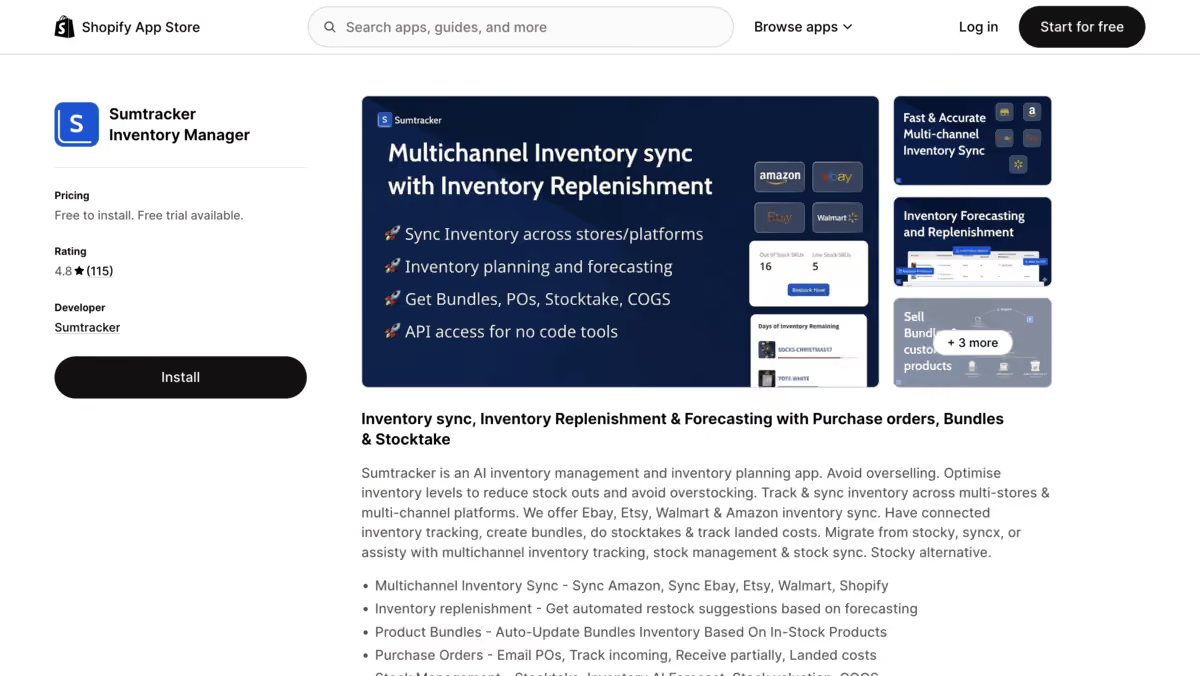
My rating: 95/100
Sumtracker is an inventory management platform that helps Shopify merchants sync and manage inventory across multiple sales channels from one dashboard.
It supports Shopify, Amazon, Etsy, eBay, and other channels, while also offering features like multi-location inventory, forecasting, bundles, purchase orders, replenishment, and inventory reporting.
These features make it particularly useful for growing Shopify businesses where inventory management becomes more complex as the number of SKUs, channels, and locations increases.
So, if your inventory problem is bigger than just simply keeping your inventory in sync, this is the best software on the list.
Why I rated it 95/100: It offers the most complete combination of inventory sync and inventory management capabilities. Also, the best thing is that Shopify itself recommends Sumtracker as the best inventory management tool.
Key Features
- Shopify, Amazon, Etsy, eBay, and other integrations
- Multi-location inventory sync
- Bundle and kit management
- Purchase order management
- Forecasting and replenishment planning
My Testing Results
The biggest thing I noticed about Sumtracker is that inventory sync is part of the larger inventory workflow.
That's important because inventory changes don’t happen in isolation.
A sale changes inventory. A bundle sale changes the inventory of its components. A purchase order increases incoming stock. A stock adjustment changes availability.
So instead of treating inventory sync as simply “copy this quantity to another store,” Sumtracker gives merchants a central inventory layer that can be used for the rest of their inventory operations.
With a single dashboard, you can manage inventory for multiple channels like Shopify, Amazon, Etsy, eBay, etc., so you don’t need to separately go on each platform and check your inventory level.
It gives you features like purchase orders, multiple supplier management, replenishment planning, multi-location inventory, and inventory reporting.
So that you can not only see what's currently in stock but also manage incoming inventory and understand how your stock is moving.
Pros & Cons
Pros
- Broad multichannel support
- Multi-location inventory
- Bundles and kits
- Purchase orders
- Replenishment and forecasting
- Broader inventory reporting
Cons
- More functionality than needed for a merchant who only wants a simple two-store sync
Final Verdict
Best for: If you want an inventory sync feature as part of your complete inventory workflow.
Skip if: You only need a very basic Shopify-to-Shopify connection.
2. Trunk Inventory
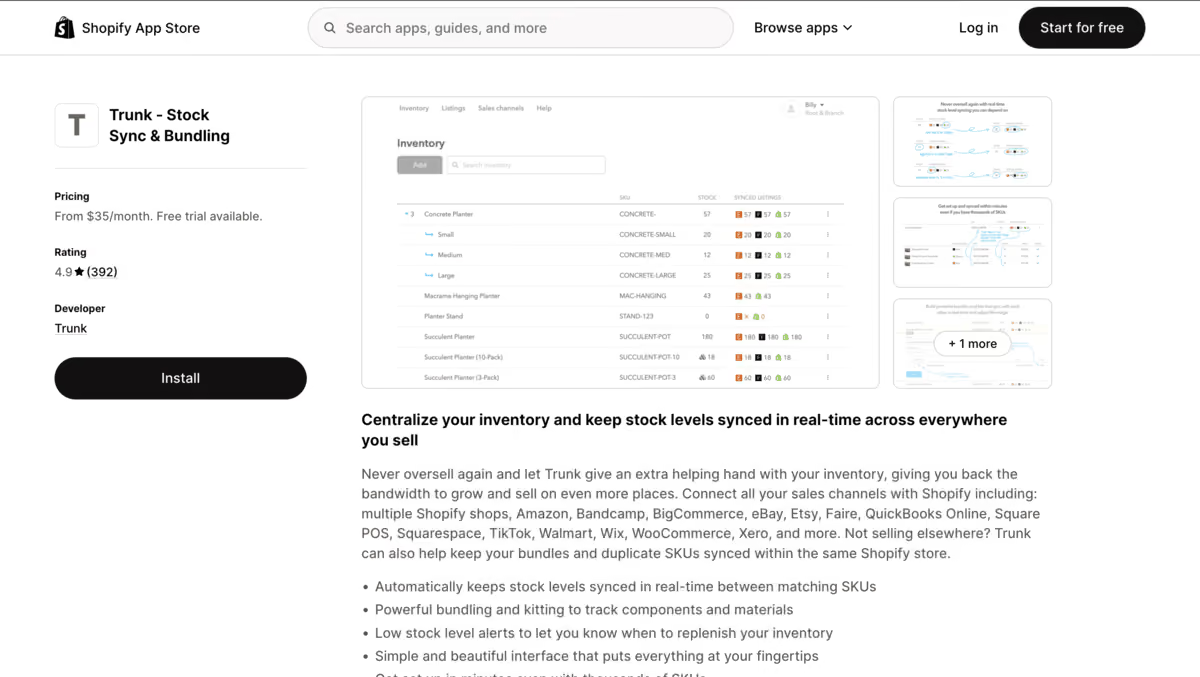
My rating: 92/100
Trunk is an inventory synchronization platform designed to keep stock levels aligned across the sales channels where you sell.
It supports Shopify alongside other ecommerce and marketplace channels and also has bundling capabilities.
Trunk is particularly useful when your inventory is spread across multiple storefronts or sales channels, and the main requirement is to keep those quantities synchronized without having to manually update each platform.
Why I rated it 92/100: To me, it stood out as one of the strongest options after Sumtracker if your priority is reliable inventory sync rather than complete inventory management.
Key Features
- Real-time inventory syncing
- Multichannel support
- SKU-based matching
- Bundling
- Multiple Shopify stores
My Testing Results
The first thing I paid attention to with Trunk is its initial inventory setup.
Trunk builds its own inventory quantity from the first matching SKU it sees, so the initial channel you connect matters. Also, I noticed that its documentation explicitly recommends connecting the channel with the most accurate stock first.
That's a small detail, but it's exactly the kind of thing I want to see when evaluating inventory software.
The other interesting part is how it handles multiple Shopify locations.
Rather than treating each location as an independent channel, Trunk totals the quantities and uses that figure for channel synchronization, with rules for distributing stock back across Shopify locations.
It’s an appealing option if you don’t want to sign up for a larger inventory system and just want a sync feature.
Pros & Cons
Pros
- Straightforward inventory-sync workflow
- Real-time syncing
- Multichannel support
- Bundling
- Multi-location support
Cons
- Initial inventory setup needs attention.
- Less comprehensive than a full inventory management platform
Final Verdict
Best for: Merchants who primarily need dependable multichannel inventory synchronization.
Skip if: You need demand forecasting, purchasing, and broader inventory planning in the same system.
3. SyncX
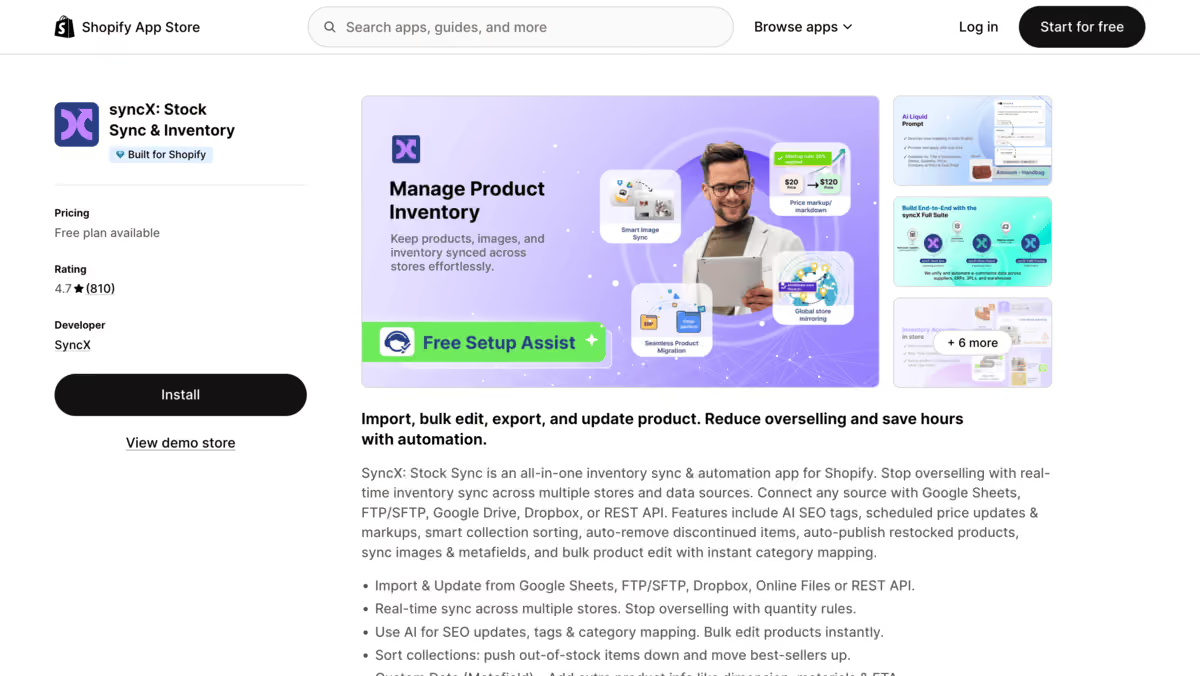
My rating: 91/100
Stock Sync is designed around importing and updating Shopify inventory from external sources.
Instead of limiting synchronization to ecommerce stores, it can work with supplier feeds and data sources such as CSV, FTP/SFTP, URLs, and other supported connections.
It also supports inventory sync between multiple stores and can automate product and inventory updates.
If you work with suppliers or manage inventory data outside of Shopify, you can give this app a try.
Why I rated it 91/100: It gives great flexibility for external inventory sync, especially for supplier feeds.
Key Features
- Supplier inventory feeds
- CSV imports
- Scheduled updates
- Product and inventory updates
- Shopify store-to-store synchronization
My Testing Results
The difference that I saw when reviewing this app is the source of the inventory data.
If you wake up to see your supplier sending you spreadsheets, then it’s not actually a multichannel channel sync issue.
You have an inventory-feed automation problem.
And in this exact scenario, Stock Sync can make a lot of sense for you.
One detail I found particularly important is that inventory updates require an Update Feed for existing products.
Simply creating an import feed isn't enough to keep quantities updated. The inventory identifier also needs to match the Shopify product correctly.
That makes the tool powerful, but it also means the initial mapping deserves attention.
Pros & Cons
Pros
- Excellent fit for supplier feeds
- Multiple data-source options
- Scheduled automation
- Store-to-store syncing
- Flexible data mapping
Cons
- Setup can be more technical.
- Not primarily a complete inventory management platform
Final Verdict
Best for: Suppliers, dropshippers, retailers, and merchants importing inventory from external sources.
Skip if: Your only requirement is simple multichannel inventory management.
4. Syncio
My rating: 88/100
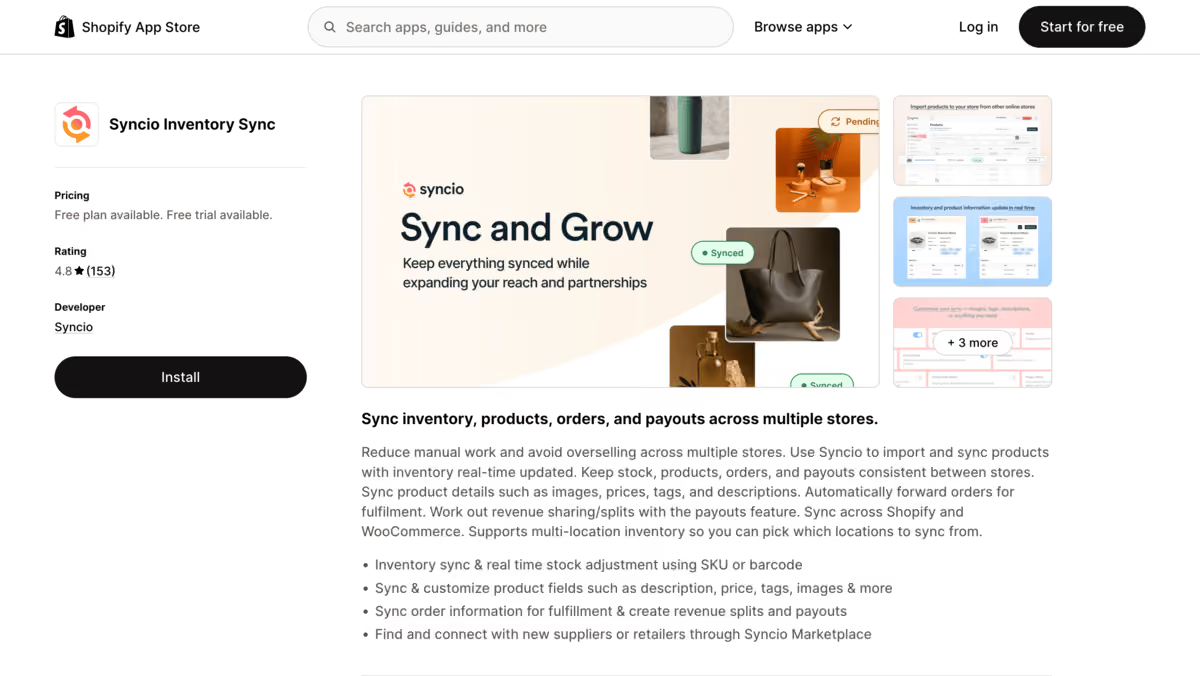
Syncio specializes in connecting stores and synchronizing inventory, products, and orders.
Its core functionality uses SKU-based two-way inventory sync, which means an inventory change on one connected store can be reflected on the other.
Apart from inventory, it also syncs product information like prices, descriptions, images, tags, and other product attributes.
It supports multi-location inventory and can also push orders from a destination store back to the source store for fulfillment.
Why I rated it 88/100: A strong solution if your main challenge is to keep your multiple Shopify stores aligned.
Key Features
- Real-time inventory sync
- Shopify-to-Shopify syncing
- SKU-based mapping
- Product synchronization
- Order pushing
My Testing Results
If you are setting up Syncio, you should first have an understanding of the source/destination model because if you don’t, then you can mess up your inventory.
From testing, what I understood is that the source store acts as the master inventory, while destination stores receive the synchronized stock.
Syncio also supports two-way inventory syncing, but the exact behavior depends on where the inventory change originates.
The SKU mapping workflow is straightforward: if products already exist in both stores, you map them rather than creating duplicate products.
That's important because I wouldn't want a sync app to solve one problem while creating duplicate product listings.
Pros & Cons
Pros
- Strong Shopify-to-Shopify workflow
- Real-time inventory synchronization
- SKU mapping
- Product and order synchronization
- Multi-location support
Cons
- Source/destination architecture requires understanding.
- Some functionality is available through paid add-ons.
Final Verdict
Best for: Businesses operating multiple Shopify stores or supplier/retailer store networks.
Skip if: You need a full inventory planning and purchasing platform.
5. QuickSync
My rating: 84/100
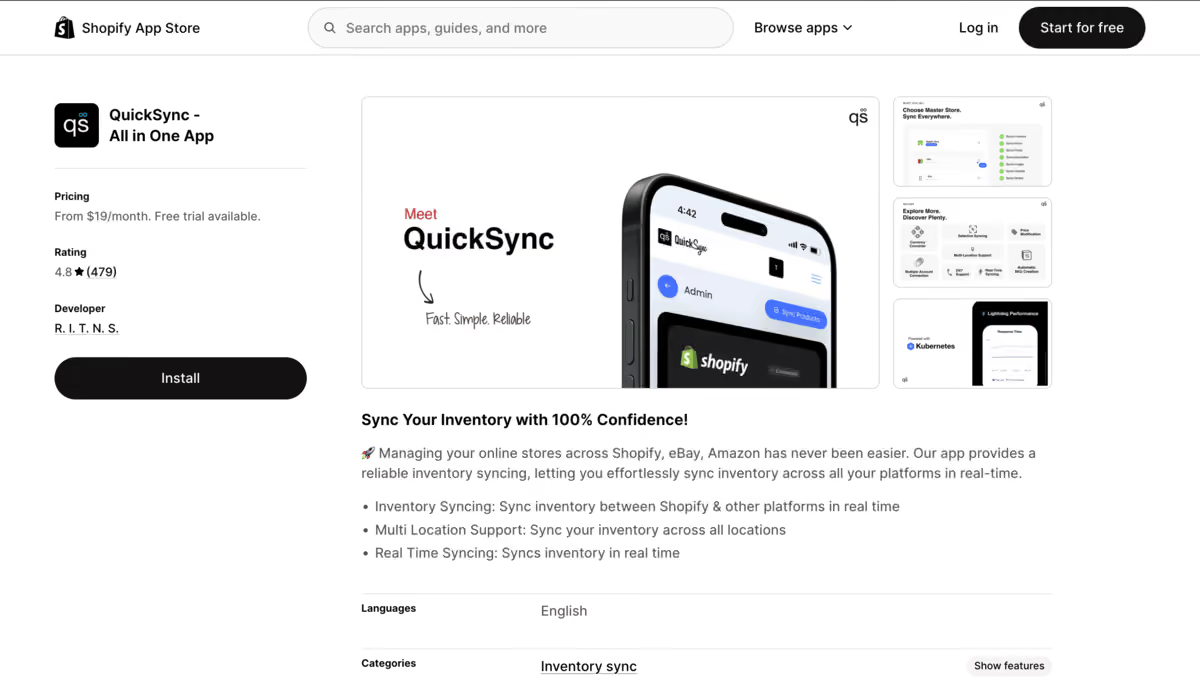
QuickSync is positioned as a multichannel inventory sync tool for Shopify and other ecommerce platforms, including Amazon and eBay.
Its core focus is real-time inventory sync with support for multiple locations and product, variant, SKU, and barcode syncing.
This platform also offers product and order sync, so merchants can manage more than just stock quantities between connected platforms.
Its plans are structured around the number of items and integrations, making it suitable for businesses ranging from smaller stores to larger catalogs.
Why I rated it 84/100: It gives great channel coverage and sync capabilities, but some channel-specific reviews made me give it a lower score.
Key Features
- Real-time inventory syncing
- Shopify synchronization
- Amazon and eBay support
- Multi-location support
- Product syncing
My Testing Results
QuickSync looks like an attractive choice because the workflow is straightforward: connect the channels and keep inventory quantities synchronized.
What I would be careful about, however, is assuming that “real-time” automatically means “error-proof.”
There are recent Shopify App Store reviews reporting inventory discrepancies in particular channel setups, describing problems syncing Shopify with TikTok Shop.
Due to such reviews, I would suggest that you have a controlled test with your own catalog before relying on it for high-volume inventory.
For me, that makes testing and monitoring particularly important here.
Pros & Cons
Pros
- Broad channel support
- Real-time synchronization
- Multi-location support
- Straightforward use case
Cons
- Recent reviews indicate that reliability can vary by channel/setup.
- I'd test carefully before using it for critical inventory.
Final Verdict
Best for: Merchants who need Shopify inventory synchronization with external sales channels.
Skip if: You can't tolerate any uncertainty during the initial synchronization period.
6. Cin7 Core
My rating: 83/100
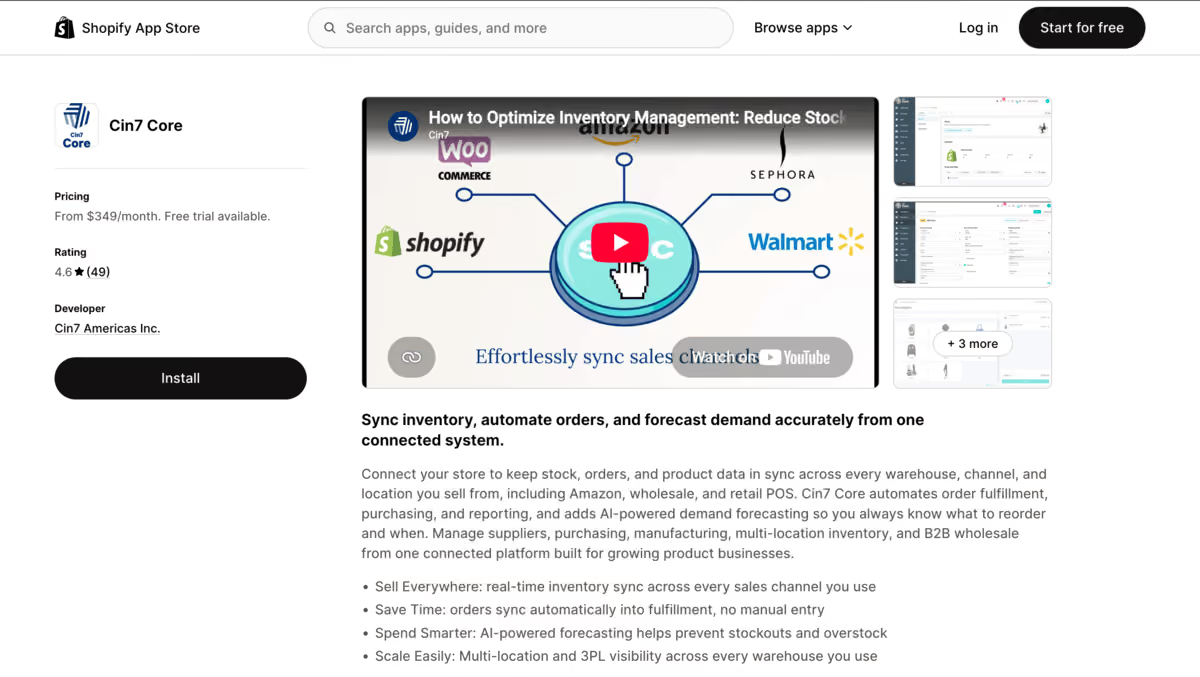
Cin7 Core is not exactly a dedicated Shopify sync app; rather, it’s a broader inventory management platform with processes such as purchasing, order management, warehousing, and inventory control.
Its Shopify integration is designed to sync inventory and sales information between Shopify and Cin7 Core, while also allowing product information to move between the two systems.
If you're managing warehouses, purchasing, multiple sales channels, and growing inventory operations, having these workflows connected can be more useful than using a standalone sync app.
Why I rated it 83/100: A great option if you are looking for broader inventory operations, and inventory syncing sits as part of it, not the sole feature you are looking for.
Key Features
- Shopify integration
- Inventory management
- Warehouse management
- Order management
- Multichannel operations
My Testing Results
The key distinction I found with Cin7 Core is that inventory sync is only one part of the system.
If your day-to-day operations look like managing purchasing, warehouses, orders, and several sales channels, having those workflows connected can be much more valuable than having a standalone sync app.
The downside that Cin7 comes with is its complexity.
You wouldn’t want an ERP-style inventory platform just because you need to have two of your stores have similar stock levels.
Pros & Cons
Pros
- Broad inventory functionality
- Purchasing and warehouse management
- Multichannel operations
- More suitable for complex businesses
Cons
- More complex setup
- Likely overkill for a small Shopify store with simple synchronization needs.
Final Verdict
Best for: Growing businesses that need inventory synchronization as part of a larger operational system.
Skip if: You just need two Shopify stores to share inventory.
7. Synkro
My rating: 87/100
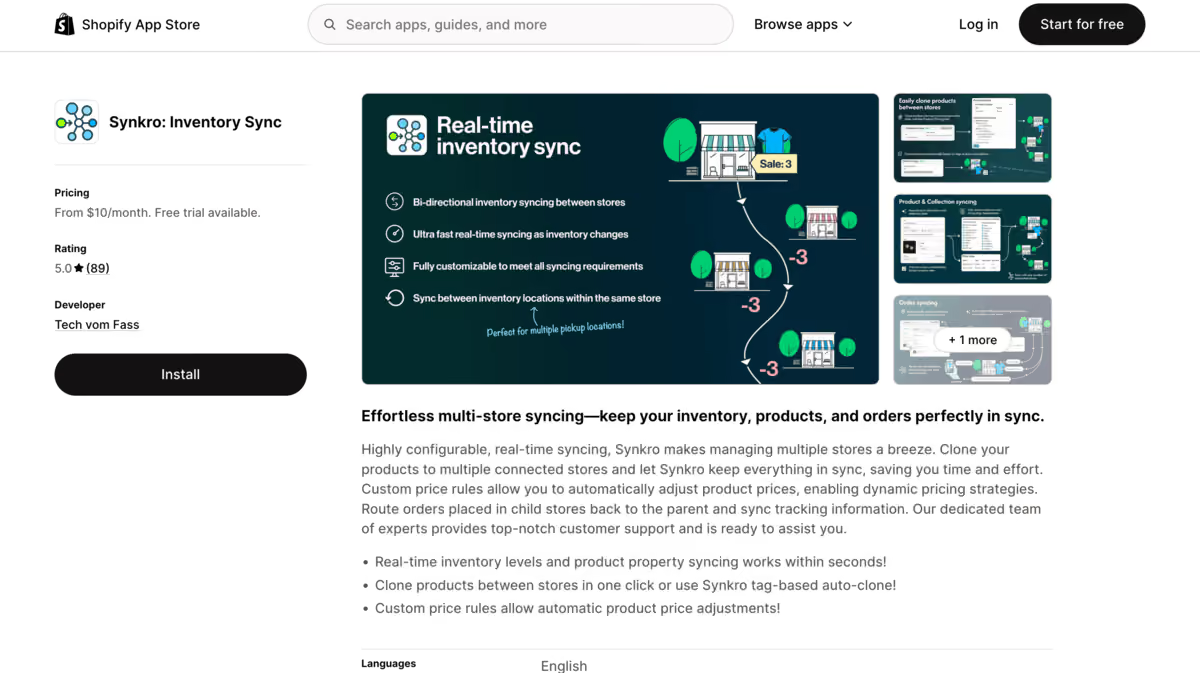
Synkro is a Shopify inventory, product, and order sync app focused heavily on multi-store setups.
One of its notable features is the flexibility it offers: you can configure one-way or bi-directional inventory syncing depending on how your stores are structured.
It also supports SKU and barcode matching, which helps connect the same products across stores.
The platform is therefore a good fit for businesses that want more configurable store-to-store sync rather than simply copying inventory from one Shopify store to another.
Why I rated it 87/100: Sync control and product matching are strong if you want that bidirectional sync between stores.
Key Features
- Real-time inventory syncing
- Multi-store synchronization
- SKU/barcode matching
- One-way or two-way sync
- Product cloning
My Testing Results
To be very honest, Synkro really stood out in terms of how configurable the sync rules are.
You aren't locked into a single source-to-destination model. You can configure how inventory locations relate to each other and choose whether the sync should be one-way or bi-directional.
The SKU/barcode choice is also useful.
But what I absolutely hated was that duplicate SKUs need to be carefully managed.
Synkro specifically provides tools for identifying duplicate SKUs and barcodes because they can affect which products get synchronized.
That's the sort of detail you should give your special attention to before switching on a full-catalog sync.
Pros & Cons
Pros
- Highly configurable
- SKU or barcode matching
- One-way and two-way sync
- Multi-location support
- Product and order syncing
Cons
- More configuration means more setup decisions.
- Duplicate identifiers need careful management.
Final Verdict
Best for: Merchants who need flexible multi-store synchronization rules.
Skip if: You want the simplest possible setup with minimal configuration.
8. Multi-Store Sync Power
My rating: 86/100
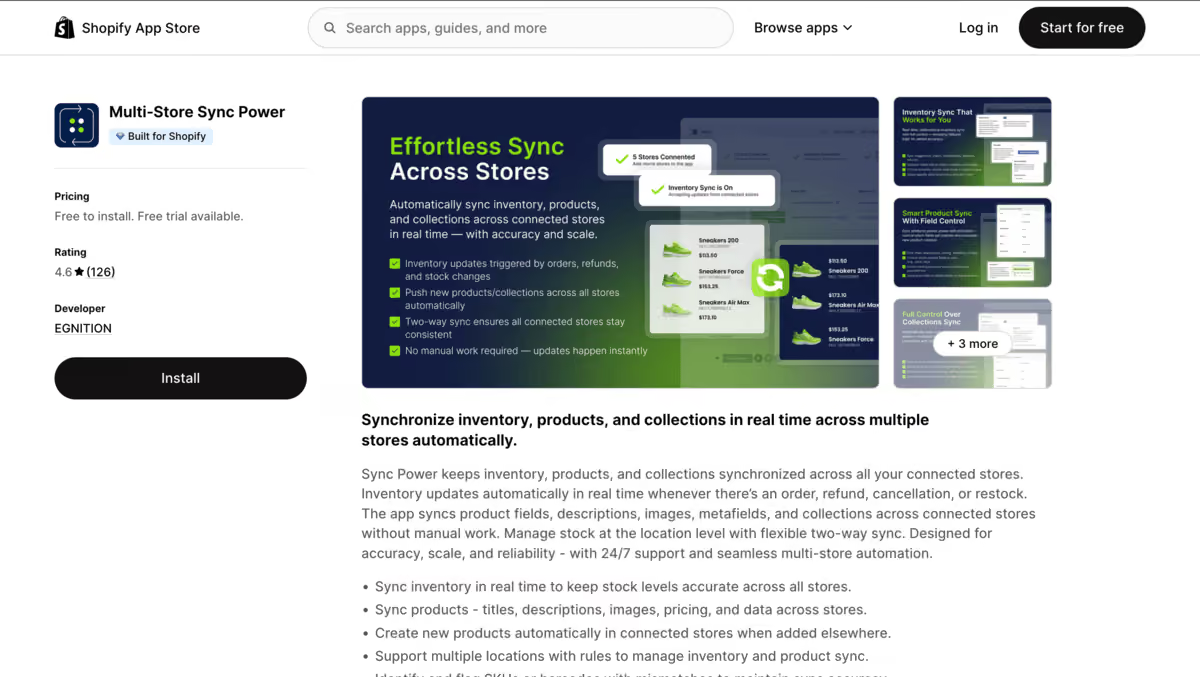
Multi-Store Sync Power is built specifically for syncing inventory, products, and collections across multiple stores.
It supports real-time, two-way inventory sync and location-level inventory rules.
Beyond stock quantities, the app can sync products and collections and includes features for identifying SKU and barcode mismatches.
This is useful when multiple stores share the same catalog but have different storefronts or inventory locations.
If your main requirement is keeping your store aligned, then it gives a more focused approach than a broader inventory management platform.
Why I rated it 86/100: A good option for managing multiple Shopify stores, and it is limited to that only. So, if only inventory sync is your concern, it can be a match for you.
Key Features
- Real-time inventory sync
- Two-way synchronization
- Multi-location inventory
- Product synchronization
- Collection synchronization
My Testing Results
The strongest part of Multi-Store Sync Power is the amount of control it gives you over a multi-store setup.
It's not just copying inventory quantities.
The app can also synchronize products and collections, and it provides mismatch detection for SKUs and barcodes.
I particularly like the fact that location-level inventory is part of the workflow.
If Store A and Store B don't have identical warehouse structures, that's an important consideration.
Pros & Cons
Pros
- Real-time two-way sync
- Multi-location support
- Product and collection syncing
- SKU mismatch detection
- Detailed sync logs
Cons
- Primarily focused on Shopify store synchronization.
- Less suitable for broader purchasing and inventory planning
Final Verdict
Best for: Businesses running multiple Shopify storefronts that need detailed synchronization controls.
Skip if: You need a full multichannel inventory management system.
9. Market Sync
My rating: 80/100
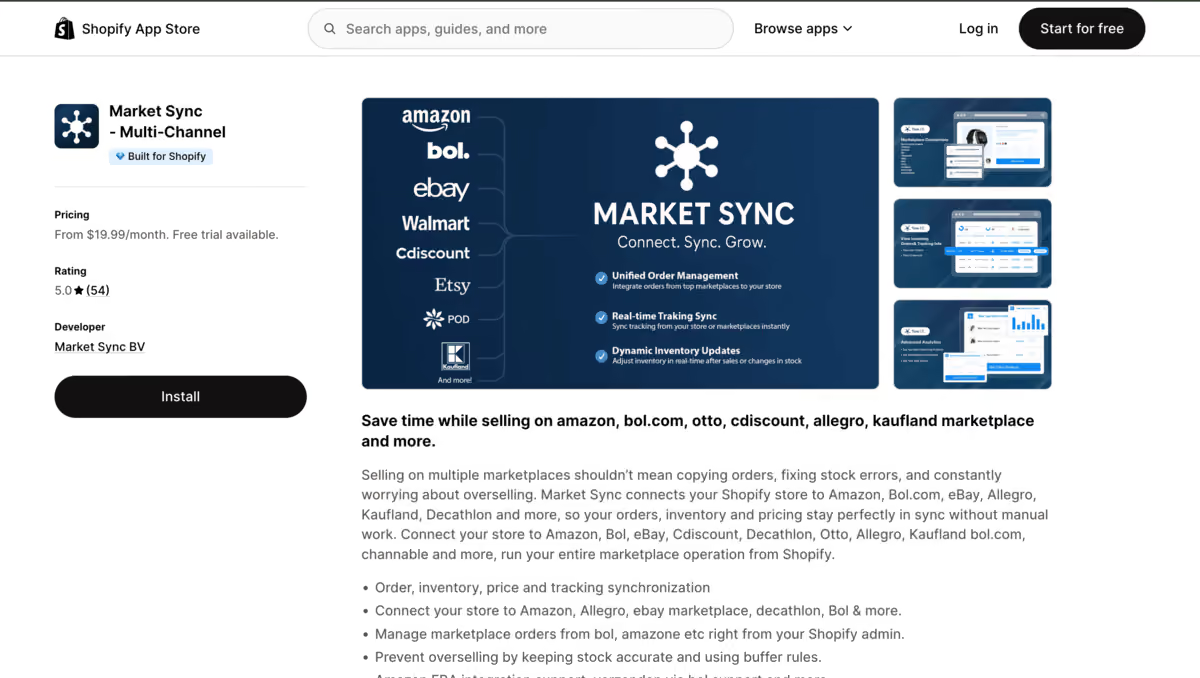
Market Sync is aimed at merchants who need to connect Shopify inventory with external marketplaces.
Rather than focusing exclusively on Shopify-to-Shopify synchronization, the use case here is keeping product and inventory information aligned across marketplace channels.
This can help reduce the need to maintain separate product and inventory information for each marketplace.
For merchants whose main challenge is managing inventory across Shopify and marketplace channels, Market Sync can be a more relevant option than a dedicated multi-store synchronization app.
Why I rated it 80/100: A useful option for marketplace-focused sellers, but not as versatile for the broader Shopify inventory-sync use cases I evaluated.
Key Features
- Marketplace connectivity
- Product synchronization
- Inventory synchronization
- Order synchronization
- Multichannel selling
My Testing Results
The main thing I'd look at with a marketplace sync tool is not simply the number of integrations.
It's what happens to inventory when an order arrives from each channel.
That's where marketplace synchronization becomes materially different from connecting two Shopify stores.
I'd therefore evaluate Market Sync on the specific marketplace combinations a merchant uses rather than treating its channel list as a universal guarantee of compatibility.
Pros & Cons
Pros
- Marketplace-oriented
- Multichannel workflow
- Product and inventory synchronization
Cons
- Capabilities can vary by marketplace.
- Less focused on broader inventory management
Final Verdict
Best for: Shopify merchants whose inventory is distributed across marketplace channels.
Skip if: You only need Shopify-to-Shopify inventory synchronization.
10. Easify Inventory Sync
My rating: 82/100
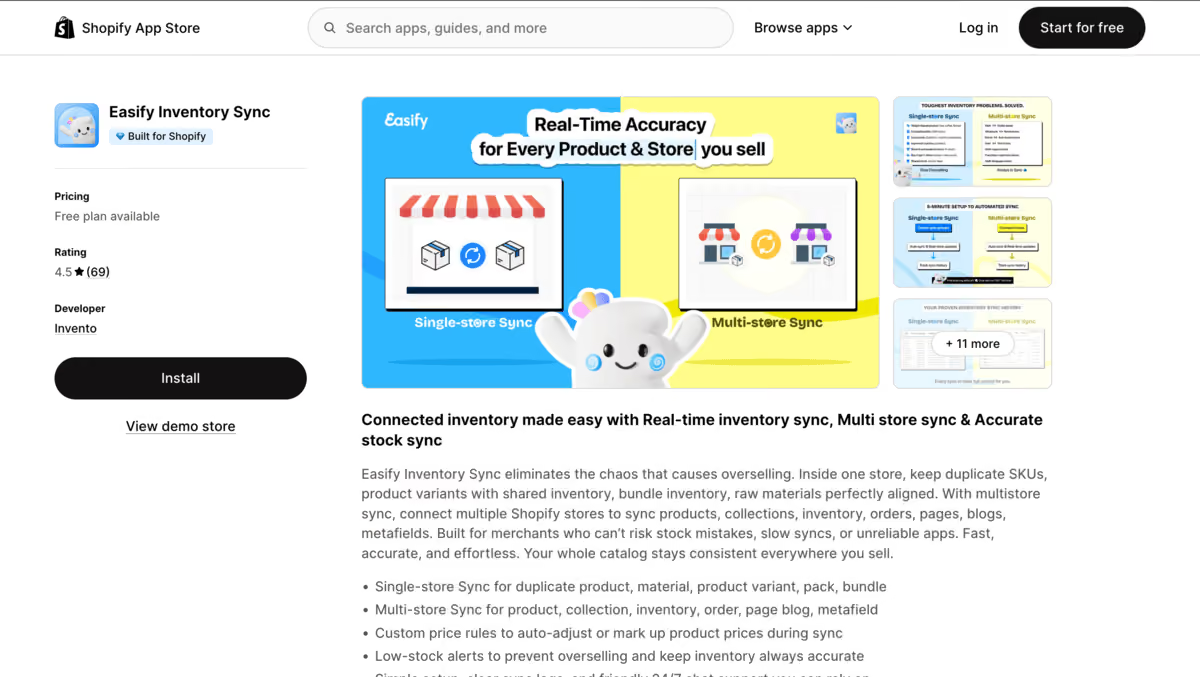
Easify Inventory Sync supports both single-store shared inventory scenarios and multiple Shopify stores.
It can synchronize inventory, products, orders, collections, and other store data, and it also supports bundles, variants, materials, and shared inventory groups.
Its useful capabilities include shared inventory, where multiple products or variants can draw from the same underlying stock.
This can be helpful for merchants selling products in different configurations while working from a common inventory pool.
Why I rated it 82/100: Good functionality for shared inventory and multi-store setups, but it requires more care when dealing with complex inventory relationships.
Key Features
- Real-time inventory sync
- Multi-store synchronization
- Bundle synchronization
- Variant synchronization
- Raw material synchronization
My Testing Results
Easify is more interesting than a basic store-to-store sync tool because it also handles shared inventory scenarios within a store.
That makes it useful for merchants where several variants or products need to draw from the same underlying stock.
Some recent Shopify App Store reviews show merchants facing unexpected inventory behavior after configuration changes, while other reviews describe successful bundle and shared-inventory use cases.
So my takeaway is simple: Easify can handle more complex inventory relationships, but I'd suggest testing it with the exact inventory structure before enabling it across a large catalog.
Pros & Cons
Pros
- Single-store and multi-store syncing
- Shared inventory
- Bundle and material support
- Real-time inventory and order sync
- Low-stock alerts
- Affordable entry plans
Cons
- Configuration can have a major impact on inventory behavior.
- I'd test carefully before deploying it across a large catalog.
Final Verdict
Best for: Merchants that need shared inventory, bundles, or multi-store synchronization without adopting a large inventory platform.
Skip if: You want a completely hands-off setup with minimal configuration.
How to Choose the Right Inventory Sync Tool for Shopify
If you want multichannel inventory management: Sumtracker is my first choice.
If you want simple inventory synchronization: Trunk is worth considering.
If your biggest challenge is supplier inventory feeds: Stock Sync makes more sense.
If you manage multiple Shopify stores: Syncio, QuickSync, Synkro, and Multi-Store Sync Power are the more focused options.
If you sell heavily through marketplaces: Market Sync is worth considering.
If your inventory operation has grown into warehousing, purchasing, and multichannel management: Cin7 Core is a better fit.
If you need basic inventory tracking: Easify Inventory Sync may be enough.
Frequently Asked Questions
1. Which Shopify inventory sync tool is best for 2026?
Sumtracker is the best overall option if you need inventory synchronization along with features such as multi-location inventory, bundles, purchase orders, reporting, and inventory management across multiple sales channels.
2. Which Shopify inventory sync tool is best for multiple stores?
Syncio, Synkro, and Multi-Store Sync Power are strong choices for syncing inventory between multiple Shopify stores. Your choice will depend on whether you need two-way syncing, product synchronization, or more control over inventory locations.
3. Which Shopify inventory sync tool is best for supplier inventory?
Stock Sync is a good choice for merchants whose inventory comes from suppliers or external sources. It can automate inventory updates from CSV files, spreadsheets, FTP/SFTP, APIs, and other supported data sources.
4. Which Shopify inventory sync tool supports bi-directional syncing?
Synkro supports bi-directional inventory synchronization, allowing inventory changes to flow between connected Shopify stores in both directions. This makes it useful when multiple stores need to update and share the same inventory pool.
5. How much do Shopify inventory sync tools cost?
Shopify inventory sync tools vary widely in price depending on their features and scale. Basic syncing apps can cost a few dollars per month, while broader inventory management platforms can cost significantly more as your requirements grow.
Conclusion
Shopify inventory sync becomes a real problem the moment you add a second store, a new sales channel, or another location — and manually keeping quantities accurate across all of them just isn't sustainable for long.
After comparing these 10 tools, Sumtracker stands out as the best overall option because it combines reliable inventory sync with the rest of your inventory workflow, including multi-location support, bundles, purchase orders, replenishment, and reporting, all from one dashboard.
If your needs are narrower, the other tools are worth a look. Synkro and Multi-Store Sync Power are strong picks for multi-store setups, Stock Sync is built for supplier feeds, and Syncio works well for straightforward Shopify-to-Shopify syncing.
The right choice ultimately depends on how many channels, stores, and locations you're syncing, and whether you want inventory sync as a standalone feature or as part of a broader inventory management system.

Bhoomi writes about inventory management and multichannel selling at Sumtracker. Her focus is on solving real operational problems for Shopify, Amazon, and marketplace sellers through well-researched content. She covers everything from multi-location inventory syncing and stock error troubleshooting to replenishment planning and platform comparisons, turning complex eCommerce operations into clear, actionable guidance.
LinkedInRelated Articles
Tool and strategies modern teams need to help their companies grow.


Ready to Simplify Your Inventory Management?
Join hundreds of e-commerce merchants who rely on Sumtracker to save time, eliminate errors, and grow their business.