.svg)
Shopify Inventory Automation Service: Everything You Need to Know


Are you still manually updating your inventory in 2026?
If you are nodding your head to this, then you are falling behind, but don't worry, you aren't alone.
According to Gartner, approximately one-third of businesses are still relying on manual methods to manage their inventory workflows.
Inventory processes consume a lot of time that you could be better spent growing your Shopify business. So, you should focus on strategies for growing your Shopify business rather than worrying about inventory problems.
There are multiple options available for automation services that you can use as your helping hand.
In this guide, you'll learn how Shopify inventory automation works, which tasks you can automate, common mistakes to avoid, and how to build an effective inventory automation strategy.
What is a Shopify Inventory Automation Service?
A Shopify inventory automation service helps automate routine inventory tasks so you don't have to manage them manually.
Instead of constantly updating stock levels, monitoring inventory, or creating purchase orders yourself, automation handles these tasks based on rules you set.
Manual management of inventory works when you're just starting out your Shopify store.
But as your business grows with more products, more orders, multiple warehouses, and additional sales channels, it becomes difficult to keep inventory accurate.
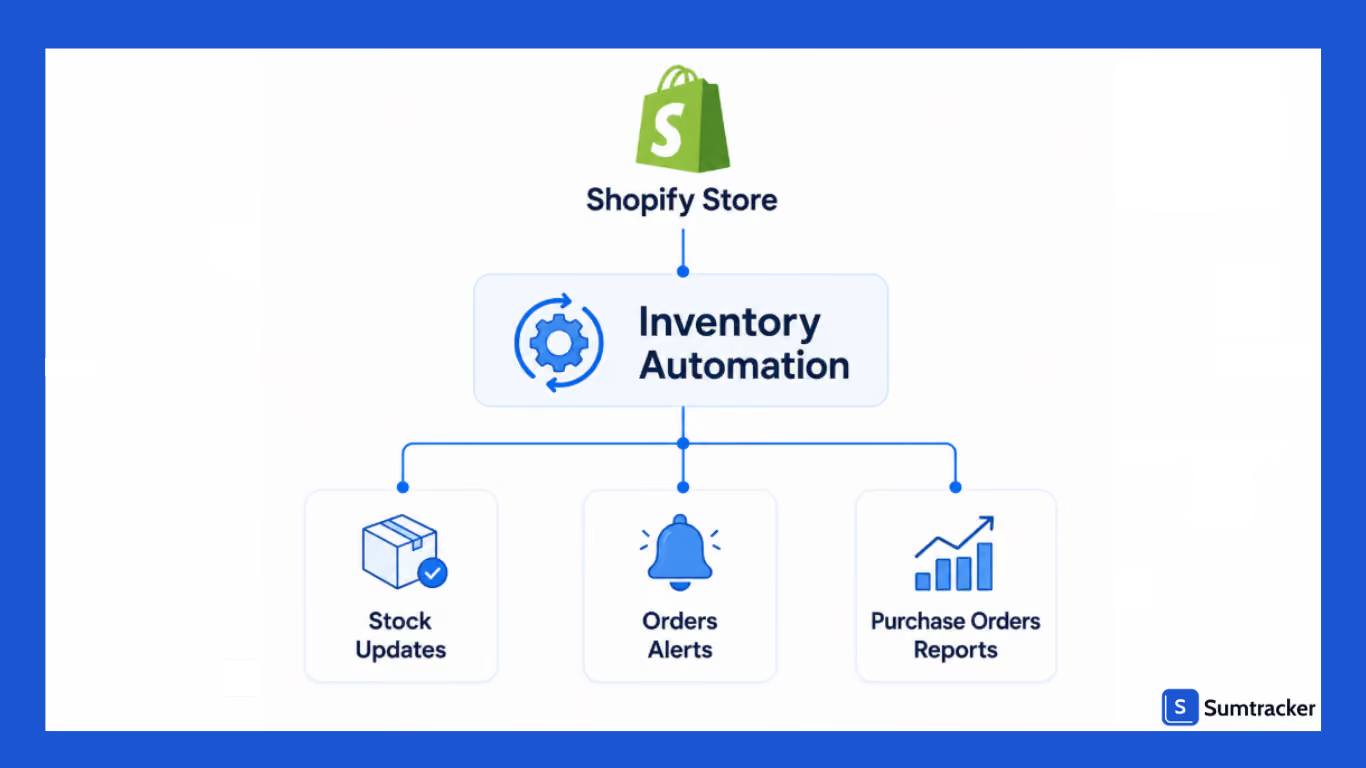
Inventory automation keeps your inventory updated as stock changes, triggers alerts when products are running low, and automates routine workflows that would otherwise require manual effort.
Your goal should not be to replace your inventory managers.
Instead, it should eliminate repetitive work so your team can spend more time planning inventory, managing suppliers, and supporting business growth.
Manual Inventory Management vs. Inventory Automation
Why Shopify Stores are Investing in Inventory Automation
With automation, you can efficiently manage hundreds of products, multiple warehouse locations, and increasing order volumes.
Without automation, inventory teams often spend a significant part of their day performing repetitive tasks instead of focusing on activities that help the business grow.
Managing more products becomes harder.
Every new product adds another SKU to track. As your catalog expands, keeping inventory accurate through spreadsheets or manual updates becomes more time-consuming.
Automation ensures inventory is updated consistently, reducing the effort needed to manage a growing product catalog.
Multiple sales channels increase complexity.
Many Shopify merchants sell through more than just their online store. Products may also be listed on marketplaces, retail locations, or wholesale channels.
When inventory isn't updated across every channel, you risk overselling products that are no longer available or holding back inventory that's actually in stock.
Inventory automation keeps stock levels synchronized, helping maintain consistent inventory across all connected sales channels.
Manual inventory tasks slow your team down.
Inventory management involves many repetitive tasks, including:
- Updating stock quantities
- Monitoring low inventory
- Reviewing reorder points
- Creating purchase orders
- Checking inventory across locations
- Preparing inventory reports
While each task may only take a few minutes, together they consume valuable time every day.
By automating these routine processes, your team can focus on higher-value activities such as inventory planning, supplier management, demand forecasting, and improving operational efficiency.
Better inventory visibility supports better decisions.
Instead of manually checking spreadsheets or comparing inventory across systems, your team can quickly identify products that need replenishment, monitor inventory performance, and respond to changes before they become larger issues.
For growing Shopify businesses, inventory automation isn't just about saving time. It creates a more reliable inventory management process that supports long-term growth without increasing operational complexity.
What Inventory Processes Can You Automate?
You shouldn't look to automate every task in your operations; rather, identify repetitive, rule-based processes that consume time and are prone to human error.
By automating these workflows, you can improve inventory accuracy, reduce manual effort, and create a more efficient operation.
Here are some of the most common inventory processes Shopify merchants automate.
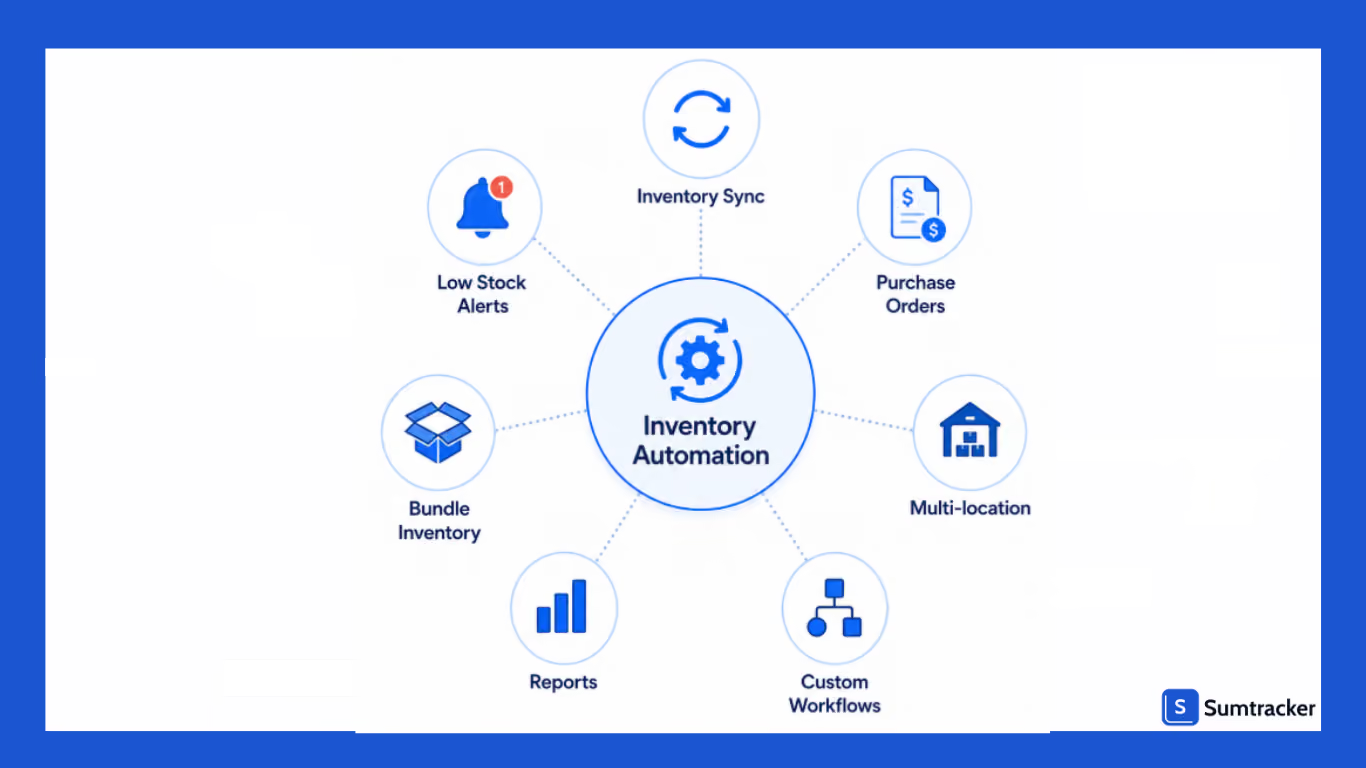
Inventory Synchronization
If inventory isn't updated immediately after a sale, you risk overselling products or displaying incorrect stock levels.
Inventory automation synchronizes stock whenever inventory changes, helping ensure customers always see accurate product availability across your connected sales channels.
Low Stock Monitoring
Checking inventory levels manually every day is both time-consuming and unreliable. Products can run out before anyone notices, leading to missed sales and rushed purchasing decisions.
Automation continuously monitors inventory and notifies your team when stock reaches a predefined threshold. This gives you enough time to replenish inventory before products go out of stock.
Purchase Order Workflows
Creating purchase orders manually for every supplier can become difficult as your inventory grows.
Inventory automation helps organize the purchasing process by generating reorder reminders or draft purchase orders based on inventory rules you've defined. This reduces manual work while helping maintain healthy inventory levels.
Multi-Location Inventory Tracking
Businesses operating multiple warehouses or retail locations need visibility into where inventory is stored and how it's moved between locations.
Automation keeps inventory updated across all locations, making it easier to transfer stock, fulfill orders from the right warehouse, and maintain accurate inventory records.
Bundle and Kit Inventory
Managing bundled products manually can quickly become complicated. Every time a bundle is sold, the inventory of its individual components also needs to be updated.
Inventory automation automatically adjusts the inventory of each component whenever a bundle is purchased, helping prevent inaccurate stock counts and overselling.
Inventory Reporting
Preparing inventory reports manually often means exporting spreadsheets, cleaning data, and combining information from multiple systems.
Automation generates reports using your latest inventory data, giving you quick access to information such as current stock levels, low-stock products, inventory valuation, and sales trends. This allows you to make faster, more informed inventory decisions.
Custom Inventory Workflows
Every business has its own inventory processes. Some merchants need approval before placing purchase orders, while others want notifications when high-value products fall below a certain stock level.
Inventory automation allows you to create custom workflows that match the way your business operates. Instead of following the same manual process every time, repetitive tasks are completed automatically whenever predefined conditions are met.
How Shopify Inventory Automation Works
Inventory automation works by following a simple logic: when something happens, the system performs an action automatically.
Rather than relying on someone to monitor inventory throughout the day, automation continuously watches for specific events and responds based on the rules you've configured.
Most inventory automation follows this workflow:
Trigger → Condition → Action
For example:
For Shopify merchants, many basic workflows can be created using Shopify Flow.
It allows you to automate actions based on events that occur in your store, such as new orders, inventory updates, or customer activity.
For example, Shopify Flow can automatically:
- Send internal notifications when inventory runs low.
- Tag products based on inventory status
- Notify your team when inventory is restocked.
- Trigger internal approval workflows.
Real-world example:
Jigsaw, an apparel brand, created a customer-facing workflow using Shopify Flow.
Using it, they started sending back-in-stock notifications to their customers when previously unavailable products were restocked.
By connecting inventory updates directly to customer communications, the retailer reported a 10% increase in conversion rates by helping recover sales from shoppers waiting for products to come back in stock.
Read the full Jigsaw case study.
However, Shopify Flow is primarily a workflow automation tool and not a complete inventory management solution.
You can use dedicated inventory automation software to handle more advanced workflows.
DIY Automation vs. Managed Shopify Inventory Automation Services
When implementing inventory automation, you generally have two options: set up the automation yourself using Shopify and inventory management tools, or work with a managed inventory automation service that handles the implementation and optimization for you.
The right choice solely depends on your business size, complexity, and the resources available within your team.
DIY Inventory Automation
With a DIY approach, your team is responsible for selecting the right tools, configuring automation rules, and maintaining workflows as your business grows.
This approach works well for businesses with straightforward inventory operations and teams that are comfortable setting up and managing software.
DIY automation is often a good fit if you:
- Sell through a single Shopify store.
- Have a relatively small product catalog.
- Operate from one warehouse or fulfillment location.
- Have the time to configure and maintain automation workflows.
- Need standard inventory automation without extensive customization.
While DIY automation offers greater control, you'll also need to regularly review workflows, adjust reorder rules, and ensure your automation continues to match your operational needs.
Managed Inventory Automation Services
A managed inventory automation service takes a more hands-on approach.
Instead of configuring everything yourself, specialists help design, implement, and optimize your inventory workflows based on how your business operates.
This option is particularly valuable for businesses with more complex inventory requirements or limited internal resources.
Rather than spending weeks setting up and troubleshooting workflows, your team can focus on day-to-day operations while inventory automation is implemented correctly from the start.
Which Approach Is Right for Your Business?
If your inventory processes are relatively simple, a DIY setup may be all you need.
However, if you're selling across several channels, or dealing with complex inventory workflows, working with a managed inventory automation service can help reduce implementation time and avoid costly setup mistakes.
Things to Consider Before Implementing Shopify Inventory Automation
Inventory automation can streamline your operations, but successful implementation starts with the right foundation.
Taking a little time to prepare before automating your workflows can help you avoid errors, reduce disruptions, and get better results from your automation.
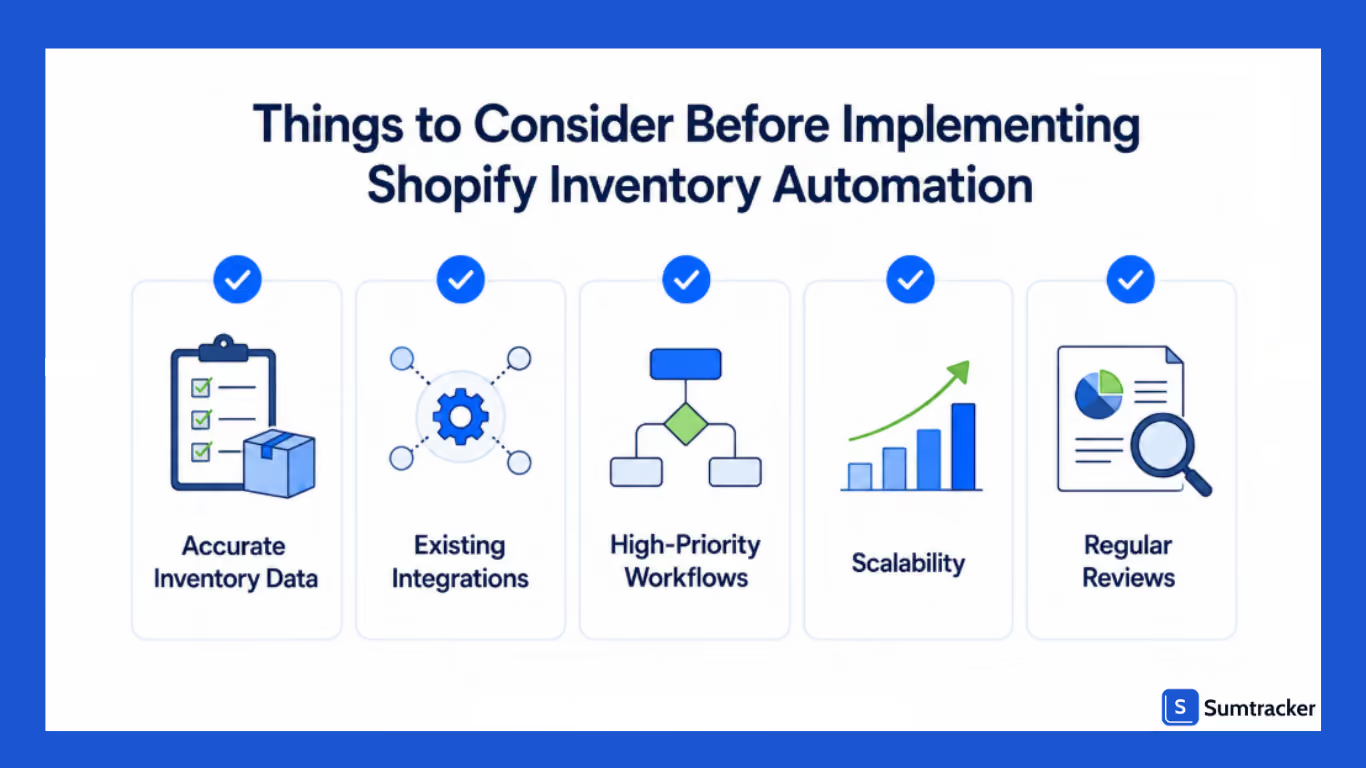
Here are a few things to consider before getting started.
Start with Accurate Inventory Data
Automation relies on the data you provide. If your inventory records are inaccurate, outdated, or inconsistent, automation will continue using that incorrect information.
Before implementing inventory automation, review your inventory to ensure that whatever data you are giving is up-to-date.
Starting with clean inventory data helps ensure your automated workflows perform as expected.
Review Your Existing Systems
Inventory doesn't operate in isolation. Many Shopify businesses use additional tools for accounting, shipping, warehouse management, fulfillment, or order management.
Before choosing an inventory automation solution, consider how it will fit into your existing workflow.
As discussed by Nick Trueman on a podcast, merchants shouldn't choose an app simply because it's the most popular. Instead, evaluate whether it actually solves your inventory challenges and works well with your existing tech stack.
Identify the Processes That Need Automation
You don't need to automate everything on day one.
Start by identifying the tasks that consume the most time or are most likely to cause errors.
These often include inventory synchronization, low-stock monitoring, purchase order workflows, and multi-location inventory tracking.
Once those processes are running smoothly, you can gradually automate additional workflows as your business grows.
Plan for Business Growth
Your inventory requirements today may look very different a year from now. New products, additional warehouses, higher order volumes, or new sales channels can all increase operational complexity.
When implementing inventory automation, choose workflows and tools that can adapt as your business expands. This helps minimize future disruptions and reduces the need to rebuild your processes later.
Review and Improve Your Workflows Regularly
Inventory automation isn't something you set up once and forget. As your business changes, your workflows should evolve too.
Review your automation rules periodically to ensure they still align with your inventory processes.
Even small adjustments such as updating reorder thresholds, modifying inventory rules, or refining approval workflows can help keep your operations efficient as your business grows.
Common Inventory Automation Mistakes to Avoid
Automating an inefficient workflow doesn't fix the problem; it simply makes the same mistakes happen faster.
Before you automate your inventory operations, watch out for these common pitfalls.
Automating inaccurate inventory data
Automation relies on accurate inventory records. If your starting inventory counts are incorrect, every automated workflow built on that data will also be inaccurate.
For example, if Shopify shows 100 units in stock but only 80 are actually available, low-stock alerts, reorder recommendations, and inventory reports will all be based on the wrong numbers.
Before implementing automation, reconcile your inventory and perform regular cycle counts to maintain accuracy.
Setting unrealistic reorder points.
Many merchants choose arbitrary reorder thresholds without considering supplier lead times or sales velocity.
Imagine a product sells 15 units a day, and your supplier takes 10 days to deliver new stock. Waiting until only 20 units remain before reordering is likely to result in a stockout.
Instead, reorder points should account for:
- Average daily sales
- Supplier lead time
- Safety stock
- Seasonal demand fluctuations
Review these thresholds regularly, especially before peak sales periods.
Relying only on Shopify's native automation
Shopify Flow is excellent for automating repetitive workflows such as notifications and internal tasks. However, it isn't designed to handle every aspect of inventory management.
As your operations become more complex, you may need additional capabilities.
Understanding where Shopify's native automation ends helps you choose the right tools as your business grows.
Ignoring exceptions
Not every inventory decision should be automated.
Large promotional campaigns, unexpected supplier delays, or viral product demand often require manual intervention. If every workflow runs without oversight, your team may miss situations that need immediate attention.
Treat automation as a support system rather than a replacement for operational planning.
Forgetting to review automation rules
Your business today won't look the same a year from now. Product catalogs expand, suppliers change, and order volumes increase.
Automation rules that worked when you had 200 SKUs may no longer be suitable once you're managing thousands.
Schedule periodic reviews of your workflows to ensure reorder points, notifications, and inventory rules continue to reflect your current operations.
Frequently Asked Questions
What is a Shopify inventory automation service?
A Shopify inventory automation service helps automate routine inventory tasks such as updating stock levels, monitoring low-stock products, and managing inventory workflows to reduce manual work and improve operational efficiency.
Can Shopify automate inventory management?
Shopify offers basic automation through Shopify Flow, allowing merchants to automate certain workflows. However, if you have advanced inventory requirements, then use a dedicated inventory automation solution.
What inventory tasks can be automated in Shopify?
Common tasks include inventory synchronization, low-stock alerts, purchase order reminders, multi-location inventory tracking, bundle inventory management, inventory reporting, and other rule-based workflows that would otherwise require manual effort.
Should I choose DIY inventory automation or a managed service?
DIY inventory automation is suitable if you have simpler operations and resources to configure workflows. Go for an inventory automation service if your inventory processes are complex and you have limited internal resources for implementation.
When should a Shopify business invest in inventory automation?
It's a good time to invest in inventory automation when manual inventory management starts slowing down your operations, inventory errors become more frequent, or you're expanding across multiple products, locations, or sales channels.
Conclusion
A Shopify inventory automation service helps reduce the manual effort involved in managing inventory by automating repetitive tasks such as inventory updates, low-stock monitoring, purchase order workflows, and inventory sync.
This not only improves operational efficiency but also gives your team more time to focus on purchasing, planning, and business growth.
Whether you choose to implement automation yourself or work with a managed service, the key is to start with your biggest operational challenges and automate the processes that deliver the greatest impact.
As your business scales, a well-planned inventory automation strategy can help you maintain accurate inventory, improve fulfillment, and build a more efficient operation.

Bhoomi writes about inventory management and multichannel selling at Sumtracker. Her focus is on solving real operational problems for Shopify, Amazon, and marketplace sellers through well-researched content. She covers everything from multi-location inventory syncing and stock error troubleshooting to replenishment planning and platform comparisons, turning complex eCommerce operations into clear, actionable guidance.
LinkedInRelated Articles
Tool and strategies modern teams need to help their companies grow.

.avif)
Ready to Simplify Your Inventory Management?
Join hundreds of e-commerce merchants who rely on Sumtracker to save time, eliminate errors, and grow their business.