.svg)

How to Use Barcode Scanning for Faster & Accurate Stocktaking


Ever finished a stock count and still felt unsure if the numbers are actually right?
Or found yourself recounting the same items because something just didn’t add up?
If stocktaking feels slow, repetitive, and prone to small mistakes that turn into bigger issues, you’re not alone.
What if instead of manually entering quantities or double-checking SKUs, you could simply scan items and update counts as you go?
That’s exactly where barcode scanning comes in.
It simplifies the process, reduces errors, and makes stocktaking far more efficient especially as your inventory grows.
In this guide, we’ll walk through how it works, when to use it, and how to make your stock counts faster and more reliable.
What Is Barcode Scanning in Stocktaking?
Barcode scanning in stocktaking is the process of counting and recording inventory by scanning product barcodes instead of entering details manually.
Each product has a unique barcode that represents it in your inventory system. During a stock take, you scan the barcode on an item, instantly identify the product, and update its counted quantity without needing to search or type anything.
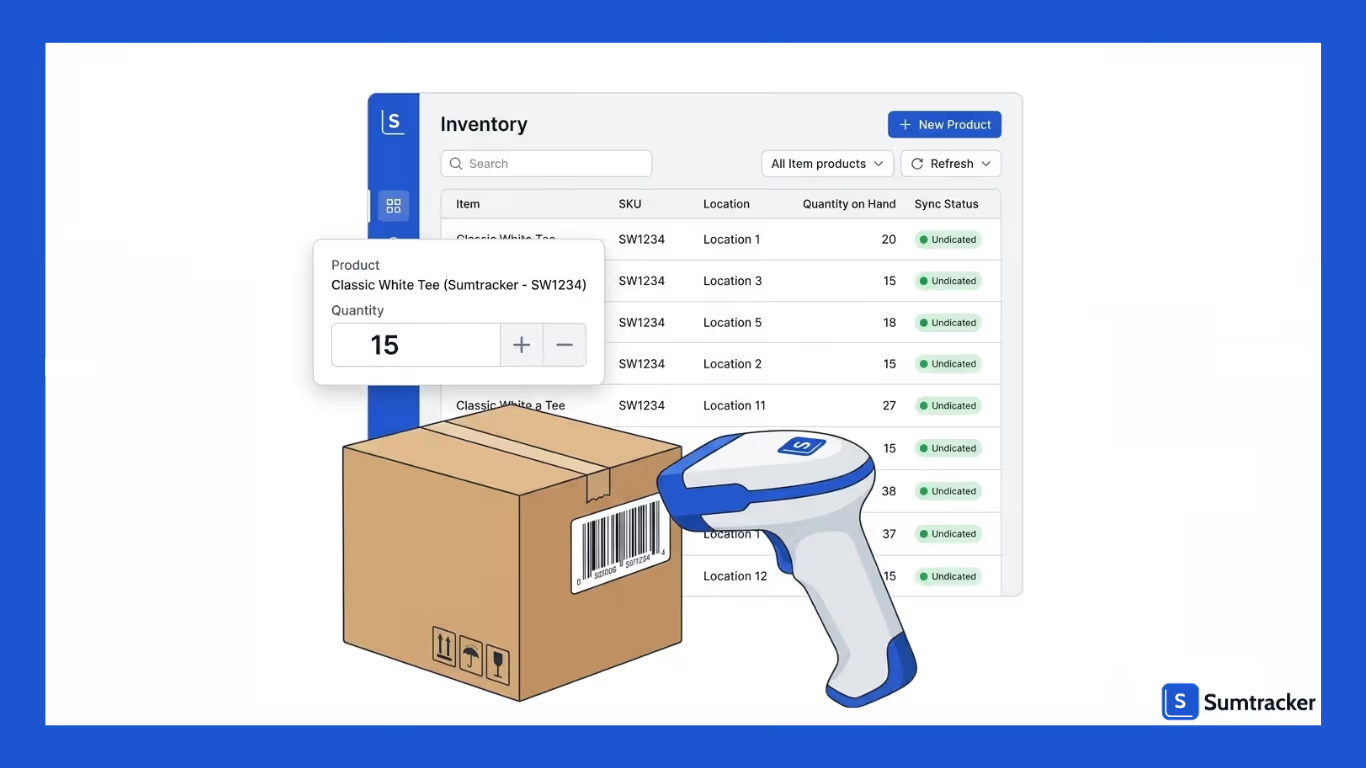
Instead of switching between lists or spreadsheets, barcode scanning turns stocktaking into a simple, repeatable flow.
How it works:
- Scan the product’s barcode
- The item is instantly identified
- Update or confirm the counted quantity
Why it’s more effective:
- Reduces manual errors from typing or mismatches
- Speeds up the counting process
- Keeps the workflow consistent and easy to follow
Why Barcode Scanning Makes Stocktaking Faster and More Accurate
Stocktaking slows down when every step requires manual effort such as looking up products, typing quantities, and double-checking entries.
It also becomes easier to make small mistakes, like selecting the wrong SKU or entering the wrong number, especially when you’re working through large volumes of inventory.
Barcode scanning removes most of that friction. Instead of searching and typing, you simply scan the item and update its count on the spot.
This makes the process more direct and significantly faster, especially when you’re dealing with hundreds or thousands of products.
It also improves accuracy in a very practical way. Since each barcode is tied to a specific product, scanning ensures you’re counting the right item every time.
There’s no confusion between similar product names or variants, and far fewer chances of mismatched entries.
Over time, this consistency adds up. You spend less time fixing discrepancies after the stock take and more time trusting the numbers you’ve recorded.
When to Use Barcode Scanning vs Manual Entry
Not every stocktaking situation is the same. While barcode scanning is faster and more reliable, manual entry still has its place. The key is knowing when each method makes sense so your process stays efficient without getting stuck.
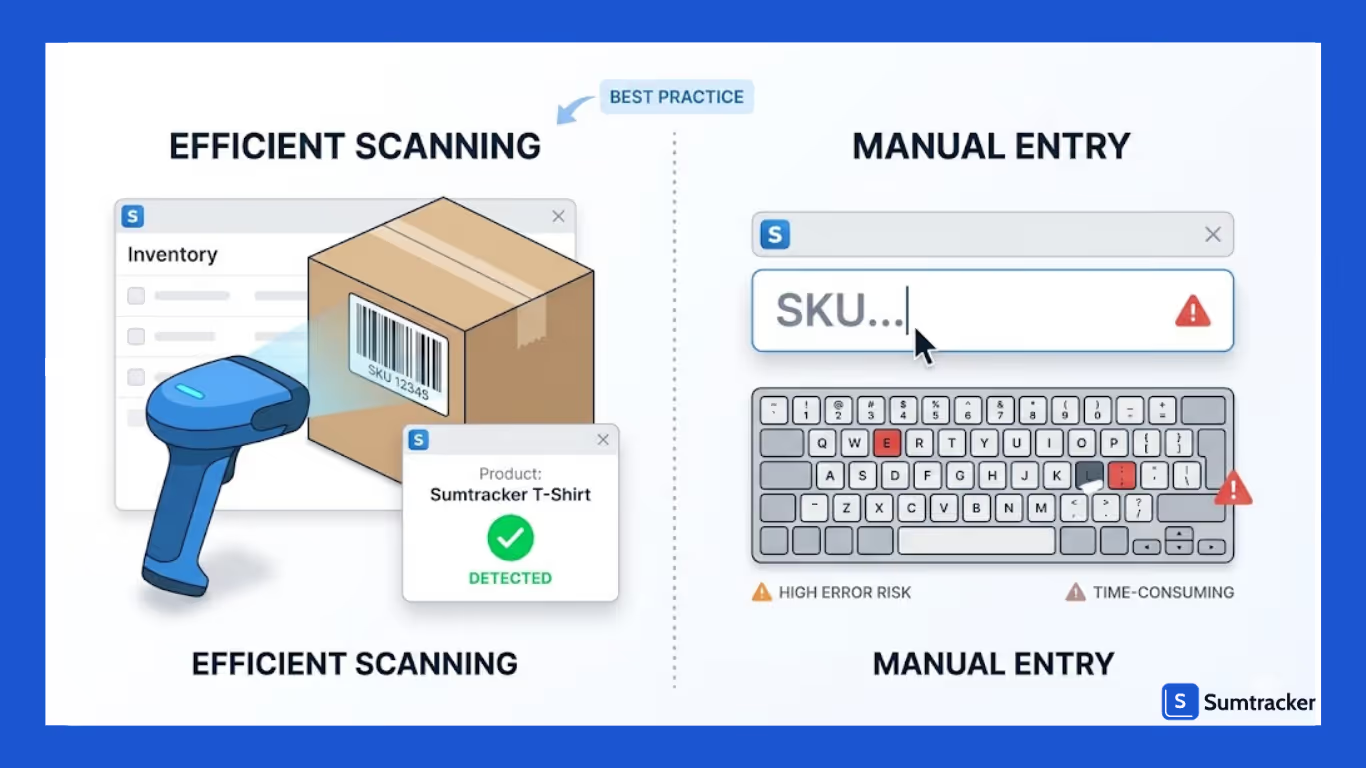
Use Barcode Scanning when:
- You’re counting a large number of products
- Items have clear, scannable barcodes
- You want a faster, more consistent workflow
- Accuracy is critical and you want to avoid manual errors
In these cases, scanning keeps the process smooth, helping you move quickly while ensuring you’re counting the right items.
Use Manual Entry when:
- Products don’t have barcodes
- Barcodes are damaged or unreadable
- You’re counting only a few items
- You need to quickly adjust or correct a quantity
Manual entry acts as a fallback, ensuring your stock take doesn’t pause just because something can’t be scanned.
Best Practices for Accurate Barcode-Based Stock Counts
Barcode scanning speeds up stocktaking, but accuracy still depends on how well the process is followed. These best practices help ensure your counts remain reliable from start to finish.
Ensure Barcodes Are Clear and Consistent
Before starting a stock take, make sure all products have scannable barcodes that are correctly linked to the right items. Faded, damaged, or mismatched barcodes can slow you down and lead to incorrect counts.
Follow a Structured Counting Flow
Move through your inventory in a clear, organized order by shelf, aisle, or location. This reduces the chances of missing items or counting the same product twice.
Scan with Intent, Not Speed
While scanning is fast, rushing through items can lead to mistakes. Each scan should reflect an actual count, so it’s important to stay consistent rather than just quick.
Handle Exceptions Immediately
If an item doesn’t scan or the count seems off, address it right away. Fixing issues during the stock take is far easier than reconciling discrepancies later.
Keep Manual Entry as a Backup
Not every item will scan perfectly. Having a simple fallback for manual entry ensures your stock take continues smoothly without interruptions.
Common Mistakes to Avoid When Using Barcode Scanning
Barcode scanning makes stocktaking easier, but a few common mistakes can still lead to inaccurate counts if you’re not careful. Being aware of these helps you avoid unnecessary discrepancies and rework.
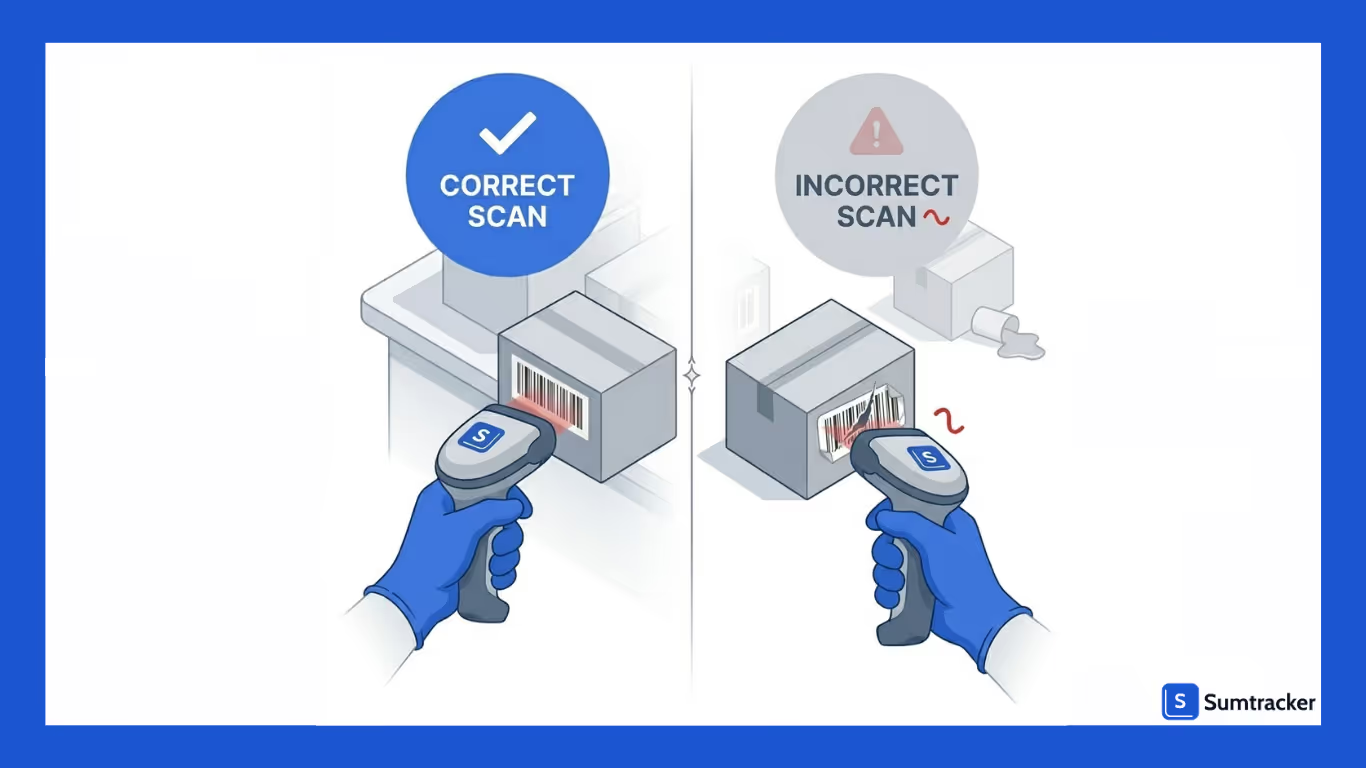
Scanning Too Quickly Without Verifying
It’s easy to prioritize speed, but rushing through scans can lead to missed items or incorrect quantities. Each scan should reflect what’s actually being counted, not just how fast you can move.
Ignoring Unscannable or Missing Barcodes
Items without proper barcodes often get skipped or counted later, which creates gaps in your stock take. These should be handled immediately using a fallback method.
Using Incorrect or Outdated Barcodes
If barcodes are not properly mapped to the right products, scanning them will result in incorrect counts. Keeping your barcode data clean and updated is essential.
Losing Track of Counting Progress
Jumping between sections or not following a structured flow can lead to duplicate counts or missed inventory. A clear sequence helps maintain accuracy.
Relying Only on Scanning Without Review
Even with barcode scanning, it’s important to do a quick review at the end. Small errors can still happen, and catching them early prevents larger discrepancies later.
How Sumtracker Simplifies Barcode-Based Stocktaking
Barcode scanning works best when it’s part of your natural stocktaking flow and not something you have to manage separately. Sumtracker keeps things simple by embedding scanning directly into the stock take process, so you can move faster without changing how you work.
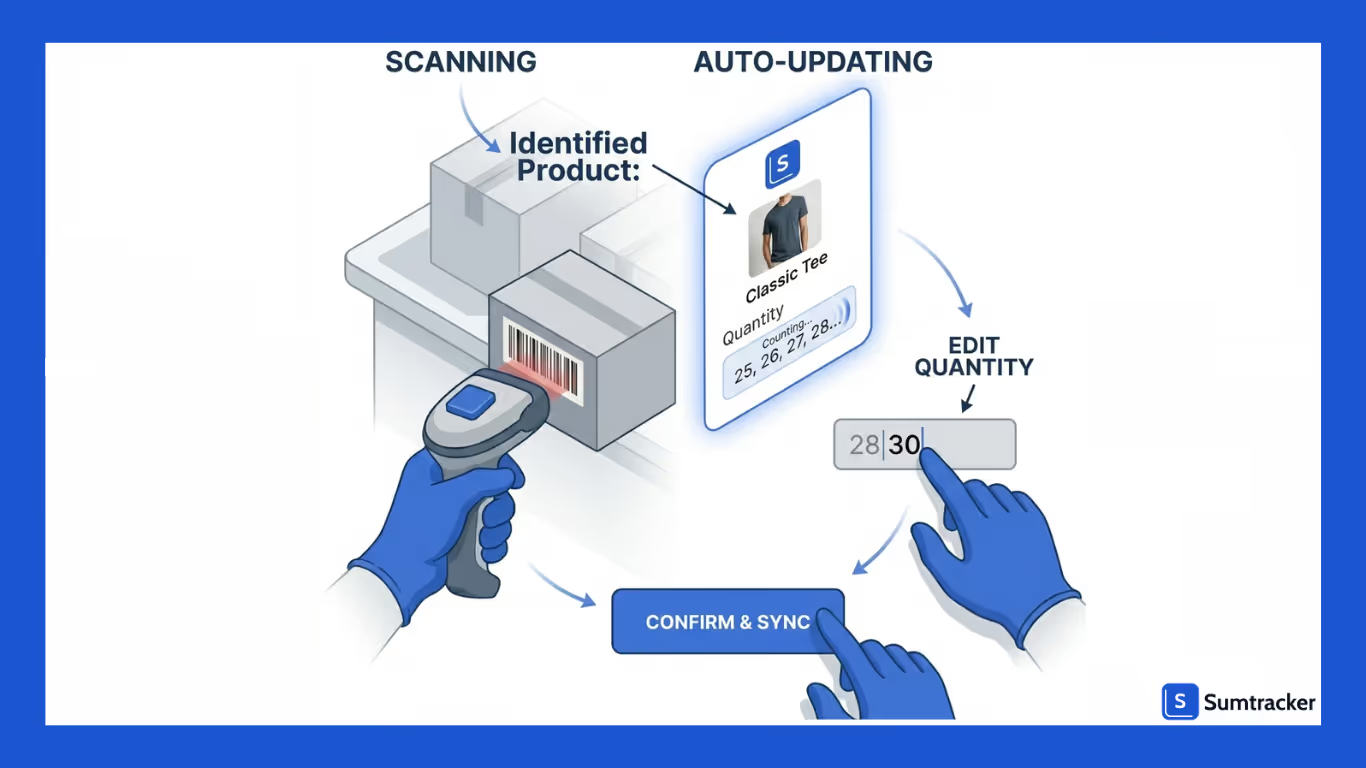
Instead of jumping between tools or manually searching for products, you can scan items, update counts, and continue the stock take in one smooth flow. And when scanning isn’t possible, you can quickly switch to manual entry without disrupting the process.
Here’s how Sumtracker simplifies barcode-based stocktaking:
- Scan products to instantly identify and add them to a stock take
- Update counted quantities in real time as you scan
- Switch to manual entry whenever needed
- Keep everything organized within a single stock take workflow
Conclusion
Stocktaking doesn’t have to feel like a repetitive, error-prone task that you constantly have to double-check.
As your inventory grows, relying on manual methods only makes the process slower and harder to trust. Barcode scanning changes that by bringing structure, speed, and consistency into your workflow.
Instead of spending time searching for products or fixing discrepancies later, you can focus on counting what’s actually in front of you, accurately and efficiently.
If you want to make stocktaking faster and more reliable without complicating your process, try using barcode scanning within Sumtracker and streamline your inventory counts.
FAQS
1. Do I need a special barcode scanner for stocktaking?
No, you don’t necessarily need advanced hardware. Most barcode scanners (USB or Bluetooth) work well, and even mobile devices can be used depending on your setup.
2. Can barcode scanning completely replace manual stocktaking?
Not entirely. While barcode scanning handles most of the process, manual entry is still useful for items without barcodes or when labels are damaged.
3. How does barcode scanning reduce stocktaking errors?
Since each barcode is linked to a specific product, scanning ensures you’re counting the right item. It removes the risk of selecting the wrong SKU or entering incorrect details manually.
4. What should I do if a product doesn’t have a barcode?
You can use manual entry as a fallback during the stock take. It’s also a good idea to assign barcodes to such products later to improve future stock counts.
5. Is barcode scanning useful for small inventories?
Yes, even for smaller inventories, barcode scanning helps maintain consistency and reduces errors. It becomes even more valuable as your product range grows.
Conclusion

Bhoomi writes about inventory management and multichannel selling at Sumtracker. Her focus is on solving real operational problems for Shopify, Amazon, and marketplace sellers through well-researched content. She covers everything from multi-location inventory syncing and stock error troubleshooting to replenishment planning and platform comparisons, turning complex eCommerce operations into clear, actionable guidance.
LinkedInRelated Articles
Tool and strategies modern teams need to help their companies grow.
.avif)
.avif)
Ready to Simplify Your Inventory Management?
Join hundreds of e-commerce merchants who rely on Sumtracker to save time, eliminate errors, and grow their business.
