.svg)

How to Set Max Quantity Per Store to Avoid Stockouts


If you’re selling across multiple channels like Shopify, Amazon, or Etsy, you’ve probably faced this at least once, one store suddenly eats up all your inventory, leaving the others out of stock.
It’s frustrating.
Not just because you lose sales, but because it throws off your entire inventory planning.
That’s where setting a max available quantity per store becomes a game-changer.
Instead of letting one channel dominate your stock, you control how much inventory each store can access.
It’s a simple tweak, but it can dramatically improve how you distribute stock, avoid overselling, and keep your operations stable.
Let’s break it down.
What Is Max Available Quantity Per Store?
Max available quantity per store is a control you set to limit how much inventory a specific sales channel can sell from your total stock.
Instead of giving every store full access to all available inventory, you assign a cap to each one. So even if you have more stock in your warehouse, each channel can only sell up to its defined limit.

For example, if you have 100 units of a product:
- Your Shopify store might be allowed to sell 50
- Amazon might be capped at 30
- Etsy at 20
Once a store hits its limit, it stops selling that product (or shows it as out of stock), even if inventory still exists elsewhere.
Think of it as splitting your inventory into controlled portions across channels, so no single platform can consume everything.
This helps you maintain balance, protect key sales channels, and avoid sudden stockouts.
Why Setting a Max Quantity Limit Matters
If you’ve ever had one sales channel suddenly run out of stock while others are still sitting comfortably, you already know the problem, inventory doesn’t distribute itself evenly.
That’s exactly why setting a max quantity limit matters.
Without any limits, all your channels are essentially competing for the same pool of inventory. And usually, the fastest-moving channel wins.
The result?
One platform keeps selling, while others go out of stock like costing you visibility, conversions, and consistent revenue.
By setting a max limit, you’re not restricting growth, you’re creating balance.
It ensures that:
- Your top-performing channel doesn’t consume everything overnight
- Other channels stay active and continue generating sales
- You don’t end up over-relying on just one marketplace
- Your inventory lasts longer and is distributed more strategically
It also brings a level of predictability to your operations. Instead of constantly reacting to stockouts or scrambling to restock, you know exactly how your inventory is being allocated across channels.
Common Problems Without Quantity Limits
When you don’t set limits, everything looks fine, until it suddenly isn’t.
All your channels are pulling from the same inventory pool, and whichever one gets traction first ends up taking most of the stock.
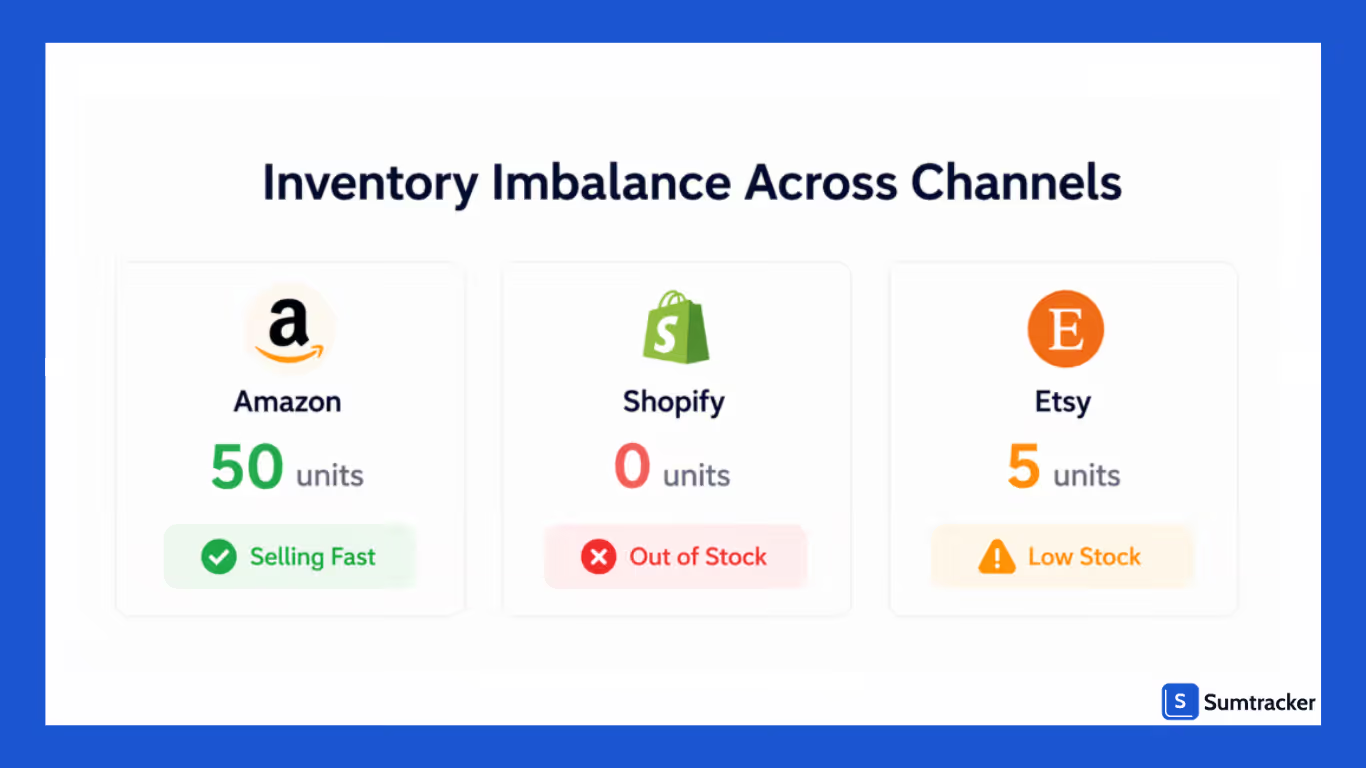
There’s no control, no balance, just a race you didn’t plan for.
Over time, this creates gaps in availability, missed sales opportunities, and constant operational stress.
One Channel Drains All Your Inventory
It’s common for one platform like Amazon or a high-performing Shopify campaign to start selling faster than others. Without limits, it can quickly consume most (or all) of your stock, leaving other channels with nothing to sell.
Lost Sales on Other Channels
Even if demand exists elsewhere, those channels can’t convert because inventory is already gone. You’re not losing customers due to lack of demand, you’re losing them due to poor allocation.
Inconsistent Customer Experience
Customers might see a product available on one platform but out of stock on another. This inconsistency can hurt trust and make your brand feel unreliable.
Sudden Stockouts During Promotions
Running ads or discounts on one channel without limits can lead to rapid stock depletion. What was supposed to boost sales ends up causing stockouts across your entire business.
Constant Firefighting
Without structured limits, you’re always reacting to adjusting inventory, pausing listings, or rushing to restock. It turns inventory management into a daily scramble instead of a predictable system.
When Should You Set Max Quantity Limits?
You don’t need max limits for every product but in the right situations, they help you avoid imbalance and lost sales.
You should set max quantity limits when:
- Selling on multiple channels: You want to keep inventory balanced across Shopify, Amazon, Etsy, and more
- One channel sells faster than others: Prevent a single platform from draining your entire stock
- Running ads or promotions: Control how much inventory is consumed during high-demand campaigns
- Managing limited or fast-moving inventory: Avoid sudden stockouts when inventory is low or selling quickly
- Protecting a priority channel: Ensure your main store (like Shopify) always has stock available
- Selling bundles or shared SKUs: Maintain better control when multiple products depend on the same inventory
- Needing predictable inventory planning: Reduce constant inventory adjustments and make stock behavior more stable
How to Set Max Available Quantity Per Store (Step-by-Step)
Setting max quantity per store is less about tools and more about how you think about inventory distribution. Once you get that right, the setup becomes straightforward.

Here’s how to approach it:
Step 1: Start with your actual available stock
Before setting any limits, look at how much inventory you truly have for a product (excluding incoming or reserved stock). This is the number you’ll be dividing across channels.
Step 2: Allocate stock based on channel performance
Not all channels sell at the same pace. Give more allocation to high-performing channels and keep controlled limits for others.
For example, if Shopify drives most of your sales, it should get a higher share than a slower channel.
Step 3: Set max quantity limits for each store
Go into your inventory system and define how much each channel can sell.
This creates a cap so no single platform can exceed its share.
Step 4: Ensure real-time inventory sync is active
This step is critical. As orders come in, your system should instantly update stock levels and track how much each channel has sold against its limit.
Without real-time inventory sync, limits won’t be enforced properly.
Step 5: Monitor and adjust regularly
After setting limits, observe how each channel performs:
- If one channel sells out too quickly → increase its allocation
- If another barely sells → reduce its limit
Treat this as an ongoing adjustment, not a one-time setup.
How Sumtracker Helps You Set Max Quantity Across Channels
Managing max quantity limits manually across multiple channels quickly becomes messy. You’re constantly switching between platforms, updating numbers, and still risking errors or delays.
This is where Sumtracker simplifies the entire process.
With Sumtracker, you can:
- Set max quantity per store from a single dashboard: No need to update each channel separately, everything is controlled in one place
- Automatically sync inventory across channels: Shopify, Amazon, Etsy, eBay, and Walmart stay aligned in real time
- Prevent overselling with accurate updates: Stock levels adjust instantly as orders come in
- Maintain balanced inventory distribution: Each channel sticks to its assigned limit, avoiding sudden stockouts
- Quickly adjust limits based on demand: Increase or decrease allocations anytime without manual effort
- Reduce manual work and errors: No spreadsheets, no repetitive updates just a streamlined system
Conclusion
When you’re selling on multiple channels, inventory can get messy faster than you expect. One channel picks up pace, stock disappears, and suddenly you’re trying to figure out what went wrong.
Setting a max available quantity per store helps you avoid that situation altogether. It gives you control over how your inventory is distributed, so every channel gets a fair share and your sales stay consistent.
As your business grows, this kind of control isn’t optional, it’s necessary.
If you want to set this up without constantly updating numbers or worrying about sync issues, Sumtracker makes it easy.
You can define limits, keep inventory balanced across channels, and avoid stockouts without the manual effort.
Try Sumtracker today for free!
FAQs
What happens if a store reaches its max quantity limit?
Once a store hits its assigned limit, the product becomes unavailable (or shows out of stock) on that channel, even if total inventory still exists.
Does setting max quantity affect my total inventory?
No, it doesn’t change your actual stock. It simply controls how much of that stock each channel is allowed to sell.
Can I change max quantity limits anytime?
Yes, you can adjust limits anytime based on demand, promotions, or inventory levels.
Do I need this for every product?
Not necessarily. It’s most useful for fast-selling products, limited inventory, or when you’re selling across multiple channels.
Can I set max quantity limits manually without a tool?
Yes, but it’s time-consuming and prone to errors. Using an inventory management tool like Sumtracker makes it much easier and more accurate.
Conclusion

Bhoomi writes about inventory management and multichannel selling at Sumtracker. Her focus is on solving real operational problems for Shopify, Amazon, and marketplace sellers through well-researched content. She covers everything from multi-location inventory syncing and stock error troubleshooting to replenishment planning and platform comparisons, turning complex eCommerce operations into clear, actionable guidance.
LinkedInRelated Articles
Tool and strategies modern teams need to help their companies grow.
.avif)
.avif)

Ready to Simplify Your Inventory Management?
Join hundreds of e-commerce merchants who rely on Sumtracker to save time, eliminate errors, and grow their business.
