.svg)
How to Manage Shopify Inventory: A Complete Guide


If you're new to Shopify, one of the first things you need to know is inventory.
Every product you add to your store has inventory associated with it, whether it's a single item, multiple variants, or stock stored across different locations.
With 5.6 million active stores processing more than $280 billion in Gross Merchandise Volume (GMV) on Shopify.
Understanding how Shopify inventory works is important because it affects what customers can purchase, how products are displayed in your store, and how you keep track of available stock as your operations grow.
Well, Shopify does make it easier to add products, assign inventory quantities, and organize your catalog.
Even though it's easy, it's helpful to understand a few key concepts and settings before you start selling.
In this guide, we'll explain what Shopify inventory is, the terminology every beginner should know, how to add inventory to your store, and a few best practices for keeping your products organized.
What Does It Mean to Manage Inventory on Shopify?
Managing Shopify inventory is the process of ensuring you always have the right amount of stock available to meet customer demand without running out of products or tying up cash in excess inventory.
For many merchants, it starts out simple.
You add products to Shopify, enter quantities, and update stock when new inventory arrives. But as your business grows, inventory becomes one of the most important operational functions in your store.
A single inventory mistake can lead to lost sales, delayed orders, unhappy customers, or unnecessary storage costs.
If a product goes viral and sells out unexpectedly, you risk missing revenue opportunities. If you order too much stock, you may find thousands of dollars tied up in products that aren't selling.
Managing inventory effectively is about finding the right balance. It helps you understand what products are selling, when inventory needs to be replenished, and how much stock you should carry at any given time.
Understanding Shopify Inventory Basics
Shopify inventory refers to the products and stock quantities available for sale in your Shopify store.
Every product you add to Shopify can have an associated inventory count, which tells you how many units are currently available to customers.
For example, if you sell coffee mugs and have 100 units in stock, Shopify can display and track that quantity within your store. As customers place orders, the inventory count can be updated automatically to reflect the remaining stock.
Shopify also allows merchants to organize inventory by:
- Products and variants (such as size or color)
- Inventory locations (such as warehouses or retail stores)
- Stock status (in stock, out of stock, or incoming)
For small businesses, inventory is simply the collection of products you have available to sell and the quantities associated with those products.
Shopify's inventory management capabilities support businesses at every stage of growth.
With more than 2 million merchants operating across over 175 countries, Shopify provides inventory tools that help businesses track products, manage stock levels, and scale operations as they grow.
Shopify Inventory Terms You Should Know
If you're new to Shopify, you might have come across inventory-related terms that can seem confusing at first.
Understanding what these terms mean will make it much easier to set up inventory tracking, read reports, and make informed stocking decisions as your business grows.
Here are the most important Shopify inventory terms every beginner should know.
SKU (Stock Keeping Unit)
SKU is a unique code used to identify a specific product or variant.
For example, if you sell a black T-shirt in three sizes, you might use: TS-BLK-S, TS-BLK-M, TS-BLK-L.
They help you organize your products internally and make inventory tracking more accurate.
Product Variant
A product variant is a different version of the same product. Common variants include: Size, Color, Material, Style.
Shopify tracks inventory separately for each variant, allowing you to see exactly which options are in stock.
Available Inventory
Available inventory refers to the quantity of a product that customers can currently purchase.
If you have 100 units of a product in stock and none are reserved for orders, your available inventory is 100.
Committed Inventory
Committed inventory represents units that have already been purchased but haven't been fulfilled yet.
For example, if you have 50 units available and customers place orders for 10 units, those 10 units become committed inventory until the orders are fulfilled.
Incoming Inventory
Incoming inventory refers to products that are on the way from a supplier but haven't arrived yet.
This helps merchants understand what stock is expected in the future and plan around upcoming replenishments.
Inventory Location
An inventory location is any place where your products are stored.
Examples include warehouses, retail stores, fulfillment centers, storage facilities, etc.
Getting Started with Shopify Inventory Tracking
Before you can manage inventory effectively, you need to set up inventory tracking correctly. Shopify makes it easy to track stock levels, but configuring a few key settings from the start can help prevent inventory discrepancies, overselling, and fulfillment issues as your business grows.
Follow these steps to get your inventory tracking set up.
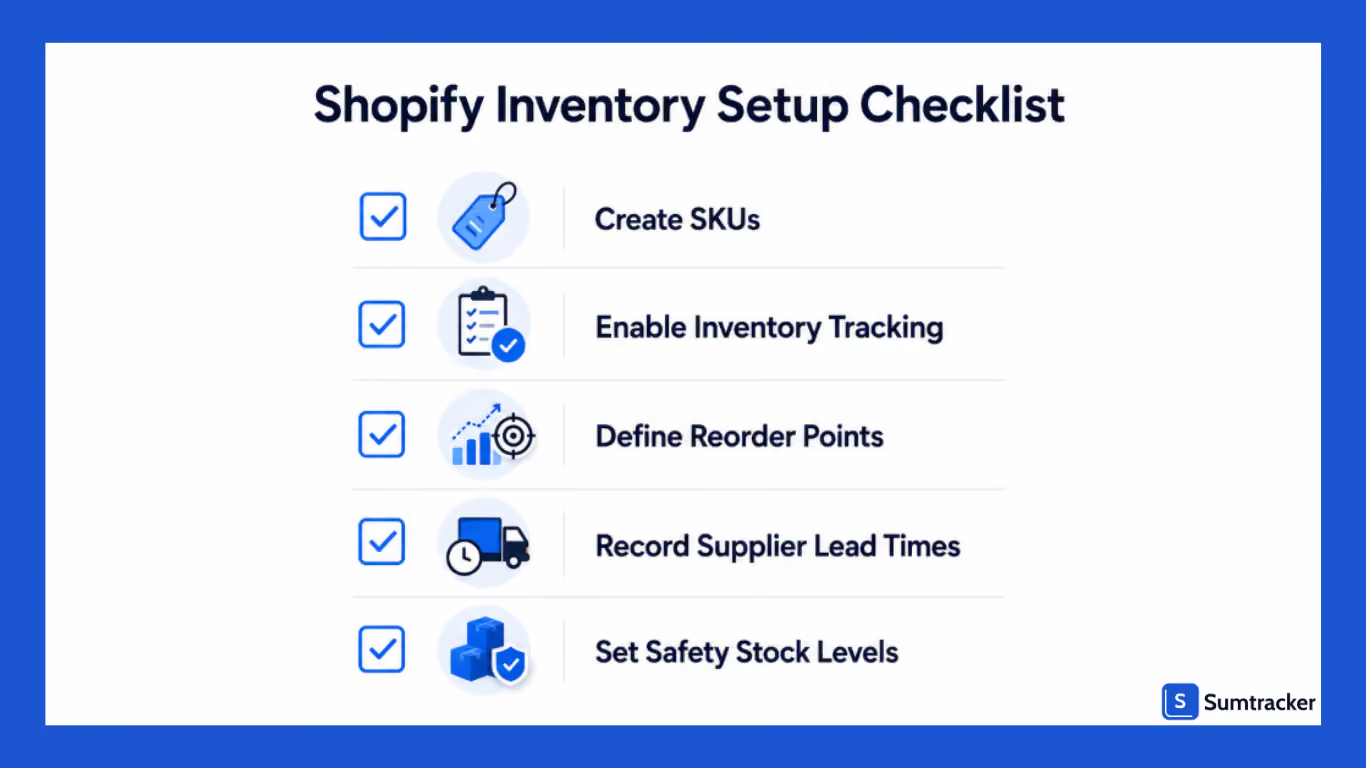
Enable Inventory Tracking
Start by going to Products in your Shopify admin and selecting the product you want to track. If you're adding a new product, create the product first by entering its title, description, images, and pricing details.
Scroll down to the Inventory section and enable the Track quantity option. This tells Shopify to automatically update your inventory whenever a customer places an order.
Without inventory tracking enabled, Shopify won't know how many units you have available, making it difficult to monitor stock levels or prevent overselling.
Add Inventory Quantities
Once inventory tracking is enabled, enter the quantity you currently have available for sale.
For example, if you've received 100 units from your supplier, enter that quantity into Shopify. From that point onward, Shopify automatically deducts inventory as orders are placed.
It's important to enter accurate stock quantities from the beginning, as incorrect inventory records can lead to stock discrepancies and fulfillment issues later.
Configure Product Variants and SKUs
If your products come in different sizes, colors, or styles, Shopify treats each variant as a separate inventory item. Each variant should have its own inventory quantity so you can accurately track which options are available.
It's also a good practice to assign a unique SKU (Stock Keeping Unit) to every product or variant. A consistent SKU system makes products easier to identify, simplifies stock counts, improves purchase order management, and helps investigate inventory discrepancies as your catalog grows.
For example:
Many merchants skip SKU creation when they have only a few products, but establishing a consistent naming convention early makes inventory management much easier as your business scales.
Assign Inventory to Locations
If you store inventory in more than one place, Shopify allows you to assign stock to different inventory locations.
These locations may include:
- Warehouses
- Retail stores
- Third-party fulfillment centers
- Storage facilities
Assigning inventory to the correct location helps Shopify accurately track where products are stored and fulfilled from. As your business grows, location-based inventory tracking improves inventory visibility, fulfillment accuracy, and overall operational efficiency.
How to Manage Shopify Inventory Efficiently
Keeping inventory organized becomes increasingly important as your Shopify store grows. While a store with a handful of products can often get by with a simple setup, managing dozens or hundreds of SKUs requires a more structured approach.
A few foundational practices can make it much easier to find products, track stock levels, and maintain accurate inventory records.
Create Consistent SKUs
As we already discussed, what a SKU (Stock Keeping Unit) is, creating them is very important.
Rather than using random codes, create a naming convention that makes products easy to identify.
Consistent SKUs make inventory searches, stock counts, and supplier orders much easier to manage.
Organize Products by Category
Grouping products into categories can help you manage inventory more efficiently.
For example, a home goods store might organize inventory into:
- Kitchen Products
- Home Decor
- Storage Solutions
- Seasonal Items
This makes it easier to review inventory levels and identify trends within specific product groups.
Track Variants Separately
One of the most common inventory mistakes is treating all product variants as a single item.
If you sell a product in multiple sizes or colors, each variant should have its own inventory quantity. This helps prevent situations where one variation sells out while others remain available.
Manage Inventory Across Multiple Locations
If you store inventory in more than one warehouse, retail store, or fulfillment center, Shopify allows you to assign stock to different inventory locations. This helps you track inventory separately, fulfill orders from the appropriate location, and maintain accurate stock records.
As your operations grow, regularly reviewing inventory by location and transferring stock between locations can help prevent stockouts and overstocking. Businesses with complex fulfillment workflows often use dedicated inventory management software to gain better visibility across all locations.
Use Bulk Inventory Updates for Large Catalogs
Manually updating inventory works for smaller stores, but it quickly becomes inefficient as your product catalog grows. Shopify allows merchants to update inventory in bulk using the bulk editor or by importing inventory through CSV files.
Bulk updates are especially useful when receiving new shipments, making seasonal inventory changes, or updating hundreds of SKUs at once.
Review and Clean Up Inventory Regularly
As your product catalog evolves, some products may be discontinued, renamed, or replaced.
Setting aside time to review your inventory periodically can help you:
- Remove duplicate SKUs
- Archive discontinued products
- Correct inventory errors
- Maintain a clean product catalog.
Choosing the Right Way to Manage Shopify Inventory
There’s no one way to manage Shopify inventory. The right way depends on factors such as your product catalog size, order volume, sales channels, and growth stage.
A store in California selling 20 products and processing a handful of orders each day may be able to manage inventory manually. However, as sales increase, inventory operations become more complex.
You may need to track stock across multiple locations, manage supplier lead times, forecast demand, and sync inventory across multiple sales channels.
You can manage inventory using one of the following three approaches.
Let's discuss these methods in detail.
Manual Inventory Tracking
Many new Shopify businesses start by tracking inventory manually using spreadsheets or simple stock logs.
This method gives merchants complete control over inventory records and requires little to no additional investment. Inventory quantities are updated manually whenever products are received, sold, returned, or adjusted.
While this approach can work for small stores, it often becomes difficult to maintain as product catalogs and order volumes grow.
Advantages
- No additional software costs
- Simple to implement
- Suitable for very small product catalogs
Limitations
- Time-consuming updates
- Increased risk of inventory errors
- No automated alerts or forecasting
- Difficult to manage at scale
Shopify’s Built-In Inventory Management Tools
Shopify includes native inventory tracking features that can help you monitor stock levels directly within your store.
Using Shopify's built-in tools, you can track available inventory, manage product variants, record inventory adjustments, and monitor stock across multiple locations.
For businesses selling primarily through Shopify, these tools may provide enough functionality to manage day-to-day inventory operations.
However, managing inventory becomes more challenging when businesses need advanced forecasting, replenishment planning, purchase order workflows, or multi-channel inventory synchronization.
Advantages
- Included with Shopify
- Easy to set up and use
- Supports product variants and multiple locations
- Centralized inventory tracking
Limitations
- Limited inventory forecasting capabilities
- Basic replenishment workflows
- No advanced purchase order management
- May require additional tools as operations grow
Using a Third-Party Inventory Management Tool
As stores grow, many merchants move beyond spreadsheets and Shopify's native inventory tools by adopting dedicated inventory management software.
Third-party inventory management solutions are designed to help merchants maintain inventory accuracy, automate repetitive tasks, and make better purchasing decisions.
These tools often include features such as inventory forecasting, low stock alerts, PO management, etc.
Advantages
- Greater inventory visibility
- Improved forecasting and replenishment planning
- Automation of routine inventory tasks
- Better support for multi-channel selling
- Scales with business growth
Real-world example:
As Dalfilo, a home linen brand, expanded into international markets and physical retail, managing inventory across multiple sales channels became increasingly complex.
By using an integrated ERP system, the company synced inventory across its online store, B2B portal, and retail operations.
This helped streamline inventory management while supporting 10× business growth in four years and serving 110,000+ customers.
Common Mistakes to Avoid When Managing Shopify Inventory
Even with the right setup, method, or tool, even an experienced merchant makes inventory mistakes if they don't avoid these mistakes.
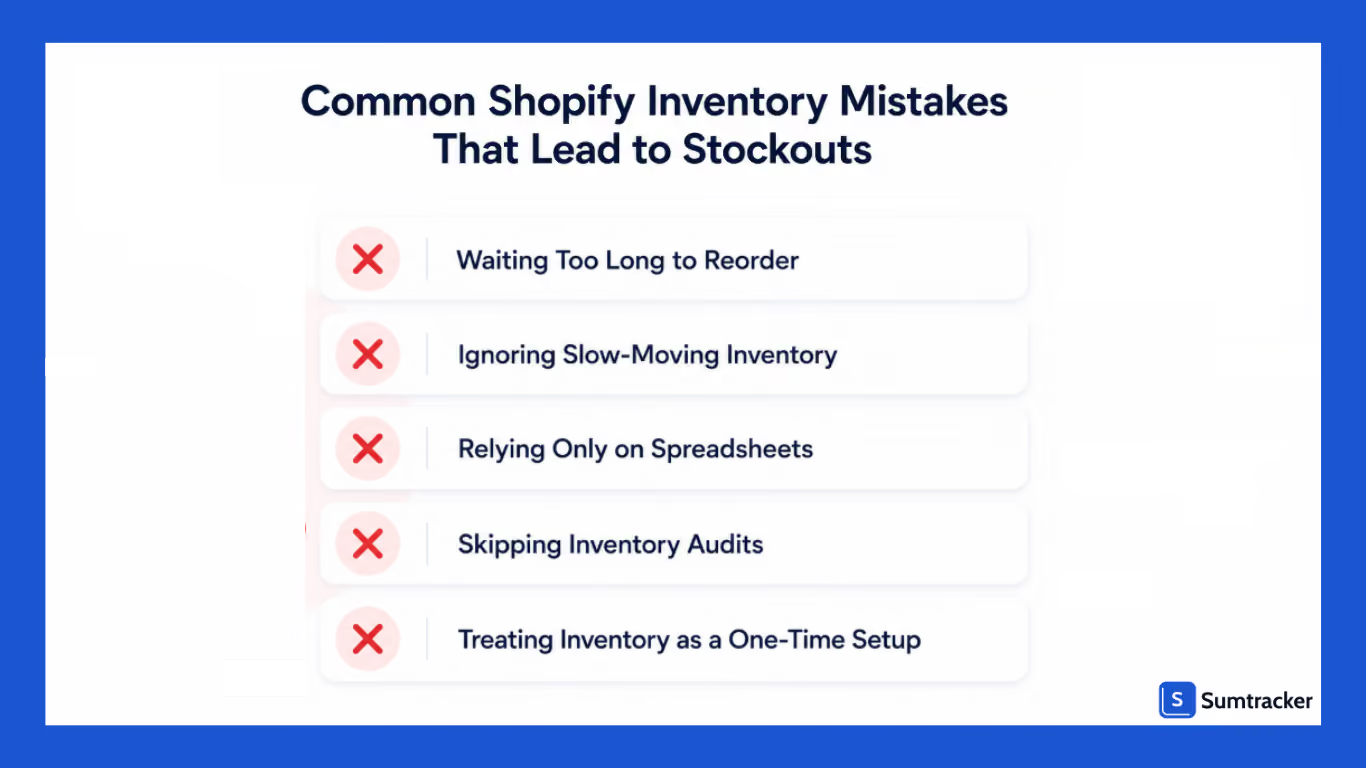
Waiting Too Long to Reorder Inventory
If you work on the assumption that you have enough inventory because products are still available for sale. However, if your supplier takes several weeks to deliver inventory, waiting too long to reorder can quickly lead to stockouts.
Instead of reacting to low inventory, establish reorder points and account for supplier lead times so that replenishment happens before inventory becomes a problem.
Ignoring Slow-Moving Inventory
If you focus heavily on best sellers while overlooking products that aren't selling. This might not be the ideal scenario; slow-moving inventory is just as important.
Products that sit in storage for months tie up capital, consume warehouse space, and reduce overall inventory efficiency.
Regularly identify products with low sales velocity and decide whether they should be discounted, bundled, promoted, or reordered less frequently.
Relying Entirely on Spreadsheets
Spreadsheets work well for small catalogs, but they become difficult to manage as products, orders, and sales channels increase.
Manual updates increase the possibility of:
- Inventory discrepancies
- Duplicate records
- Outdated stock information
- Human errors
Treating Inventory as a One-Time Setup Task
Spending time setting up inventory processes when launching your store is good, but if you rarely revisit them as your business grows, it is the worst possible thing to do.
Many merchants don't think seriously about inventory management until they experience stockouts or excess inventory.
However, experts recommend taking a proactive approach.
In a podcast, inventory specialist Sebastiaan Debrouwere explains that businesses often delay improving their inventory processes until they're already facing operational challenges.
Setting up reliable inventory workflows early makes it easier to scale without relying on manual fixes or reacting to inventory issues after they've already impacted sales.
Not Performing Regular Inventory Audits
Inventory records are only useful if they accurately reflect what's physically available.
Returns, damaged products, fulfillment mistakes, and manual adjustments can gradually create discrepancies between your inventory records and actual stock levels.
Conducting regular inventory audits and cycle counts helps identify these issues before they impact customers or purchasing decisions.
How Sumtracker Helps You Manage Shopify Inventory
As stores grow, inventory management becomes increasingly complex. Tracking inventory manually across products, locations, and sales channels can quickly become overwhelming.
Sumtracker helps Shopify merchants maintain accurate inventory records, prevent stockouts, and streamline replenishment workflows.
With Sumtracker, merchants can:
- Sync inventory in real time across Shopify and other sales channels
- Receive low-stock alerts before products run out.
- Forecast inventory demand based on sales trends.
- Create and manage purchase orders.
- Track inventory across multiple locations.
- Access detailed inventory reporting and analytics
Instead of spending hours updating spreadsheets and reconciling inventory counts, merchants can focus on growing their business while maintaining confidence in their inventory data.
For stores with growing catalogs and increasing order volumes, having a dedicated inventory management system can significantly reduce errors and improve operational efficiency.
Whether you're managing 50 products or 5,000, Sumtracker can help you maintain inventory accuracy and scale with confidence.
FAQS
1. How often should I update inventory in Shopify?
You should update inventory whenever you receive new stock, process returns, or make manual inventory adjustments. Shopify automatically reduces inventory when orders are placed if inventory tracking is enabled, but regular audits help ensure your stock records remain accurate.
2. Does Shopify automatically track inventory?
Yes. Shopify can automatically track inventory for products when the Track quantity option is enabled. It updates available stock after each sale and allows you to monitor inventory across products, variants, and multiple locations from your Shopify admin.
3. Can I manage inventory across multiple Shopify locations?
Yes. Shopify allows you to assign inventory to multiple locations, such as warehouses, retail stores, or fulfillment centers. This helps you track stock by location, fulfill orders from the appropriate inventory source, and maintain accurate stock records.
4. When should I use an inventory management app instead of Shopify's built-in tools?
Shopify's built-in inventory tools are suitable for many small stores. However, if you need inventory forecasting, purchase order management, low-stock alerts, or inventory synchronization across multiple sales channels, a dedicated inventory management app can provide additional functionality.
5. What are the most common inventory management mistakes on Shopify?
Common mistakes include waiting too long to reorder stock, relying solely on spreadsheets, failing to forecast demand, ignoring slow-moving inventory, and not performing regular inventory audits. These issues can lead to stockouts, overstocks, and inaccurate inventory data.
Conclusion
Managing Shopify inventory isn't just about keeping products in stock; it's about creating a system that supports growth while maintaining operational efficiency.
The most successful Shopify merchants don't wait for stockouts or inventory discrepancies to become problems. They establish clear inventory processes, monitor product performance, forecast demand, and replenish stock proactively.
Whether you're managing a small catalog or thousands of SKUs, the key is to stay proactive. By organizing your inventory, tracking stock accurately, reviewing performance regularly, and using the right tools, you can reduce costly inventory issues and make smarter business decisions.
If managing inventory manually is becoming time-consuming, inventory management software like Sumtracker can help automate inventory tracking, forecasting, low-stock alerts, purchase orders, and multi-channel inventory sync.

Bhoomi writes about inventory management and multichannel selling at Sumtracker. Her focus is on solving real operational problems for Shopify, Amazon, and marketplace sellers through well-researched content. She covers everything from multi-location inventory syncing and stock error troubleshooting to replenishment planning and platform comparisons, turning complex eCommerce operations into clear, actionable guidance.
LinkedInRelated Articles
Tool and strategies modern teams need to help their companies grow.



Ready to Simplify Your Inventory Management?
Join hundreds of e-commerce merchants who rely on Sumtracker to save time, eliminate errors, and grow their business.
